
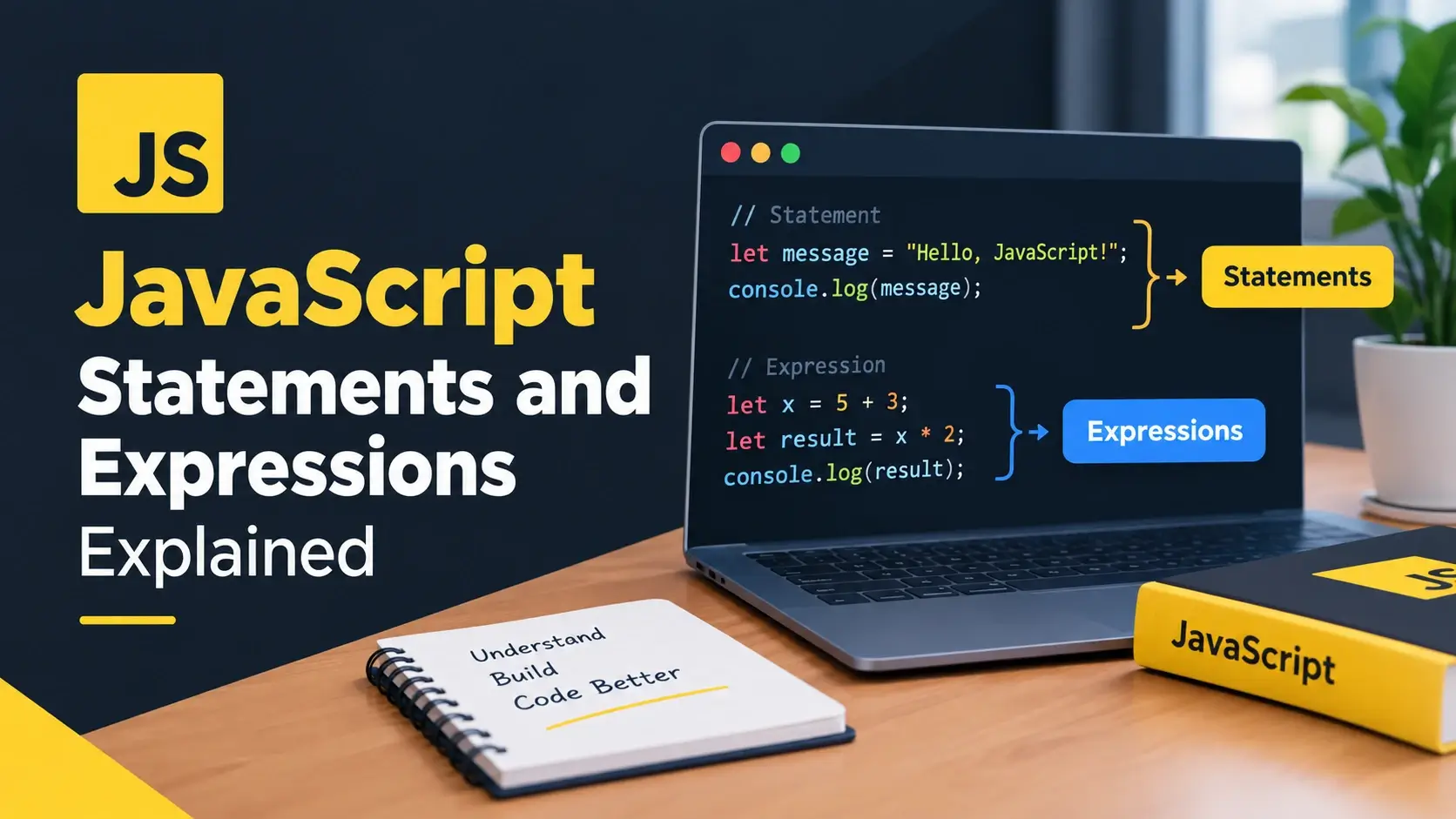
Two pieces of JavaScript can look almost identical and behave completely differently.
function greet() {} at the top level is a statement. Assigned to a variable,
const greet = function () {}; is an expression. One is hoisted and callable
before its line; the other is not.
The difference matters more than it sounds, because it explains a surprising amount of
JavaScript behavior. Why a function can be called before it is defined. Why an object
literal needs parentheses when it starts a line. Why an arrow function returns
undefined the moment you add curly braces. Why if cannot appear
inside a template literal.
This guide covers the whole distinction: what a statement is, what an expression is, every category of each, where the boundary matters in practice, and the specific syntax traps it explains. Every example runs live.
The Distinction, Precisely
JavaScript has two kinds of syntax at the top level of a program. One describes values; the other describes actions.
Produces a value
2 + 3 evaluates to 5.
"hello" evaluates to a string.
user.name evaluates to whatever that property holds.
An expression can be assigned, returned, passed as an argument, or nested inside a larger expression.
Performs an action
let x = 5; declares a variable.
if (x) branches.
for (...) loops.
A statement cannot be assigned, returned, or passed as an argument. It is not a value.
If you can put it on the right side of =, pass it as a function argument, or
return it, it is an expression.
const x = 2 + 3; — works, so 2 + 3 is an expression.
const x = if (true) {}; — a syntax error, so if is a statement.
// Expressions — each produces a value
2 + 3                      // 5
'hello'                    // a string
user.name                  // whatever the property holds
isReady ? 'yes' : 'no'     // one of two strings
[1, 2, 3]                  // an array
{ a: 1 }                   // an object (in expression position)
function () {}             // a function
() => 42                   // an arrow function
Math.max(1, 2)             // a function call

// Statements — each performs an action
let x = 5;                 // declares a variable
if (x > 3) { }             // branches
for (let i = 0; i < 3; i++) { }   // loops
function greet() { }       // declares a function
return;                    // returns from a function
throw new Error('oops');   // throws
try { } catch (e) { } // handles an errorAn expression is a noun — it names a value. A statement is a verb — it does something. “The number five” is an expression. “Declare a variable and put five in it” is a statement.
Every Kind of Expression
Expressions are the larger category in most code. Almost everything you write between operators is an expression. Here are the categories, with examples.
null, or undefined written directly in the code.
undefined.
See them all evaluate
<!DOCTYPE html>
<html lang="en">
<head>
    <meta charset="UTF-8">
    <title>Expressions</title>
    <style>
        body { font-family: system-ui, sans-serif; padding: 24px; background: #f8fafc; font-size: 14px; margin: 0; }
        .row {
            background: #fff; border: 1px solid #e2e8f0; border-radius: 10px;
            padding: 10px 14px; margin-bottom: 6px;
            display: flex; justify-content: space-between; gap: 14px;
            font-family: ui-monospace, monospace; font-size: 12.5px;
        }
        .expr { color: #64748b; }
        .val  { color: #0891b2; font-weight: 700; }
    </style>
</head>
<body>

    <div id="output"></div>

    <script>
        const user = { name: 'Ada', age: 36 };
        const isReady = true;

        // Each of these is an expression — it produces a value
        const expressions = [
            ['42',                    42],
            ['"hello"',               'hello'],
            ['true',                  true],
            ['2 + 3',                 2 + 3],
            ['10 % 3',                10 % 3],
            ['user.name',             user.name],
            ['isReady ? "yes" : "no"', isReady ? 'yes' : 'no'],
            ['[1, 2, 3]',             JSON.stringify([1, 2, 3])],
            ['{ a: 1 }',              JSON.stringify({ a: 1 })],
            ['`Hi, ${user.name}`',    `Hi, ${user.name}`],
            ['Math.max(1, 5, 3)',     Math.max(1, 5, 3)],
            ['(() => 42)()',          (() => 42)()]
        ];

        const out = document.getElementById('output');
        expressions.forEach(function (pair) {
            const div = document.createElement('div');
            div.className = 'row';
            div.innerHTML =
                '<span class="expr">' + pair[0] + '</span>' +
                '<span class="val">' + String(pair[1]) + '</span>';
            out.appendChild(div);
        });
    </script>

</body>
</html>
Each line in that list produces a value. The value might be a number, a string, an array, an object, or a function — but there is always something on the right side. That is what makes it an expression.
Every Kind of Statement
Statements describe actions. They run in order, they can contain other statements, and they change what happens next.
| Statement | What it does |
|---|---|
let x = 5; |
Declares a variable with let, const, or var |
{ ... } |
A block — groups several statements into one |
if / else |
Branches based on a condition |
switch |
Chooses one of several cases |
for / while / do...while |
Loops |
return |
Ends a function and gives a value back |
throw |
Throws an exception |
try / catch / finally |
Handles exceptions |
break / continue |
Controls a loop |
function greet() {} |
A function declaration |
class User {} |
A class declaration |
import / export |
Module declarations |
debugger; |
Pauses in DevTools if it is open |
; |
An empty statement — does nothing |
label: ... |
Labels a statement, for use with break and continue |
A function declaration is a statement
This is the one that surprises people most. function greet() {} at the top
level of a script is a statement. It does not produce a value. It registers a
function and moves on.
// A function declaration — a statement
function greet(name) {
    return 'Hello, ' + name;
}

// It cannot be used as a value:
// const x = function greet(name) {};   ← this is a function expression

// But it can be called, because the declaration
// registered the name `greet` in scope.
greet('Ada');
A function expression, on the other hand, is a value. It can be assigned, passed, returned, or called immediately.
// A function expression — produces a function value
const greet = function (name) {
    return 'Hello, ' + name;
};

// An arrow function expression — also a value
const greet2 = (name) => 'Hello, ' + name;

// Passed as an argument, because it is a value
[1, 2, 3].forEach(n => console.log(n));

// Returned from a function, because it is a value
function makeGreeter() {
    return (name) => 'Hi, ' + name;
}
If a construct begins with the word function at the start of a statement,
it is a declaration — a statement. If the word function appears anywhere
else, it is an expression. The parser decides based on position.
The Bridge: Expression Statements
Almost every expression can also be written as a statement, by placing it on its own line. This is called an expression statement, and it is how most lines of JavaScript actually work.
// A function call as an expression statement
console.log('hello');

// An assignment as an expression statement
total = price * quantity;

// A method call
list.push(4);

// An increment
i++;

// Each of these produces a value —
// but the value is discarded, because
// the point was the side effect.
When you write a function call on its own line, you are technically writing an expression followed by a semicolon. The expression produces a value; the statement says “evaluate this and move on.” The value is thrown away unless you use it.
const len = list.push(4);

// push returns the new length,
// so len is now the length of
// the array. The expression's
// value was captured.list.push(4);
// The return value is thrown
// away. The point was the side
// effect — the item was added.Two expressions cannot be statements
Almost every expression works as a statement, but two do not. Both are about how the parser decides what a line means before it knows what you intended.
Both are fixed by wrapping the expression in parentheses, which tells the parser to expect a value.
// A block, not an object literal
{
    a: 1;
}

// An object literal, because of the parentheses
({ a: 1 });

// A syntax error — the parser expects a name
// function () {}

// A function expression, wrapped in parentheses
(function () {});

// Called immediately — this is an IIFE
(function () {
    console.log('runs now');
})();
An immediately invoked function expression works because the wrapping parentheses force
the parser into expression context. Without them, the function keyword at
the start of a statement is a declaration — and a declaration cannot be called.
Where the Distinction Matters in Practice
The boundary between statements and expressions is not academic. It explains several specific behaviors that would otherwise seem arbitrary.
1. Arrow function bodies
An arrow function has two forms, and the choice changes whether a value comes back.
const double = n => n * 2;

double(5);   // 10

// A single expression, no braces.
// Its value is returned automatically.const double = n => { n * 2 };
double(5); // undefined
// Braces make the body a block —
// a group of statements. The
// expression is evaluated and
// discarded. You need `return`.2. Returning an object from an arrow function
This is where the two traps combine. An arrow function that returns an object needs parentheses around the object literal, because the opening brace would otherwise be treated as a block.
// Incorrect — the braces are a block, not an object
const makeUser = () => { name: 'Ada' };

makeUser();   // undefined

// Correct — wrapped in parentheses, so it is an expression
const makeUser2 = () => ({ name: 'Ada' });

makeUser2();  // { name: 'Ada' }

// Or use an explicit return in a block body
const makeUser3 = () => {
    return { name: 'Ada' };
};
3. Template literal placeholders
The ${ } placeholder in a template literal expects an expression. A
statement inside it is a syntax error.
const msg = `Status: ${ if (ok) { 'ready' } }`;

// SyntaxError: Unexpected token 'if'if block is a statement and produces nothing.
`${ if (ready) { 'go' } }`

`${ let x = 5; x }`

`${ for (let i = 0; i < 3; i++) {} }`

// None of these work — the
// placeholder needs a value.`${ ready ? 'go' : 'wait' }`
`${ (() => { let x = 5; return x; })() }`
`${ [1, 2, 3].map(n => n).join() }`
// Each placeholder produces
// a value directly.4. Hoisting
Function declarations are hoisted completely. Function expressions — including arrow
functions assigned to const — are not. This is a direct consequence of one
being a statement and the other an expression.
// Works — the declaration is hoisted
sayHi();
function sayHi() { console.log('hi'); }

// Fails — the arrow function is an expression,
// and `const` variables are not accessible
// before their declaration line
sayBye();
const sayBye = () => console.log('bye');

// ReferenceError: Cannot access 'sayBye'
// before initialization
5. Conditional declarations
You cannot conditionally declare a function with the declaration syntax inside a block in a predictable way. But you can conditionally assign a function expression, because an assignment is a statement whose right side is a value.
if (isAdmin) {
    function getAccess() { return 'full'; }
} else {
    function getAccess() { return 'limited'; }
}

// In strict mode this is a
// syntax error. In sloppy mode
// it depends on the browser.let getAccess;
if (isAdmin) {
getAccess = function () { return 'full'; };
} else {
getAccess = function () { return 'limited'; };
}
// Works the same everywhere.Every behavior in this section is the same rule applied to a different situation. Once you can tell a statement from an expression, these all become obvious rather than arbitrary.
Blocks vs Object Literals
This single ambiguity causes more confusion than anything else on the topic. The same characters mean two different things depending on where they appear.
{
    const x = 1;
    console.log(x);
}

// Statements between braces.
// Produces no value.
// Appears in statement position:
// if, for, while, function bodies.

function run() {
    return 1;    // ← this brace is a block
}const user = {
name: 'Ada',
age: 36
};
// A value between braces.
// Appears in expression position:
// after =, after return, inside
// parentheses, as a function argument.
return { ok: true };
callWith({ a: 1 });The rule
The parser looks at what comes before the opening brace.
If the brace starts a statement — the beginning of a line, or after
if, for, while, or a function parameter list —
it is a block.
If the brace appears where a value is expected — after =, after
return, inside parentheses, or as a function argument — it is an
object literal.
The classic example
// This is a block. It runs and does nothing visible.
{
    name: 'Ada'
}

// The braces were a block.
// Inside, `name:` was a label,
// and 'Ada' was an expression
// statement. No object was created.

// This creates an object.
const user = { name: 'Ada' };

// And this one — wrapped in parentheses —
// is an expression, so it creates an object
// that is then discarded.
({ name: 'Ada' });
A label is a rarely used feature that lets you name a statement so
break or continue can refer to it. Inside a block,
name: is read as a label, not as an object key.
Writing { a: 1 } on its own line does nothing useful and is almost always a
mistake. If you see it in real code, the intent was probably an assignment or a return
that got lost in an edit.
Statements, Semicolons, and ASI
A statement usually ends with a semicolon. JavaScript has a feature called Automatic Semicolon Insertion — ASI — that inserts the semicolon for you in most situations. It is convenient, but the rules occasionally guess wrong.
// Works without semicolons
const a = 1
const b = 2

// Breaks — ASI joins the lines instead
const c = 1
const d = 2
[1, 2, 3].forEach(n => console.log(n))

// The parser sees: const d = 2[1, 2, 3].forEach(...)
// Because a line starting with [ continues the previous one.
The same problem occurs with a line starting with (, `,
+, or -. Each one can continue the previous statement instead of
starting a new one.
The rules of ASI are not something you want to memorize. Ending every statement with a semicolon removes the ambiguity entirely, and no tool or reviewer will object.
Statement completion values
In a browser console or inside eval(), a statement can produce a
completion value — the value the console prints back to you. This is a
limited special case, not something ordinary code can use.
// In the browser console:
2 + 3
// ← 5      the console displays the completion value

let x = 5;
// ← undefined   a declaration produces no value

// But in a real script:
// const y = if (true) {};    ← syntax error
// Statements cannot be assigned.Completion values are a console convenience. Nothing in a normal script can read them. If you want a value, write an expression.
The Comma Operator
The comma has two entirely separate roles in JavaScript, and only one of them is an operator.
// The comma as a separator — in a list
const a = 1, b = 2, c = 3;              // declarations
fn(1, 2, 3);                            // arguments
const arr = [1, 2, 3];                  // array elements
const obj = { x: 1, y: 2 };             // object properties

// The comma as an operator — evaluates left to right
// and returns the value of the last expression
const result = (1 + 1, 2 + 2, 3 + 3);
// result is 6 — the first two are evaluated and discarded

// Common in a for loop header
for (let i = 0, j = 10; i < j; i++, j--) {
    // i and j move toward each other
}
The comma operator is rarely useful and often harms readability. It appears in loop headers and occasionally in minified output, and almost nowhere else.
fn((1, 2)) calls fn with a single argument — the number
2. fn(1, 2) calls it with two arguments. The extra parentheses
turn a separator into an operator.
Class and Module Declarations
The same statement-versus-expression pattern appears in two more places you will meet regularly.
Classes
// A class declaration — a statement
class User {
    constructor(name) { this.name = name; }
}

// A class expression — a value
const User2 = class {
    constructor(name) { this.name = name; }
};

// Named class expression
const User3 = class NamedUser { };

// Because it is an expression, it can be
// passed or returned
function createClass() {
    return class { greet() { return 'hi'; } };
}
Class declarations are hoisted but not initialized. That means the name exists in
scope from the top of the block, but any attempt to use it before its declaration line
throws a ReferenceError — the temporal dead zone.
Modules
// Import declarations — statements
import { formatPrice } from './utils.js';
import defaultExport from './app.js';

// Export declarations — statements
export const TAX_RATE = 0.2;
export function formatTotal(value) { /* ... */ }

// Export as an expression — a statement with an expression inside
export default function () { }

// Dynamic import — an expression, so it can be awaited
const module = await import('./chart.js');
Static import and export are statements. They must appear at the
top level of a module, not inside a block or a condition. import(), on the
other hand, is a function-like expression that returns a promise — which is why it can be
used inside an async function or a conditional.
Static imports are hoisted and must be top-level. To load a module conditionally — only when a user clicks a button, for example — you need something that can appear inside a function. That is what the dynamic form provides.
Common Mistakes
Every one of these is a symptom of the statement-versus-expression distinction. They are the errors that come up most often.
1. An arrow function with braces and no return
const double = n => { n * 2 };

double(5);   // undefined

// The braces made the body a block,
// so the expression was evaluated
// and discarded.const double = n => n * 2;
// or
const double2 = n => { return n * 2; };
double(5); // 102. Returning an object without parentheses
const makeUser = () => { name: 'Ada' };

makeUser();   // undefined

// The parser saw a block, and `name:`
// inside it was a label.const makeUser = () => ({ name: 'Ada' });
makeUser(); // { name: 'Ada' }3. A statement inside a template literal placeholder
const msg = `Result: ${ let x = 5; x }`;

// SyntaxError: Unexpected token 'let'4. A bare object literal on its own line
{
    name: 'Ada',
    age: 36
}

// No object is created.
// The braces were a block,
// and the contents were a label
// and an expression statement.const user = {
name: 'Ada',
age: 36
};
// Or, if you only wanted the value:
({ name: 'Ada', age: 36 });5. Using a function expression before it is defined
run();
const run = () => console.log('running');

// ReferenceError: Cannot access 'run'
// before initializationconst, and
const bindings are not accessible before their line.
6. Confusing the comma separator with the comma operator
Math.max((1, 5, 3));

// The parentheses turned the commas
// into the comma operator, which
// returns only the last value.
// Math.max(3) → 3Math.max(1, 5, 3);
// 5
// No extra parentheses, so the
// commas are separators.7. A missing semicolon before a line that starts with a bracket
const result = getData()
[1, 2, 3].forEach(n => console.log(n))

// The parser reads:
// getData()[1, 2, 3].forEach(...)
// which is almost certainly
// not what was intended.const result = getData();
[1, 2, 3].forEach(n => console.log(n));
// The semicolon ends the first
// statement, so the bracket starts
// a new one.8. Expecting a statement to have a value
const x = if (ready) { 1 } else { 2 };

// SyntaxError

const y = for (let i = 0; i < 3; i++) { };

// SyntaxError — a loop is a
// statement, not a value.const x = ready ? 1 : 2;
// Build the array with map instead
const y = Array.from({ length: 3 }, (_, i) => i);If you are unsure whether the parser will read something as a statement or an expression, wrapping it in parentheses forces expression context. That is exactly why the IIFE pattern and the arrow-returning-an-object pattern both use parentheses.
Best Practices
These follow directly from the distinction. None of them is enforced by the language, but each one removes a category of confusion.
Prefer expression bodies
When an arrow function has one expression, drop the braces. The implicit return is clearer.
Wrap returned objects
() => ({ ... }) — the parentheses force expression context.
End statements with semicolons
It removes every ASI ambiguity, especially before a line starting with a bracket.
Assign object literals
Never write a bare { } on its own line. Assign it, return it, or pass it.
Use a ternary inside placeholders
A template placeholder needs a value, so an if will not work.
Declare functions at the top level
Function declarations hoist; conditional function definitions are unpredictable.
Avoid the comma operator
It is rarely worth the confusion. Write separate statements instead.
Ask the value question
Can it go on the right of =? If yes, it is an expression.
Let a formatter decide
Prettier adds the parentheses and semicolons that prevent these traps.
If it can be assigned or returned, it is an expression. Wrap what needs to be a value in parentheses, and end statements with semicolons.
Frequently Asked Questions
1. What is the difference between a statement and an expression in JavaScript?
An expression produces a value and can be used wherever a value is expected. A statement performs an action and cannot be used as a value. The test is simple: if you can put it on the right side of an equals sign, or pass it as a function argument, it is an expression.
2. Is a function declaration a statement or an expression?
A function declaration is a statement. A function expression, including an arrow function assigned to a variable, is an expression. This is why a function declaration cannot be used as a value, and why a function expression cannot be hoisted the same way.
3. What is an expression statement?
An expression statement is an expression written where a statement is expected, such as a function call on its own line. It is the bridge between the two: the expression produces a value, and the statement says to evaluate it and move on.
4. Can every expression be a statement?
Almost. Any expression can be written as an expression statement, but two forms are
excluded: an expression starting with an opening curly brace would be parsed as a
block, and an expression starting with the function keyword would be
parsed as a declaration. Wrapping in parentheses avoids both.
5. Why does an object literal need parentheses at the start of a line?
When a statement begins with an opening brace, the parser treats it as a block of statements rather than an object literal. Wrapping the object in parentheses forces the parser into expression context, which is why an arrow function returning an object uses parentheses around the braces.
6. Why does an arrow function need a return statement when it has braces?
An arrow function with a block body, enclosed in curly braces, is a statement body. It
runs the statements and returns undefined unless you write an explicit
return. An arrow with a single expression and no braces has an implicit
return.
7. What does the comma operator do?
The comma operator evaluates several expressions left to right and returns the value of the last one. It is rarely used because it hurts readability, but it appears in loop headers and in some minified output.
8. Do statements have a value?
Some do, in a limited sense. In a browser console or an eval call, a
block or a statement can produce a completion value, which is what the console
displays. In ordinary code, a statement cannot be assigned, returned, or passed as an
argument.
9. What is an immediately invoked function expression?
An IIFE is a function expression wrapped in parentheses and called immediately. The
parentheses are required because without them the function keyword at the
start of a statement is parsed as a declaration, which is a statement and cannot be
called.
10. Why is my arrow function returning undefined?
Almost always because the body uses curly braces without a return
statement. Braces make the body a block, which needs an explicit return. Removing the
braces turns the single expression into an implicit return.
11. Can a statement be used inside a template literal?
No. The interpolation placeholder in a template literal expects an expression, so a
statement such as an if block or a variable declaration is a syntax error
inside it. Use a ternary or a function call instead.
12. Is a class declaration a statement?
Yes. A class declaration is a statement, while a class expression assigned to a variable is an expression. The distinction matters for hoisting: class declarations are hoisted but not initialized, so they cannot be used before their declaration line.
Key Takeaways
- An expression produces a value; a statement performs an action.
- The test: if it can go on the right of
=, it is an expression. - Function and class declarations are statements; function and class expressions are values.
- A function declaration is hoisted; a function expression assigned to
constis not. - An expression statement is an expression written on its own line — the value is discarded.
- Two expressions cannot be statements: one starting with
{, one starting withfunction. - Wrapping in parentheses forces expression context — that is why IIFEs need them.
- An arrow function with braces has a statement body and needs an explicit
return. - An arrow returning an object needs parentheses:
() => ({ ... }). - Template literal placeholders expect expressions, not statements.
- The comma is a separator in lists and an operator in expressions — the two behave differently.
- Write semicolons and let a formatter handle the rest.
What to Learn Next
Now that the two categories are clear, the next step is the language around them. Start with JavaScript Syntax Explained and JavaScript Functions Explained.
From there, explore JavaScript Operators, JavaScript Conditionals, and JavaScript Loops. For the execution model underneath, read How JavaScript Works and JavaScript Hoisting Explained.
If you are still connecting the pieces, read What Is JavaScript?, How to Add JavaScript to HTML, and JavaScript Comments for the surrounding context.
Practice Challenge
The fastest way to internalize the distinction is to try to use each construct as a value and watch what happens. This exercise takes about twenty minutes.
- Create
index.htmlandapp.js, and load the script with<script src="app.js" defer></script>. - In
app.js, write five expressions on separate lines — a literal, an arithmetic expression, a ternary, an array literal, and an object literal assigned to aconst. Log each one. - Now try to assign an
ifstatement to aconst. Read the syntax error. - Try to assign a
forloop to aconst. Read the syntax error. - Write an arrow function with an expression body and confirm it returns a value. Add braces and confirm it now returns
undefined. Add an explicitreturnand confirm it works again. - Write an arrow function that returns an object without parentheses. Confirm the result is
undefined. Fix it with parentheses. - Write a bare object literal on its own line with no assignment. Refresh. Note that no error occurs and no object is created.
- Wrap that same object in parentheses. Confirm it is now treated as a value.
- Write an IIFE. Remove the wrapping parentheses and read the syntax error. Put them back.
- Put an
ifstatement inside a template literal placeholder. Read the syntax error. Replace it with a ternary and confirm it works. - Call a function declaration before its line and confirm it works. Do the same with a function expression assigned to
constand read theReferenceError. - Finally, open DevTools and type each expression into the console one at a time. Note how the console prints the value back for an expression, and
undefinedfor a declaration.
If you complete those steps, you have produced four different syntax errors by hand,
watched an arrow function silently return undefined, seen a bare object
literal do nothing at all, and confirmed in the console that declarations have no value.
Once you have caused each of these failures yourself, the rule behind them stops being
something you memorize and becomes something you recognize instantly.

 Inar Learn