
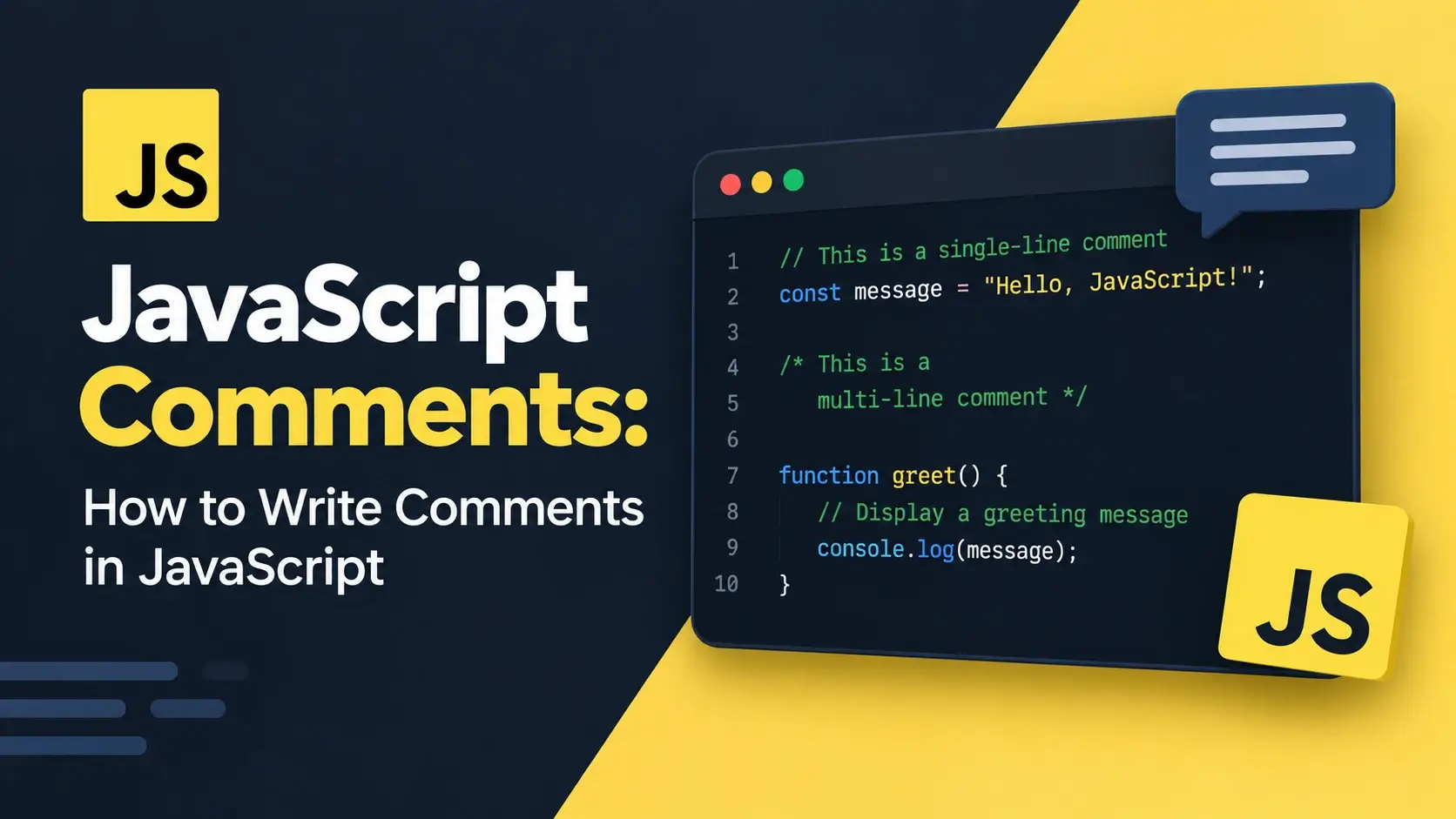
A JavaScript comment is invisible to the browser, ignored by the engine, and completely irrelevant to how the program runs. And yet a file without them becomes very hard to work with after a few hundred lines — especially when the developer reading it is you, six months later.
Unlike CSS, JavaScript has two comment syntaxes, plus a third documentation form that editors and tooling actually read. The rules are simple, but a handful of details trip people up: block comments cannot nest, a stray close delimiter turns the rest of the file into code, and a minifier will strip every comment you wrote unless you mark it as important.
This guide covers all of it: both syntaxes, JSDoc, where comments can appear, the nesting trap, comment markers, when not to comment, and how comments are handled in production. Every example runs live.
// and runs to the end of the line, and a block comment
that starts with /* and ends with */ — plus a JSDoc form that
editors and documentation tools read.
What Is a JavaScript Comment?
A comment is text in a source file that the JavaScript engine discards before running anything. It is not executed, does not affect behavior, and does not appear on the page. It exists only for people who read the code.
That last part matters more than it sounds. Comments in a .js file are
visible to anyone who opens the file in a browser — either by viewing the source or by
opening DevTools. There is no such thing as a private comment in client-side JavaScript.
Anything you write in a JavaScript comment ships to every visitor’s browser. Never put credentials, API keys, internal URLs, customer data, or anything you would not want on a public billboard. This is a genuine security rule, not a stylistic preference.
What comments are for
Explaining the why
Why a value was chosen, why a workaround exists, why a non-obvious approach was taken.
Documenting an API
Function parameters, return values, and examples — in a form tools can read.
Disabling code temporarily
Commenting out a line while debugging, without deleting it and losing track.
Marking outstanding work
TODO, FIXME, and similar markers that are easy to search for.
The Two Comment Syntaxes
JavaScript has two ways to write a comment. Both are universally supported and both are discarded by the engine. The only difference is how far they extend.
Runs from the two forward slashes to the end of the current line.
Anything on the next line is code again, so it is ideal for short notes.
Spans from the opening slash-asterisk to the matching asterisk-slash.
Can cover any number of lines — used for longer explanations or disabling code.
// A line comment. The engine ignores everything after the slashes.

const price = 19.99;   // a trailing comment after a statement

/* A block comment can span
   several lines and is often
   used for a longer explanation. */

const tax = 0.2;

/* Block comments also work inline */ const total = price * (1 + tax);

/*
 * The block form is often styled
 * with a leading asterisk on each
 * line. The asterisks are decoration —
 * the engine does not care.
 */
The leading asterisk on each line of a block comment is purely a convention. It makes a long comment easy to scan and keeps it visually separated from the code. The engine ignores it completely.
Which one to use
| Situation | Use |
|---|---|
| A short note about one line | // — the line comment |
| A trailing note after a statement | // — the line comment |
| A multi-line explanation | /* ... */ — the block comment |
| Temporarily disabling a block of code | /* ... */ — the block comment |
| Documenting a function for tools | /** ... */ — JSDoc, covered next |
| Disabling a single line of code | // — the line comment |
Line comments cannot cause the nesting problem covered later, they are easier to edit, and a stray one is harmless. Reach for a block comment only when you genuinely need to span multiple lines or disable a block.
The Third Form: JSDoc Comments
A comment that starts with /** — a slash followed by two asterisks
— is a JSDoc comment. To the JavaScript engine it is an ordinary block
comment. To your editor and to documentation tools, it is structured metadata.
/**
 * Calculate the total price of an order, including tax.
 *
 * @param {number} subtotal - The pre-tax amount in dollars.
 * @param {number} [taxRate=0.2] - The tax rate as a decimal. Defaults to 0.2.
 * @returns {number} The total amount, including tax.
 * @throws {TypeError} If subtotal is not a number.
 *
 * @example
 * calculateTotal(100);       // 120
 * calculateTotal(100, 0.1);  // 110
 */
function calculateTotal(subtotal, taxRate = 0.2) {
    if (typeof subtotal !== 'number') {
        throw new TypeError('subtotal must be a number');
    }
    return subtotal * (1 + taxRate);
}
The tags are the whole point. Your editor reads them to show a tooltip when you hover
over calculateTotal, to autocomplete the parameter names as you type, and to
warn you if you pass the wrong type. Documentation generators read them to build an API
reference without any extra effort.
The tags you will use most
Describes a parameter. Include the type in braces and a description after a dash.
Describes what the function returns, including its type.
Documents an exception the function may throw and under what conditions.
Shows a working usage example. The most valuable tag for the next reader.
Defines a custom type that other annotations can reference by name.
Marks something as obsolete. Editors will strike it through when used.
Records which version introduced the feature. Useful in libraries.
Points to a related function, class, or external documentation.
Optional and default parameters
/**
 * Create a user record.
 *
 * @param {Object} data - The user data.
 * @param {string} data.name - The user's full name. Required.
 * @param {string} [data.email] - The user's email. Optional.
 * @param {string} [data.role='viewer'] - The user's role. Defaults to 'viewer'.
 * @returns {{id: number, name: string, role: string}}
 */
function createUser({ name, email, role = 'viewer' }) {
    return { id: nextId(), name, role };
}
Square brackets around a parameter name mark it as optional. Writing
[name=default] records both that it is optional and what the default is.
Nothing enforces JSDoc. Your code runs fine without it. But on a function that other people will call — especially in a library or a shared internal module — a single well-written JSDoc block saves every future reader a trip into the implementation.
Where Comments Can Go
Unlike CSS, JavaScript comments can appear almost anywhere the parser expects a token, because the engine strips them before parsing. There are five places you will actually use.
// 1. At the top of the file — a file-level header
//    describing what this module does.

/* 2. As a section separator, dividing a long file
   ------------------------------------------------------------------ */

const API_URL = 'https://api.example.com';

// 3. Above a function, explaining what it does
function fetchUser(id) {
    // 4. Inside the function body
    const url = `${API_URL}/users/${id}`;
    return fetch(url).then(r => r.json());
}

const timeout = 5000; // 5. After a statement, on the same line

/* 6. Between statements, to introduce what comes next */

const config = {
    retries: 3,       // 7. Inside an object literal
    timeout: 5000
};

const list = [
    'a',   // 8. Inside an array literal
    'b'
];
There is one place a comment cannot go: inside a token. You cannot split an identifier, a string, or a number in half with a comment and expect the two halves to rejoin.
const user/* name */Name = 'Ada';

// The parser sees two identifiers:
// `user` and `Name` — which is a
// syntax error.

const x = 1/* five */0;
// Also an error.const userName = 'Ada'; /* the name */
const x = 10; /* value */
// The comment sits between two
// complete tokens, so the parser
// is not confused.The Nesting Trap
Block comments cannot be nested. A block comment ends at the first
*/ it finds, no matter how many /* opened before it. This is the
single most damaging comment mistake in JavaScript, because it turns an entire block of
intended-to-be-ignored code into live code.
*/.
*/ closes the outer comment. The outer one never gets its own closing delimiter.
How this happens in real life
You have a function with a block comment inside it. You decide to comment out the whole function while debugging.
/*
function save(data) {
    /* validate first */
    if (!data) return;
    persist(data);
}
*/

console.log('after');
// This line is fine — but everything
// between the inner close and here
// was parsed as code, and most of it
// is not valid JavaScript.
The outer comment closes at /* validate first */. Everything after that —
including the closing brace and the final */ — is parsed as live code, which
is almost always invalid.
The fix: convert inner block comments to line comments
Line comments do not end a block comment. That is the entire reason they are the safer choice.
/*
function save(data) {
    /* validate first */
    if (!data) return;
    persist(data);
}
*//*
function save(data) {
// validate first
if (!data) return;
persist(data);
}
*/
// The // inside does not close
// the outer block comment.
Scan the block for any existing */. If there is one, convert the inner
comment to a // line comment first. This single habit saves a very
confusing debugging session.
When you need a comment inside a comment
There is no way to nest block comments, but two patterns achieve the same thing. The first replaces the inner delimiters with a visual marker that looks similar but closes nothing:
/* Outer comment begins
   |  Inner note — a pipe stands in for the asterisk,
   |  so this text does not close the outer comment.
   Outer comment ends here */
The second splits the note into two separate comments, one above the other, so neither sits inside the other:
/* A note about the code that follows */

/* A second note, kept separate so neither nests */
If you are commenting out code just to see what happens, the Sources panel in DevTools
lets you set a breakpoint and step over a line without editing the file at all. No risk
of a stray */, no chance of forgetting to undo it.
Comments for Documentation
This is where comments earn their place. A well-commented file is dramatically easier to return to after six months, and dramatically easier for someone else to work in.
File headers
/**
 * @file Shopping cart utilities.
 *
 * Handles line items, totals, and currency conversion.
 * All amounts are in cents to avoid floating-point errors.
 */

const CURRENCY = 'USD';

// ... rest of the file
A file header tells the next reader what this module is for before they have read a single
line of implementation. The @file tag is a convention that documentation
generators recognize.
Section separators
// ============================================================
//  Configuration
// ============================================================

const API_URL = 'https://api.example.com';
const TIMEOUT = 5000;

// ============================================================
//  Data loading
// ============================================================

async function loadUser(id) { /* ... */ }

// ============================================================
//  Rendering
// ============================================================

function renderUser(user) { /* ... */ }
A row of equals signs is a widely used convention for marking sections in a long file. It is not required by the language, but it makes the file scannable at a glance.
Explaining the why, not the what
// Set the timeout to 5000
const timeout = 5000;

// Increment i
i++;

// Check if user exists
if (user) { /* ... */ }// 5s matches the load balancer's idle timeout —
// anything longer gets cut off at the proxy.
const timeout = 5000;
// The retry counter is reset here rather than
// on success, so a failed retry does not loop.
attempts = 0;Noting workarounds
Browser quirks and workarounds are exactly the kind of thing that makes no sense six months later without an explanation. Comments matter most here.
function focusInput() {
    const input = document.getElementById('search');

    // requestAnimationFrame is required here: calling focus()
    // immediately after making the element visible fails in
    // Safari because the layout has not flushed yet.
    requestAnimationFrame(() => input.focus());
}

// translateZ(0) forces GPU compositing, which fixes a flicker
// on scroll in older Chromium builds.
element.style.transform = 'translateZ(0)';
Comment Markers and Conventions
A handful of keywords are conventional enough that every developer recognizes them. Because they are searchable, they surface outstanding work across an entire codebase in seconds.
- Something to do later. A known gap that is not urgent enough to fix now. Searchable, so it does not get forgotten.
-
Something that is broken. A known bug or a fragile piece of code that
needs attention. More urgent than a
TODO. - An explanation for the next reader. Context that is not obvious from reading the code.
- A deliberate workaround. Something that looks wrong but is correct, and should be revisited when the underlying cause goes away.
- Questionable or dangerous code. A warning flag that this section deserves scrutiny.
// TODO: replace this hard-coded list with an API call
const categories = ['books', 'games', 'music'];

// FIXME: this breaks when the name contains an apostrophe
const escaped = name.replace(/'/g, '');

// NOTE: the API returns dates in UTC, so we convert to local time here
const localDate = new Date(data.timestamp + 'Z');

// HACK: Safari fires this event twice; the flag prevents double handling
let handled = false;
element.addEventListener('click', () => {
    if (handled) return;
    handled = true;
    doSomething();
});

// XXX: this loop is O(n²) and will not scale past a few hundred items
for (const a of list) { for (const b of list) { /* ... */ } }
A quick grep for TODO or FIXME in a codebase surfaces every
outstanding item in seconds. Many editors have built-in panels that list them across
the whole project.
When NOT to Comment
Comments cost maintenance, and a stale comment is worse than no comment — it actively misleads. These are the cases where a comment makes the code worse, not better.
1. Commenting the obvious
// Declare i and set it to 0
let i = 0;

// Loop while i is less than 10
while (i < 10) {
    // Increment i
    i++;
}

// Log the result
console.log(i);// Process in batches of 10 to stay under
// the API rate limit of 12 requests/second
let i = 0;
while (i < 10) { i++; }
console.log(i);2. Commenting out code and leaving it there
function total(items) {
    return items.reduce((s, i) => s + i.price, 0);
    // return items.length;
    // return items[0];
    // return items.map(i => i.price).join();
    // TODO: ask which one is right
}function total(items) {
return items.reduce((s, i) => s + i.price, 0);
}
// Version control remembers what was
// there before. There is no reason to
// keep it in the file.3. Leaving a comment where a rename would do
// d = days since last login
const d = Date.now() - user.lastLogin;

// btn = the save button
const btn = document.getElementById('save');const daysSinceLogin = Date.now() - user.lastLogin;
const saveButton = document.getElementById('save');4. Writing a comment instead of fixing the code
// this is a mess but it works
function f(a, b, c, d, e) {
    if (a) {
        if (b) {
            if (c) { return d + e; }
        }
    }
    return 0;
}function calculateTotal(a, b, c, d, e) {
if (!a || !b || !c) return 0;
return d + e;
}5. Commenting through a stale reference
A comment that describes an old version of the code is worse than nothing. When you change a function, check the comment above it. A comment that no longer matches its code is a bug waiting to happen.
It promises that the text describes the code below it. When the code changes and the comment does not, that promise is broken, and the next reader trusts something that is no longer true. When you edit a function, edit its comment.
Comments and Minification
In development, comments cost nothing but a few bytes. In production, they are removed entirely by a minifier — the same tool that shortens variable names and strips whitespace.
What a minifier does
// Calculate the discounted price
function getDiscount(price, rate) {
    /* The rate is a decimal,
       so 0.2 means 20% off */
    return price * (1 - rate);
}function getDiscount(n,e){return n*(1-e)}Every comment is gone, every variable is renamed, every unnecessary character is removed. The behavior is identical; the file is a fraction of the size.
The bang comment
Most minifiers preserve a comment that starts with an exclamation mark right after the opening delimiter. This is how license headers survive a build:
/*! My Library v2.0 | MIT License | example.com/license */

// This comment will be stripped by the minifier

/*! This one will be kept */
The convention is sometimes called an important comment or a bang comment. It exists so that legally required notices are not removed by a build step.
Source maps
Once the code is minified, DevTools would show you line 1 of a file with no readable names. A source map fixes that — it is a separate file that tells the browser where each piece of minified code came from.
// A source-map comment at the end of a minified file
//# sourceMappingURL=app.min.js.map
This comment uses a special form — //# — that tools recognize. It is
generated by the build step, not written by hand. With it, the DevTools Sources panel
shows you the original file, with its original names and its original comments.
There is no reason to hold back on comments for performance. The build step will remove them, and a source map will bring them back in DevTools. The only cost is the bytes in your source file, which nobody downloads.
Common Comment Mistakes
Each of these breaks something — either silently or with an error that points to the wrong place. They are the ones that come up most often.
1. Nesting block comments
/* outer
   /* inner */
   this text is now live code
*/*/ closes the comment, and the remaining text is parsed as JavaScript.
2. Forgetting the closing delimiter
/* Section header

const a = 1;
const b = 2;

// Missing the closing */

console.log(a);3. A stray closing delimiter
const a = 1;
*/

const b = 2;4. Using an HTML comment inside a script
<script>
    <!-- this is not a JavaScript comment -->
    const a = 1;
</script>// or
/* */.
5. Commenting out a line that contains a line-break-sensitive statement
function getValue() {
    return   // returns undefined!
       42;
}

// The newline after `return` ends
// the statement. The 42 is unreachable.function getValue() {
return 42;
}
// Or, if you want a comment, put it
// above the return, not between the
// keyword and the value.6. A comment that contradicts the code
// Returns the user's full name
function getUser(id) {
    return { id, email };
}

// The comment promised something
// the function does not do. Worse
// than no comment at all.// Returns the user's id and email only.
// The full name requires a second API call.
function getUser(id) {
return { id, email };
}7. Putting anything private in a comment
// TODO: remove the staging key
// sk_test_51H8x... before launch
const key = 'sk_test_51H8x...';

// This is visible to anyone who
// opens DevTools.// Loads the public key from a meta tag
// that the server renders per request.
const key = document
.querySelector('meta[name="api-key"]')
.content;8. A missing space after //
//calculate the total
const total = sum(items);

//increment counter
count++;// Calculate the total
const total = sum(items);
// Increment the counter
count++;
One style of line comment does omit the space: a commented-out line of code. Keeping the
original indentation and adding // at the column makes it visually obvious
that the line is disabled code, not prose.
function save(data) {
    // validate(data);
    persist(data);
}

// The commented-out call keeps its
// original indentation, which makes
// it visually distinct from a note.A single syntax error often produces a cascade of messages as the parser tries to recover. The first one is the real problem; the rest are consequences. Fix the first and reload.
Best Practices
These habits keep comments useful rather than noise as a codebase grows.
Comment the why, not the what
The code already says what it does. A comment should say why it does it that way.
Prefer line comments
They cannot trigger the nesting trap and are easier to edit safely.
Use JSDoc on public functions
@param, @returns, and @example pay for themselves the moment someone else calls the function.
Use standard markers
TODO, FIXME, NOTE, and HACK are searchable and understood everywhere.
Never nest block comments
Check for an inner */ before commenting out a block. Convert it to a line comment first.
Delete dead code
Commented-out code belongs in version history, not in the file.
Keep them short
One or two lines is usually enough. Long essays go stale and get skipped.
Use /*! for licenses
The bang form survives minification, so legal notices are not stripped.
Assume comments are public
Never put credentials, API keys, or private URLs in a comment.
Prefer //, never nest block comments, use JSDoc for public APIs, explain
the why rather than the what, and delete dead code instead of commenting it out.
Frequently Asked Questions
1. How do you write a comment in JavaScript?
JavaScript has two comment syntaxes. A line comment starts with
// and runs to the end of the line. A block comment
starts with /* and ends with */, and can span multiple
lines. A third form starting with /** is a JSDoc comment that
documentation tools read.
2. What is the difference between // and /* */ in JavaScript?
A double-slash comment runs only to the end of the line, so it is used for short notes. A slash-asterisk block comment can span any number of lines and is used for longer explanations or for temporarily disabling a block of code.
3. Can JavaScript comments be nested?
Block comments cannot be nested. A block comment ends at the first
*/ it encounters, so putting a comment inside a comment closes the outer
one early and turns the rest of the text into live code. Line comments using
// can appear inside a block comment without ending it.
4. Do JavaScript comments affect the page?
No. Comments are discarded by the JavaScript engine before the code runs, so they have no effect on behavior, performance, or rendering. They are visible only to someone reading the source.
5. What is a JSDoc comment?
A JSDoc comment starts with /** and uses tags such as
@param, @returns, and @example. Editors and
documentation generators read these to provide autocomplete, type hints, and generated
API documentation. They are ordinary block comments as far as the engine is
concerned.
6. Are JavaScript comments removed in production?
Yes. A minifier strips comments to reduce file size. A comment that starts with an exclamation mark, such as a license header, is preserved by most minifiers because it is marked as important.
7. Do comments in JavaScript affect SEO?
No. Search engines do not read JavaScript comments as content and they are not a ranking factor. Putting keywords in comments has no effect and is not a substitute for real content or metadata.
8. How do I comment out a block of code in JavaScript?
Wrap the block in /* and */. If the block already contains
a block comment, the outer comment closes at the first */ inside it, so
remove or convert any inner block comments first. Line comments using
// do not cause this problem.
9. What is the difference between a JavaScript comment and an HTML comment?
HTML comments use <!-- and --> and are used in
markup. JavaScript comments use forward slashes and are used inside a script element
or a .js file. Putting an HTML comment inside a script block does not
create a JavaScript comment.
10. Can I use HTML comments inside a script tag?
There is a legacy behaviour where <!-- acts as a line comment in some
contexts, intended to hide scripts from very old browsers. It is obsolete and should
not be used. Use // for line comments inside script blocks.
11. What are TODO and FIXME comments?
They are conventional markers. TODO marks something to do later,
FIXME marks something broken that needs attention, NOTE
explains context for the next reader, and HACK marks a deliberate
workaround. Because they are searchable, they surface outstanding work across a
codebase.
12. Should I comment every line of JavaScript?
No. Commenting every line adds noise and goes stale quickly. Comment the why rather than the what, and reserve comments for decisions that are not obvious from reading the code — a workaround, a constraint, a non-obvious choice of value.
Key Takeaways
- JavaScript has two comment syntaxes:
//for a line,/* */for a block. - A third form,
/** */, is a JSDoc comment that editors and tools read. - Block comments cannot be nested — the first
*/closes the comment. - An unclosed block comment swallows the rest of the file.
- Line comments inside a block comment do not end it, so they are the safer choice.
- Comments have no effect on behavior, performance, or SEO.
- Minifiers strip comments, except those written as
/*! ... */. - Source maps bring comments back into DevTools after minification.
- Comment the why, not the what.
- Markers like
TODO,FIXME,NOTE, andHACKare searchable across a codebase. - Delete commented-out code — version control already remembers it.
- Never put anything private in a comment; it ships to every visitor.
What to Learn Next
Now that comments are clear, the next step is the language around them. Start with JavaScript Syntax Explained and What Is JavaScript?.
From there, explore JavaScript Functions Explained, JavaScript Objects, and JavaScript Array Methods. When you are ready to work with the page, read How to Add JavaScript to HTML and Working with the DOM.
If you are still connecting the pieces, read How JavaScript Works and CSS Comments for the surrounding context.
Practice Challenge
The fastest way to internalize the rules is to break them on purpose and watch what happens. This exercise takes about twenty minutes.
- Create
index.htmlandapp.js, and load the script with<script src="app.js" defer></script>. - At the top of
app.js, write a JSDoc-style file header describing what the file does. Use@file. - Write a function that returns a value. Above it, add a JSDoc block with
@param,@returns, and@example. Hover over the function name in your editor and confirm the tooltip appears. - Add a
// TODO, a// FIXME, and a// NOTEcomment somewhere in the file. Confirm your editor lists them in its problem panel. - Refresh the page and confirm that none of the comments appear in the rendered output.
- Now break it: wrap a function in a block comment that contains a second block comment inside it. Refresh and read the console error. Fix it by converting the inner comment to
//. - Break it again: delete a closing
*/from a block comment. Refresh and confirm that every line below it stops running. Put it back. - Add a stray
*/on its own line. Refresh and read the syntax error. - Put an HTML comment
<!-- ... -->inside the script block. Refresh and read the syntax error. - Now open DevTools, inspect the Sources panel, and confirm that all your comments are visible in the loaded
app.js. - Finally, run the file through a minifier (any online tool works). Compare the output and confirm that every comment is gone and every name is shortened.
If you complete those steps, you have written both comment syntaxes, watched JSDoc drive editor tooltips, produced four different syntax errors by hand, seen how a single stray delimiter breaks an entire file, and watched a minifier strip everything away. That sequence — write, break, read the error, fix — is how the syntax stops being something you look up and becomes something you know.

 Inar Learn