
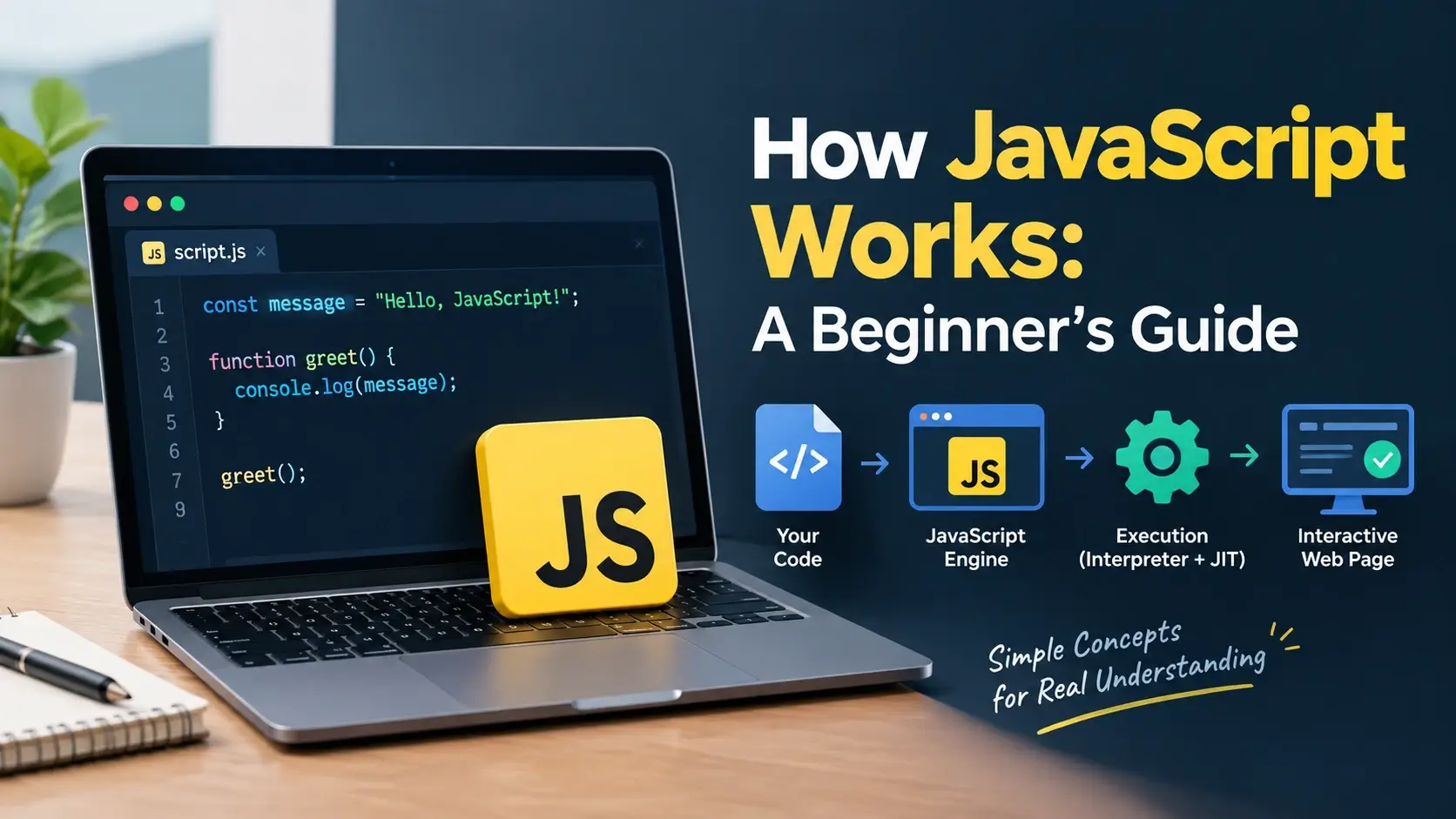
You have written a few lines of JavaScript. They run, the page responds, and it feels like
magic. But then something behaves in a way you did not expect. A setTimeout
with a delay of zero still runs after the code below it. A variable reads as
undefined even though it is declared. A long loop freezes the whole page.
These are not quirks. They are the direct consequences of how JavaScript actually works — a single thread, a call stack, a set of queues, and an event loop that moves work between them. Once you understand those four things, the strange behavior stops being strange.
This guide walks through the whole mechanism from the ground up: what an engine is, how
your code is parsed and executed, what hoisting really means, how the call stack grows and
shrinks, how the event loop keeps the page responsive, and how closures and
this fit into it all. Every example below runs live.
The Big Picture
Before any of the details, here is the whole system in one view. JavaScript itself is small — it knows how to run code and manage memory. Everything that takes time is handled by the browser, and handed back through a queue.
The JavaScript engine
Runs one thing at a time. When the stack is empty, it looks for work.
The browser (Web APIs)
Handles timers, network, and events, then queues callbacks for the engine.
That is the entire model. The engine runs code; the browser handles everything asynchronous; the event loop moves finished work from the queue back onto the stack.
JavaScript cannot wait. It has no way to pause in the middle of a function and come back later. Everything asynchronous has to be expressed as a callback — a function the browser calls when the work is done.
The JavaScript Engine
A JavaScript engine is the program that reads and executes your code. It ships inside the browser, or inside Node.js if you are running JavaScript on a server.
V8
Google’s engine. Powers Chrome, Edge, and Node.js. The most widely deployed JavaScript engine in the world.
SpiderMonkey
Mozilla’s engine. Powers Firefox. It was the very first JavaScript engine, written by Brendan Eich in 1995.
JavaScriptCore
Apple’s engine, also called Nitro. Powers Safari and every browser on iOS, since Apple requires it.
Hermes
Meta’s engine, optimized for React Native. Trades some speed for a much faster startup on mobile.
What is inside an engine
Older descriptions call JavaScript “interpreted.” That is not quite right anymore. Modern engines compile your code to bytecode, run it, notice which functions are called often, and recompile those into optimized machine code. It is why the tenth call to a function can be faster than the first.
Parsing and Execution: Two Phases
When the engine receives a script, it does not start running it immediately. It processes the whole thing in two passes.
The distinction matters because it explains why some variables are accessible before their declaration line and others are not. It all comes down to what happens in phase 2.
Hoisting, Explained Properly
Hoisting is the name for what phase 2 does. Before any code runs, the engine walks through the script and registers every declaration it finds. What gets registered — and with what value — depends on how you declared it.
| Declaration | Hoisted? | Initial value | Accessible before its line? |
|---|---|---|---|
var x = 5 |
Yes | undefined |
Yes — reads as undefined |
let x = 5 |
Yes | Uninitialized | No — throws a ReferenceError |
const x = 5 |
Yes | Uninitialized | No — throws a ReferenceError |
function greet() {} |
Yes, completely | The function itself | Yes — the whole body is available |
const greet = () => {} |
The name only | Uninitialized | No — same rule as const |
Watch each case run. The example below deliberately triggers errors and catches them so the page keeps working.
<!DOCTYPE html>
<html lang="en">
<head>
    <meta charset="UTF-8">
    <title>Hoisting</title>
    <style>
        body { font-family: system-ui, sans-serif; padding: 24px; background: #f8fafc; font-size: 14px; }
        .row {
            background: #fff; border: 1px solid #e2e8f0; border-radius: 10px;
            padding: 12px 16px; margin-bottom: 8px;
        }
        .label {
            font-family: ui-monospace, monospace; color: #64748b;
            font-size: 12px; display: block; margin-bottom: 4px;
        }
        .value { font-family: ui-monospace, monospace; font-size: 13px; font-weight: 700; }
        .ok    { color: #16a34a; }
        .err   { color: #e11d48; }
        .undef { color: #d97706; }
    </style>
</head>
<body>

    <div id="output"></div>

    <script>
        const out = document.getElementById('output');

        function show(label, value, cls) {
            const div = document.createElement('div');
            div.className = 'row';
            div.innerHTML =
                '<span class="label">' + label + '</span>' +
                '<span class="value ' + (cls || '') + '">' + value + '</span>';
            out.appendChild(div);
        }

        // ---- var ----
        show('console.log(myVar) before declaration', String(myVar), 'undef');

        var myVar = 'assigned';
        show('myVar after assignment', myVar, 'ok');

        // ---- function declaration ----
        show('greet() called before it is defined', greet('Ada'), 'ok');

        function greet(name) {
            return 'Hello, ' + name;
        }

        // ---- let / const ----
        try {
            console.log(myLet);
        } catch (e) {
            show('console.log(myLet) before declaration', e.name + ': ' + e.message, 'err');
        }

        let myLet = 'assigned';
        show('myLet after assignment', myLet, 'ok');

        // ---- function expression ----
        try {
            arrowFn();
        } catch (e) {
            show('arrowFn() before it is defined', e.name + ': ' + e.message, 'err');
        }

        const arrowFn = () => 'arrow';
        show('arrowFn() after definition', arrowFn(), 'ok');
    </script>

</body>
</html>
Read the results carefully. var reads as undefined — it exists,
but its value has not been assigned yet. let and const throw a
ReferenceError — they exist too, but the engine refuses to let you touch them
until their declaration line runs. Only the function declaration is fully usable in
advance.
The gap between the start of a scope and the line where a let or
const is declared is called the temporal dead zone. Any attempt to read the
variable inside that gap throws. It is why the modern keywords catch bugs that
var silently allowed.
The Call Stack
The call stack is how JavaScript keeps track of which function is currently running. It works exactly like a stack of plates: the last one added is the first one removed.
When you call a function, the engine pushes a frame onto the stack — a record of that function’s local variables and where to return to. When the function returns, the frame is popped off, and control goes back to whatever called it.
<!DOCTYPE html>
<html lang="en">
<head>
    <meta charset="UTF-8">
    <title>Call Stack</title>
    <style>
        body { font-family: system-ui, sans-serif; padding: 24px; background: #f8fafc; font-size: 14px; }
        h3 { font-size: 12px; text-transform: uppercase; letter-spacing: 0.08em; color: #64748b; margin: 0 0 10px; }
        .stack {
            background: #fff; border: 1px solid #e2e8f0; border-radius: 12px;
            padding: 14px; min-height: 200px;
            display: flex; flex-direction: column-reverse; gap: 6px;
        }
        .frame {
            background: linear-gradient(135deg, #06b6d4, #7c3aed);
            color: #fff;
            border-radius: 8px;
            padding: 8px 14px;
            font-family: ui-monospace, monospace;
            font-size: 13px;
            font-weight: 600;
            animation: push 0.25s ease;
        }
        @keyframes push {
            from { opacity: 0; transform: translateY(-6px); }
            to   { opacity: 1; transform: translateY(0); }
        }
        .empty { color: #94a3b8; text-align: center; padding: 80px 0; font-style: italic; }
        .log {
            background: #0b1020; color: #dbe3f4; border-radius: 12px;
            padding: 14px 18px; margin-top: 14px;
            font-family: ui-monospace, monospace; font-size: 12px; line-height: 1.8;
        }
        .log .push { color: #67e8f9; }
        .log .pop  { color: #86efac; }
    </style>
</head>
<body>

    <h3>Call stack</h3>
    <div class="stack" id="stack">
        <div class="empty">empty</div>
    </div>

    <div class="log" id="log"></div>

    <script>
        const stackEl = document.getElementById('stack');
        const logEl   = document.getElementById('log');

        function renderStack(frames) {
            stackEl.innerHTML = '';
            if (frames.length === 0) {
                stackEl.innerHTML = '<div class="empty">empty</div>';
                return;
            }
            frames.forEach(function (name) {
                const div = document.createElement('div');
                div.className = 'frame';
                div.textContent = name + '()';
                stackEl.appendChild(div);
            });
        }

        function log(msg, cls) {
            const line = document.createElement('div');
            line.innerHTML = '<span class="' + (cls || '') + '">' + msg + '</span>';
            logEl.appendChild(line);
        }

        const stack = [];

        function enter(name) {
            stack.push(name);
            renderStack(stack);
            log('push ' + name + '()', 'push');
        }

        function exit(name) {
            stack.pop();
            renderStack(stack);
            log('pop  ' + name + '()', 'pop');
        }

        // Three nested functions
        function third() {
            enter('third');
            exit('third');
            return 'done';
        }

        function second() {
            enter('second');
            third();
            exit('second');
        }

        function first() {
            enter('first');
            second();
            exit('first');
        }

        // Run it, one step at a time so the animation is visible
        const steps = [
            () => enter('first'),
            () => enter('second'),
            () => enter('third'),
            () => exit('third'),
            () => exit('second'),
            () => exit('first')
        ];

        let i = 0;
        (function next() {
            if (i < steps.length) {
                steps[i]();
                i++;
                setTimeout(next, 700);
            }
        })();
    </script>

</body>
</html>
Watch the stack grow and shrink. first() is pushed, then it calls
second(), which pushes on top, then third() on top of that. As
each one returns, its frame is popped off in reverse order. That last-in-first-out
behavior is why it is called a stack.
Stack overflow
The stack has a fixed size. If you recurse too deeply without a base case, the engine runs out of room and throws the error every JavaScript developer eventually sees:
function recurse() {
    recurse();   // never returns
}

recurse();
// RangeError: Maximum call stack size exceededThere is only one call stack. That is what “single-threaded” means. While a function is running, nothing else runs — no other function, no event handler, no repaint. Everything waits its turn.
Single-Threaded and Non-Blocking
Those two phrases sound contradictory. If JavaScript can only do one thing at a time, how does it stay responsive while waiting for a network request?
The answer is that JavaScript does not do the waiting. The browser does.
JavaScript waits
A fetch() call pauses the program for 300ms while the request is in flight.
The page freezes. Clicks do nothing. Nothing renders.
This is not what happens — but it is what beginners often assume.
The browser waits
JavaScript hands the request to the browser and immediately moves on to the next line.
When the response arrives, the browser queues a callback.
The event loop runs it when the stack is free.
This is why JavaScript feels concurrent even though it only has one thread. The concurrency lives in the browser, not in the language.
What blocks the page
Only synchronous work blocks. A long loop, a heavy calculation, or a synchronous network call keeps the call stack busy and prevents anything else from running.
// This blocks the page for about a second
function blockForOneSecond() {
    const start = Date.now();
    while (Date.now() - start < 1000) {
        // do nothing — just spin
    }
}

// While this runs:
//   - no clicks are handled
//   - no timers fire
//   - the page does not repaint
//   - any animation freezes

blockForOneSecond();
console.log('finally');
The main thread is not just for JavaScript — it also handles layout and painting. A blocking loop stops rendering too, which is why a heavy script makes the whole page appear frozen rather than just slow.
The Event Loop and the Queues
The event loop is a simple loop with one job: check whether the call stack is empty, and if it is, take the next piece of queued work and run it.
It never stops. From the moment the page loads until the tab closes, the event loop keeps checking, moving work from the queues onto the stack.
Two queues, not one
There are actually two queues, and the difference between them explains a lot of surprising behavior.
| Queue | What goes in it | When it runs |
|---|---|---|
| Microtask queue | Promise.then, queueMicrotask, MutationObserver |
Immediately after the current code finishes — the whole queue is drained before anything else |
| Task queue (macrotask) | setTimeout, setInterval, I/O callbacks, UI events |
One task per event loop iteration, after the microtask queue is empty |
Microtasks always win. A promise callback will run before a setTimeout with a
delay of zero, every time.
Watch the order
This example is the single most useful demonstration of the event loop. Read the code first, guess the order the lines will appear, then look at the output.
<!DOCTYPE html>
<html lang="en">
<head>
    <meta charset="UTF-8">
    <title>Event Loop Order</title>
    <style>
        body { font-family: system-ui, sans-serif; padding: 24px; background: #f8fafc; font-size: 14px; }
        h3 { font-size: 12px; text-transform: uppercase; letter-spacing: 0.08em; color: #64748b; margin: 0 0 10px; }
        .line {
            background: #fff; border: 1px solid #e2e8f0; border-radius: 10px;
            padding: 12px 16px; margin-bottom: 6px;
            font-family: ui-monospace, monospace; font-size: 13px;
            display: flex; justify-content: space-between; gap: 12px;
        }
        .num { font-weight: 700; color: #0f172a; }
        .tag {
            font-size: 11px; padding: 2px 8px; border-radius: 999px;
            font-weight: 700; text-transform: uppercase; letter-spacing: 0.06em;
        }
        .tag--sync  { background: rgba(15,23,42,.08); color: #334155; }
        .tag--micro { background: rgba(124,58,237,.12); color: #6d28d9; }
        .tag--macro { background: rgba(217,119,6,.12); color: #d97706; }
    </style>
</head>
<body>

    <h3>Execution order</h3>
    <div id="output"></div>

    <script>
        const out = document.getElementById('output');
        let n = 0;

        function log(text, tag) {
            n++;
            const div = document.createElement('div');
            div.className = 'line';
            div.innerHTML =
                '<span class="num">' + n + '. ' + text + '</span>' +
                '<span class="tag tag--' + tag + '">' + tag + '</span>';
            out.appendChild(div);
        }

        // ---- The demo ----

        log('script start', 'sync');

        setTimeout(function () {
            log('setTimeout callback', 'macro');
        }, 0);

        Promise.resolve().then(function () {
            log('promise .then callback', 'micro');
        });

        log('script end', 'sync');

        // What order will these appear in?
    </script>

</body>
</html>
The order is: script start → script end → promise .then → setTimeout.
The two synchronous logs run first, because they are on the call stack. Then the stack
empties, the microtask queue is drained — running the promise callback — and only then does
the event loop move to the task queue and run the setTimeout callback, even
though its delay was zero.
Once you know that microtasks run before tasks, several confusing behaviors become
obvious: why a promise resolves before a zero-delay timer, why a
Promise.all callback can jump ahead of queued timers, and why
setTimeout(fn, 0) is not actually “run immediately.”
Asynchronous JavaScript: Three Eras
Asynchronous code has been written three different ways over JavaScript’s history. Each one solved a problem with the previous approach.
Era 1 — Callbacks
// The original approach: pass a function to run when done
getUser(1, function (user) {
    getPosts(user.id, function (posts) {
        getComments(posts[0].id, function (comments) {
            console.log(comments);

            // Three levels deep, and it gets worse
        });
    });
});

// This shape is called "callback hell" — deeply nested,
// hard to read, and error handling is repeated at every level.
Era 2 — Promises
// A promise represents a value that will exist later
getUser(1)
    .then(user => getPosts(user.id))
    .then(posts => getComments(posts[0].id))
    .then(comments => console.log(comments))
    .catch(error => console.error(error));

// Flat instead of nested, and one .catch handles every step.
Era 3 — async / await
// The same thing, but written like synchronous code
async function loadComments() {
    try {
        const user = await getUser(1);
        const posts = await getPosts(user.id);
        const comments = await getComments(posts[0].id);
        console.log(comments);
    } catch (error) {
        console.error(error);
    }
}
The async keyword marks a function as one that will return a promise. The
await keyword pauses that function until the promise resolves — but it does
not block the page. The function is suspended and removed from the call stack, and the
event loop continues running everything else.
It reads like it blocks because the code looks sequential, but it does not. When
await is reached, the rest of the function is scheduled as a microtask and
the main thread is free to handle other work.
See the difference in timing
<!DOCTYPE html>
<html lang="en">
<head>
    <meta charset="UTF-8">
    <title>Async Timing</title>
    <style>
        body { font-family: system-ui, sans-serif; padding: 24px; background: #f8fafc; font-size: 14px; }
        .line {
            background: #fff; border: 1px solid #e2e8f0; border-radius: 10px;
            padding: 10px 14px; margin-bottom: 6px;
            font-family: ui-monospace, monospace; font-size: 12.5px;
            display: flex; justify-content: space-between; gap: 12px;
        }
        .time { color: #64748b; font-size: 11px; }
        .sync  { color: #334155; }
        .async { color: #7c3aed; font-weight: 600; }
    </style>
</head>
<body>

    <div id="output"></div>

    <script>
        const out = document.getElementById('output');
        const start = performance.now();

        function log(text, cls) {
            const elapsed = Math.round(performance.now() - start);
            const div = document.createElement('div');
            div.className = 'line';
            div.innerHTML =
                '<span class="' + (cls || 'sync') + '">' + text + '</span>' +
                '<span class="time">+' + elapsed + 'ms</span>';
            out.appendChild(div);
        }

        // A fake network request that takes 500ms
        function fakeFetch(label) {
            return new Promise(function (resolve) {
                setTimeout(function () {
                    resolve(label + ' resolved');
                }, 500);
            });
        }

        log('script start');

        async function loadData() {
            log('async function started', 'async');

            const result = await fakeFetch('request 1');
            log(result, 'async');

            const result2 = await fakeFetch('request 2');
            log(result2, 'async');

            log('async function finished', 'async');
        }

        loadData();

        log('script end — page is free');
        log('handling clicks, timers, rendering…');
    </script>

</body>
</html>
Notice that “script end” runs immediately after loadData() is called, even
though loadData has not finished. The await suspended the
function and handed control back. The two requests resolve about 500ms and 1000ms later,
and the page stayed responsive the whole time.
Scope: Where Variables Live
Scope determines which parts of your code can see a given variable. JavaScript has three kinds.
Global scope
Anything declared at the top level of a script. Accessible everywhere.
Function scope
Anything declared inside a function. Only visible inside that function and anything nested in it.
Block scope
Anything declared with let or const inside { }. Visible only inside that block.
const global = 'everywhere';

function outer() {
    const functionScoped = 'inside outer';

    if (true) {
        const blockScoped = 'inside the if block';
        let alsoBlockScoped = 'same';

        // All four are visible here
        console.log(global, functionScoped, blockScoped, alsoBlockScoped);
    }

    // blockScoped is NOT visible here — it belonged to the if block
    // console.log(blockScoped);   // ReferenceError
}

outer();
// functionScoped is NOT visible here either
// console.log(functionScoped);    // ReferenceError
Scope chain
When you reference a variable, the engine looks for it in the current scope first, then the
enclosing scope, then the next one out, all the way to global. If it is not found anywhere,
you get a ReferenceError.
That lookup chain is what makes closures possible.
Closures
A closure is a function that remembers the variables from where it was created, even after that scope has finished running.
Every function in JavaScript is a closure. It is not a special feature you opt into — it is how the language works. But the effects are most visible when a function returns another function.
<!DOCTYPE html>
<html lang="en">
<head>
    <meta charset="UTF-8">
    <title>Closures</title>
    <style>
        body { font-family: system-ui, sans-serif; padding: 28px; background: #f8fafc; font-size: 14px; margin: 0; }
        .counters { display: flex; gap: 14px; flex-wrap: wrap; margin-bottom: 20px; }
        .counter {
            background: #fff;
            border: 1px solid #e2e8f0;
            border-radius: 14px;
            padding: 18px 20px;
            text-align: center;
            min-width: 140px;
        }
        .counter__name { font-size: 11px; text-transform: uppercase; letter-spacing: 0.1em; color: #64748b; margin-bottom: 6px; }
        .counter__value { font-size: 2rem; font-weight: 700; color: #0f172a; margin-bottom: 10px; font-variant-numeric: tabular-nums; }
        .counter__btn {
            border: 0; border-radius: 8px; background: #0891b2; color: #fff;
            font: inherit; font-weight: 600; font-size: 13px;
            padding: 8px 18px; cursor: pointer;
        }
        .counter__btn:hover { background: #0e7490; }
        .note { color: #64748b; font-size: 13px; line-height: 1.6; max-width: 60ch; }
    </style>
</head>
<body>

    <div class="counters" id="counters"></div>

    <p class="note">
        Each counter was created by the same factory function, but each one has its own
        count variable. That private state is what a closure remembers.
    </p>

    <script>
        // A factory that returns a function remembering `count`
        function makeCounter(name) {
            let count = 0;   // private — nothing outside can touch it

            return function () {
                count = count + 1;
                return count;
            };
        }

        const container = document.getElementById('counters');

        const names = ['counter A', 'counter B', 'counter C'];

        names.forEach(function (name) {
            const increment = makeCounter(name);

            const card = document.createElement('div');
            card.className = 'counter';
            card.innerHTML =
                '<div class="counter__name">' + name + '</div>' +
                '<div class="counter__value">0</div>' +
                '<button class="counter__btn">+1</button>';

            container.appendChild(card);

            const valueEl = card.querySelector('.counter__value');
            const btn     = card.querySelector('.counter__btn');

            btn.addEventListener('click', function () {
                valueEl.textContent = increment();
            });
        });
    </script>

</body>
</html>
Each counter was created by the same makeCounter function. Each one has its
own count variable that nothing outside can read or change. The
count variable should have been destroyed when makeCounter
returned — but the returned function still holds a reference to it, so it stays alive.
Before JavaScript had private class fields, closures were the only way to make truly private variables. They are still one of the most useful patterns in the language — and the mechanism behind modules, event handlers, and React hooks.
The classic closure gotcha
for (var i = 1; i <= 3; i++) {
    setTimeout(function () {
        console.log(i);
    }, 0);
}

// Logs: 4, 4, 4
// var is function-scoped, so all
// three callbacks share one i,
// which is 4 by the time they run.for (let i = 1; i <= 3; i++) {
setTimeout(function () {
console.log(i);
}, 0);
}
// Logs: 1, 2, 3
// let is block-scoped, so each
// iteration gets its own i that
// the closure captures.The this Keyword
this is the most confusing part of JavaScript, and the confusion comes from one
fact: its value is decided when the function is called, not when it is
defined.
| How it is called | What this is | Example |
|---|---|---|
| As a method | The object before the dot | user.greet() → user |
| As a plain function | undefined in strict mode; the global object otherwise |
greet() |
With call or apply |
Whatever you pass as the first argument | greet.call(user) → user |
With new |
A new empty object | new User() |
| In an arrow function | Inherited from the enclosing scope — arrows have no own this |
() => this.name |
<!DOCTYPE html>
<html lang="en">
<head>
    <meta charset="UTF-8">
    <title>this</title>
    <style>
        body { font-family: system-ui, sans-serif; padding: 24px; background: #f8fafc; font-size: 14px; }
        .row {
            background: #fff; border: 1px solid #e2e8f0; border-radius: 10px;
            padding: 12px 16px; margin-bottom: 8px;
        }
        .label { font-family: ui-monospace, monospace; color: #64748b; font-size: 12px; display: block; margin-bottom: 4px; }
        .value { font-family: ui-monospace, monospace; font-size: 13px; font-weight: 700; color: #0891b2; }
    </style>
</head>
<body>

    <div id="output"></div>

    <script>
        const out = document.getElementById('output');

        function show(label, value) {
            const div = document.createElement('div');
            div.className = 'row';
            div.innerHTML =
                '<span class="label">' + label + '</span>' +
                '<span class="value">' + value + '</span>';
            out.appendChild(div);
        }

        const user = {
            name: 'Ada',

            // Regular method — this is the object before the dot
            greetRegular: function () {
                return this.name;
            },

            // Arrow function — this is inherited from outside
            greetArrow: () => {
                return typeof this === 'undefined' ? 'undefined (no own this)' : 'inherited';
            }
        };

        show('user.greetRegular()', user.greetRegular());

        // Detach the method and call it as a plain function
        const detached = user.greetRegular;
        show('detached() — this is lost', String(detached()));

        // Bind it back explicitly
        show('detached.bind(user)()', detached.bind(user)());

        // Arrow function in a method
        show('user.greetArrow()', user.greetArrow());
    </script>

</body>
</html>
Passing a method as a callback loses this, because the call site changes.
setTimeout(user.greet, 100) does not keep the connection to
user. Wrap it — setTimeout(() => user.greet(), 100) — or use
bind.
Memory and Garbage Collection
Objects live in the heap — a large, unstructured pool of memory. JavaScript manages that memory for you: when an object is no longer reachable from anywhere in the running code, the engine eventually frees it.
Mark and sweep
You cannot trigger garbage collection yourself. The engine decides when to run it, usually when memory pressure builds or the program is idle.
What leaks
Memory leaks happen when something you no longer need is still reachable. The usual causes:
- Forgotten timers. A
setIntervalthat never stops keeps its callback and everything the callback references alive. - Event listeners never removed. A listener attached to a removed element still holds a reference to it.
- Accidental global variables. Assigning to an undeclared name creates a global that lives until the page closes.
- Growing arrays or maps. Caches that are added to but never cleared.
- Closures over large objects. A small callback that closes over a huge array keeps the whole array alive.
The Memory panel in Chrome DevTools can take heap snapshots and compare them. If the number of retained objects keeps growing as you interact with the page, something is holding a reference it should have released.
JavaScript and the Rendering Pipeline
The main thread does more than run JavaScript. It also handles style calculation, layout, and painting. When JavaScript is busy, all of that waits.
The browser tries to run this whole sequence roughly sixty times per second to produce smooth animation. That gives each frame about 16 milliseconds. If your JavaScript takes longer than that, frames are dropped and the page feels janky.
If you must do heavy computation, split it into smaller pieces scheduled with
setTimeout or requestIdleCallback. That lets the browser
squeeze in a render between chunks, and the page stays responsive.
requestAnimationFrame
For anything that updates the page visually, requestAnimationFrame is the
right tool. It schedules your callback to run just before the next repaint, which keeps
animation smooth and synchronized with the display.
function animate() {
    // Update something on screen
    box.style.transform = 'translateX(' + position + 'px)';
    position += 1;

    if (position < 300) {
        requestAnimationFrame(animate);
    }
}

requestAnimationFrame(animate);
Common Misconceptions
These are the beliefs that cause the most confusion once you start reading about how JavaScript works.
- “setTimeout(fn, 0) runs immediately.” It does not. The delay is a minimum, and the callback still has to wait for the current script to finish, for the microtask queue to drain, and for its turn in the task queue.
- “JavaScript is multi-threaded because it handles things in parallel.” It is not. There is one call stack. The parallelism is in the browser, which handles timers and network requests and queues the results.
- “Hoisting means the declaration moves to the top.” Nothing moves. The engine simply registers declarations during the creation phase before running any code.
-
“A promise callback runs immediately.” It runs as soon as the current
synchronous code finishes — which is not the same thing.
.thenalways defers. - “await blocks the page.” It only suspends the async function. The main thread is free to handle events, timers, and rendering.
-
“Arrow functions are just shorter syntax.” They also have no own
this, noargumentsobject, and cannot be used as constructors. - “The garbage collector will handle it.” Only for objects that become unreachable. A forgotten timer or listener keeps things reachable forever.
- “JavaScript is slow.” Modern engines compile hot code to machine code. For most workloads JavaScript is fast — it is the blocking that makes pages feel slow.
Best Practices
These habits follow directly from how the engine actually works.
Never block the main thread
Keep synchronous work short. Split long computations into chunks so the browser can render.
Prefer async/await
It reads sequentially, handles errors with try/catch, and does not block the page.
Use arrow functions for callbacks
They inherit this from the surrounding scope, which avoids the detached-method bug.
Use let and const, never var
Block scoping avoids the shared-binding problem and the undefined-before-declaration surprise.
Clean up timers and listeners
Clear intervals and remove listeners when the element or component goes away.
Use requestAnimationFrame for visuals
It aligns with the browser’s repaint cycle and keeps animation smooth.
Do not micro-optimize prematurely
Measure with DevTools first. Most perceived slowness comes from blocking, not from slow functions.
Use the Performance panel
It shows exactly what ran, for how long, and where the frame budget was exceeded.
Understand before optimizing
The event loop explains most surprising timing. Read the code with the queues in mind.
One thread, one stack, two queues, one loop. Keep synchronous work short, let the browser handle anything that takes time, and the page stays responsive.
Frequently Asked Questions
1. What is a JavaScript engine?
A JavaScript engine is the program inside a browser or runtime that reads and executes your code. V8 powers Chrome, Edge, and Node.js; SpiderMonkey powers Firefox; JavaScriptCore powers Safari. The engine parses your code, compiles it, and runs it.
2. What does single-threaded mean?
JavaScript has one call stack and runs one piece of code at a time. It cannot do two things simultaneously. Concurrency comes from the browser, which handles timers, network requests, and events in the background and queues callbacks for JavaScript to run when it is free.
3. What is the call stack?
The call stack is the data structure JavaScript uses to track which function is currently running. Calling a function pushes a frame onto the stack; returning from it pops the frame off. When the stack is empty, the event loop can move on to the next queued task.
4. What is the event loop?
The event loop is the mechanism that keeps JavaScript responsive. It checks whether the call stack is empty, and if so, moves the next callback from the queue onto the stack to run. This is how timers, network responses, and user events get processed without blocking the page.
5. What is the difference between the task queue and the microtask queue?
Promises and other microtasks run in a separate queue that is drained completely after
the current script finishes and after every callback. The task queue holds
setTimeout, setInterval, and I/O callbacks, and only one task
runs per event loop iteration. Microtasks always run first.
6. What is hoisting?
Hoisting is what happens during the first pass over your code: variable and function
declarations are registered in memory before any of the code runs. Function
declarations are fully hoisted. var declarations are hoisted but their
values are not. let and const are hoisted but cannot be
accessed until their declaration line runs.
7. What is a closure?
A closure is a function that remembers the variables from the scope in which it was created, even after that scope has finished running. Every function in JavaScript closes over its surrounding scope — it is why a counter function can keep its count between calls.
8. What does this mean in JavaScript?
this is a reference to the object the function is being called on, and its
value is decided at call time, not at definition time. In a plain function call it is
undefined in strict mode. In a method call it is the object before the
dot. Arrow functions do not have their own this — they inherit it from the
surrounding scope.
9. Is JavaScript compiled or interpreted?
It is both, in a sense. Modern engines compile JavaScript to bytecode and then optimize hot functions into machine code at runtime. This is called just-in-time compilation. It is why the first run of a function can feel slower than subsequent runs.
10. What is asynchronous JavaScript?
Asynchronous JavaScript means starting an operation that takes time — a network
request, a timer — and continuing with other work instead of waiting. When the
operation finishes, a callback runs. Promises and async/await
are the modern syntax for it; callbacks were the original one.
11. How does garbage collection work in JavaScript?
The engine periodically finds objects that are no longer reachable from the running code and frees their memory. The common algorithm is mark and sweep: it starts from the roots, marks everything reachable, and clears the rest. You cannot force it — the engine decides when to run it.
12. Why does a long loop freeze the page?
Because JavaScript is single-threaded and the browser shares that thread with rendering. A synchronous loop that takes two seconds keeps the call stack busy for two seconds, so no events are handled and no repaints happen. The page appears frozen until the loop finishes.
Key Takeaways
- JavaScript runs on one thread with one call stack — one thing at a time.
- The engine parses your code, then registers declarations, then executes.
- Function declarations are fully hoisted;
letandconstare not accessible before their line. - The call stack grows and shrinks as functions are called and return.
- The browser handles timers, network requests, and events — JavaScript does not wait.
- The event loop moves callbacks from the queues onto the stack when it is free.
- Microtasks run before tasks — promises beat
setTimeoutevery time. setTimeout(fn, 0)is a minimum delay, not immediate execution.awaitsuspends the function, not the page.- Closures let a function remember its surrounding scope after that scope has ended.
thisis decided at call time; arrow functions inherit it instead.- A long synchronous loop freezes the page because rendering shares the same thread.
What to Learn Next
Now that the execution model is clear, the next step is to go deeper on the pieces that build on it. Start with Async and Await Explained and JavaScript Promises.
From there, explore JavaScript Closures, Scope and the Scope Chain, and The this Keyword. When you are ready to build, read Fetching Data with the Fetch API and The Event Loop in Depth.
If you are still connecting the pieces, read What Is JavaScript?, JavaScript vs TypeScript, and How Web Browsers Work for the surrounding context.
Practice Challenge
The best way to internalize the event loop is to predict the output before you run it. This exercise takes about twenty minutes.
- Create
index.htmlwith a<script>at the end of the body. - Write four log statements: one plain, one inside a
setTimeout, one inside aPromise.then, and one at the end of the script. Before running, write down the order you expect. - Run it. Compare. If your order was wrong, re-read the two-queue section until you can explain why.
- Add a second
setTimeoutwith a 0ms delay and a third with a 100ms delay. Predict the new order, then check. - Add an
asyncfunction that awaits a promise resolved immediately, and call it before the other logs. Predict where its output lands. - Now build a call-stack visualizer: three nested functions, each pushing and popping its name onto an array that you render into the page.
- Add a
console.trace()inside the innermost function and look at the stack trace in DevTools. Confirm it matches your visualization. - Write a
makeCounter()factory that returns an incrementing function. Create two counters and confirm they do not share state. - Build the same counter with an object method instead of a closure, then detach the method into a variable and call it. Watch
thisbreak, then fix it with an arrow function. - Write a deliberate stack overflow with infinite recursion, catch the error, and log its name.
- Finally, open the Performance panel in DevTools, record a few seconds while interacting with your counters, and find where the event loop was idle versus busy.
If you complete those steps, you have predicted and then verified the execution order, watched
the call stack grow and shrink, seen closures keep private state alive, and broken
this in the most common way. Those four things — the queue order, the stack, the
closure, and the call-site binding — account for nearly every “why did it do that?” moment in
JavaScript. Once you have seen them happen, they stop being surprises.

 Inar Learn