
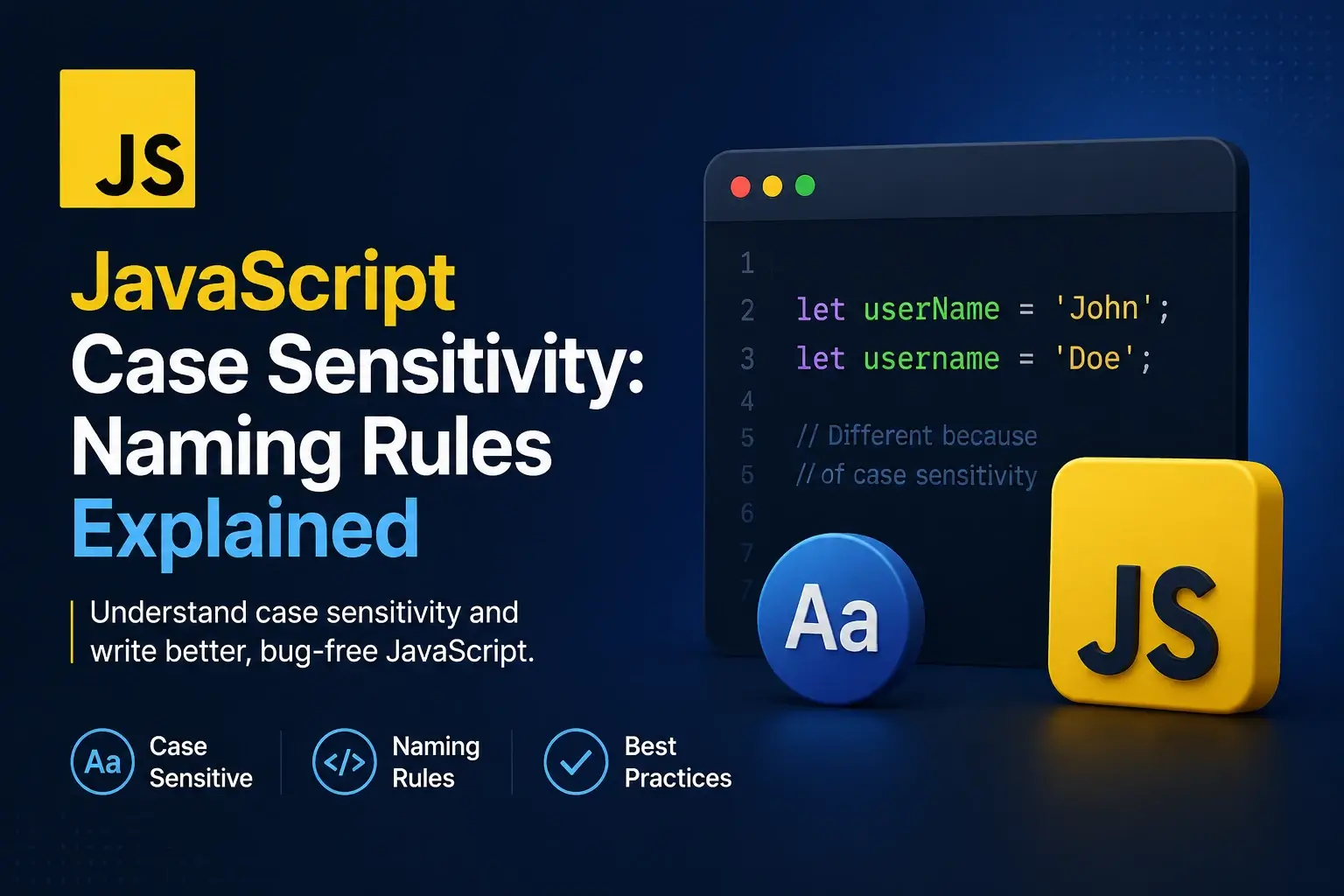
You rename a variable from userName to username in one place and
forget the other two references. The script still runs. Nothing throws. The value is just
undefined, and the bug shows up three screens away as a blank field on the
page.
That is JavaScript case sensitivity in action. Unlike HTML tag names, which the browser
happily normalizes, JavaScript treats every identifier, keyword, and property name as an
exact string. myVariable, MyVariable, and
MYVARIABLE are three completely different names.
This guide covers what case sensitivity actually means in JavaScript, the full set of rules for naming an identifier, which words are reserved, the conventions that make code readable, and the specific mistakes that turn a casing error into a silent bug.
What “Case-Sensitive” Actually Means
A language is case-sensitive when it treats uppercase and lowercase letters as distinct characters in names. JavaScript is fully case-sensitive, which has three practical consequences.
Names are exact strings
name, Name, and NAME are three separate variables.
Keywords are lowercase only
if and function are keywords. If and Function are just variable names.
Properties are exact strings
user.name and user.Name are two different properties.
Strings compare exactly
'Hello' === 'hello' is false. Case matters in every comparison.
Watch it happen
<!DOCTYPE html>
<html lang="en">
<head>
    <meta charset="UTF-8">
    <title>Case Sensitivity</title>
    <style>
        body { font-family: system-ui, sans-serif; padding: 24px; background: #f8fafc; font-size: 14px; margin: 0; }
        .row {
            background: #fff; border: 1px solid #e2e8f0; border-radius: 10px;
            padding: 12px 16px; margin-bottom: 8px;
            display: flex; justify-content: space-between; gap: 12px;
            font-family: ui-monospace, monospace; font-size: 12.5px;
        }
        .label { color: #64748b; }
        .value { font-weight: 700; }
        .ok  { color: #16a34a; }
        .err { color: #e11d48; }
    </style>
</head>
<body>

    <div id="output"></div>

    <script>
        const out = document.getElementById('output');

        function show(label, value, cls) {
            const div = document.createElement('div');
            div.className = 'row';
            div.innerHTML =
                '<span class="label">' + label + '</span>' +
                '<span class="value ' + (cls || '') + '">' + value + '</span>';
            out.appendChild(div);
        }

        // 1. Three different variables
        const user = 'lowercase';
        const User = 'capitalized';
        const USER = 'all caps';

        show('user',  user,  'ok');
        show('User',  User,  'ok');
        show('USER',  USER,  'ok');

        // 2. Property names are exact
        const obj = { name: 'Ada', Name: 'Grace' };
        show('obj.name', obj.name, 'ok');
        show('obj.Name', obj.Name, 'ok');
        show('obj.NAME', String(obj.NAME), 'err');

        // 3. Strings compare exactly
        show("'Hello' === 'hello'", String('Hello' === 'hello'), 'err');
        show("'Hello' === 'Hello'", String('Hello' === 'Hello'), 'ok');

        // 4. Keywords are lowercase
        show('typeof if (keyword)',  typeof 'if', 'ok');
        show('If is not a keyword',  'valid variable name', 'ok');
    </script>

</body>
</html>
The third row is worth pausing on. obj.NAME does not throw — it returns
undefined, because reading a property that does not exist is not an error in
JavaScript. That silence is exactly why casing bugs are so hard to find.
Reading a mistyped property returns undefined rather than throwing. That
value then flows through the rest of the program until something breaks — usually far
from where the typo was made.
The Identifier Naming Rules
An identifier is the name you give to a variable, function, class, or property. JavaScript has four rules for them, and they are enforced by the parser.
item1 and user_2 are valid.
if, return, class, or const.
name and Name are two different variables.
Valid and invalid names
secondPlace.
myVariable.
myVariable.
userClass or kind.
Why the hyphen is the most common mistake
A hyphen looks like a reasonable separator, especially for anyone coming from CSS where
kebab-case is the convention. But in JavaScript, - is the subtraction
operator, so the parser reads the name as an expression.
const my-variable = 5;

// The parser reads this as:
//   const my - variable = 5;
// which is invalid.

// SyntaxError: Unexpected token '-'const user-name = 'Ada';
const total-price = 99;
function get-user() { }
// None of these parse.const userName = 'Ada';
const totalPrice = 99;
function getUser() { }
// All valid.
JavaScript identifiers may contain Unicode letters, so café and
naïve are technically valid names. In practice, stick to ASCII — it avoids
encoding problems and keeps names typeable on any keyboard.
Reserved Words
Some words are claimed by the language and cannot be used as identifiers. JavaScript has three categories of them, and each behaves differently.
Always reserved
Cannot be used as a name anywhere, in any mode.
break, case, catch, class, const, continue, debugger, default, delete, do, else, export, extends, finally, for, function, if, import, in, instanceof, new, return, super, switch, this, throw, try, typeof, var, void, while, with, yield
Contextually reserved
Reserved only in specific positions. await is a valid variable name in a non-async function.
await, async, let, static, yield, as, from, get, set, of
Reserved in strict mode
Usable in sloppy mode, forbidden in strict mode. Reserved for possible future use.
implements, interface, package, private, protected, public
// These are all syntax errors
const if = 5;
let return = 10;
var class = 'beginner';

// These are fine, because keywords are lowercase only
const If = 5;
let Return = 10;
var Class = 'beginner';

// But they are terrible names — nobody will thank you
// for a variable called `If`.

// Future-reserved words in strict mode
"use strict";
const private = 1;   // SyntaxError
const public = 2;    // SyntaxError
const interface = 3; // SyntaxError
If you need a name that happens to be a keyword, prefix or suffix it:
userClass, returnValue, packageName. The meaning
is preserved and the parser is happy.
The Naming Conventions
The rules above are enforced by the parser. The conventions below are not — they are agreed-upon styles that make a codebase readable. Almost every JavaScript project follows all four.
Begins lowercase and capitalizes each subsequent word.
Used for variables and functions.
Capitalizes every word including the first.
Used for classes and constructors.
All uppercase with underscores between words.
Used for true constants — values known before the program runs.
A leading underscore signals “internal — do not touch from outside”.
Not enforced by the language; private class fields use # instead.
The same code, four conventions
// camelCase — variables and functions
const userName = 'Ada';
const isLoggedIn = true;
let itemCount = 0;

function calculateTotal(items) { }
function fetchUser(id) { }

// PascalCase — classes and constructors
class UserAccount { }
class ShoppingCart { }

function Person(name) {    // a constructor function, pre-class era
    this.name = name;
}

// SCREAMING_SNAKE_CASE — true constants
const MAX_RETRIES = 3;
const API_BASE_URL = 'https://api.example.com';
const DEFAULT_TIMEOUT_MS = 5000;

// Leading underscore — internal
const _cache = new Map();
function _internalHelper() { }

// Prefix notation — boolean values read as a question
const isLoading = true;
const hasPermission = false;
const canEdit = true;
const shouldRetry = false;
Prefix boolean names with is, has, can, or
should. isLoading reads naturally inside an
if statement; loading does not.
What “true constant” actually means
SCREAMING_SNAKE_CASE is reserved for values that are known before the program runs and
never change — configuration values, limits, and magic numbers. A
const inside a function that holds a computed value is not one of those.
function process(data) {
    const RESULT = data.map(transform);
    const COUNT = data.length;

    // These are const, but they are
    // computed at runtime. SCREAMING
    // case is misleading here.
}function process(data) {
const result = data.map(transform);
const count = data.length;
// Same `const` keyword,
// but camelCase because these
// are values computed at runtime.
}Where Case Sensitivity Bites
Case sensitivity is not evenly distributed. Some parts of JavaScript are strict about it, some are not, and knowing the difference saves a lot of debugging.
| Thing | Case-sensitive? | Example |
|---|---|---|
| Variables | Yes | user ≠ User ≠ USER |
| Function names | Yes | getUser() ≠ GetUser() |
| Keywords | Yes | if is a keyword; If is a variable |
| Object property names | Yes | obj.name ≠ obj.Name |
| String values | Yes | 'Hello' ≠ 'hello' |
| DOM element IDs | Yes | id="btn" ≠ id="Btn" |
| DOM class names | Yes | classList.contains('card') ≠ 'Card' |
| HTML tag names | No | <DIV> = <div> |
| HTML attribute names | No | getAttribute('TYPE') = 'type' |
| DOM method names | Yes | getElementById ≠ getElementByID |
| Built-in object names | Yes | Math ≠ math; JSON ≠ json |
| Built-in method names | Yes | toLowerCase() ≠ tolowercase() |
| Boolean and null keywords | Yes | true ≠ True; null ≠ NULL |
| Regular expression flags | Yes | /x/g ≠ /x/G |
The DOM boundary is where it gets confusing
The DOM sits between HTML and JavaScript, and it takes the case rules from both. Tag names and attribute names come from HTML and are case-insensitive. Method names and attribute values come from JavaScript and are case-sensitive.
<!DOCTYPE html>
<html lang="en">
<head>
    <meta charset="UTF-8">
    <title>DOM Case Sensitivity</title>
    <style>
        body { font-family: system-ui, sans-serif; padding: 24px; background: #f8fafc; font-size: 14px; margin: 0; }
        .box { padding: 12px 16px; border-radius: 10px; margin-bottom: 8px; font-family: ui-monospace, monospace; font-size: 12.5px; }
        .ok  { background: #ecfdf5; border: 1px solid #a7f3d0; color: #065f46; }
        .err { background: #fef2f2; border: 1px solid #fecaca; color: #991b1b; }
    </style>
</head>
<body>

    <div id="myButton" class="card" data-State="ready">
        A target element
    </div>

    <div id="output"></div>

    <script>
        const out = document.getElementById('output');

        function show(label, value, ok) {
            const div = document.createElement('div');
            div.className = 'box ' + (ok ? 'ok' : 'err');
            div.textContent = label + ' → ' + value;
            out.appendChild(div);
        }

        // IDs are case-sensitive
        show(
            "getElementById('myButton')",
            document.getElementById('myButton') ? 'found' : 'null',
            true
        );
        show(
            "getElementById('mybutton')",
            document.getElementById('mybutton') ? 'found' : 'null',
            false
        );

        // Class names are case-sensitive
        const el = document.getElementById('myButton');
        show("classList.contains('card')", String(el.classList.contains('card')), true);
        show("classList.contains('Card')", String(el.classList.contains('Card')), false);

        // Tag names are case-insensitive
        show(
            "tagName",
            el.tagName,
            true
        );
        show(
            "matches('DIV')",
            String(el.matches('DIV')),
            true
        );

        // Attribute names are case-insensitive
        show(
            "hasAttribute('data-state')",
            String(el.hasAttribute('data-state')),
            true
        );
        show(
            "hasAttribute('DATA-STATE')",
            String(el.hasAttribute('DATA-STATE')),
            true
        );

        // But attribute values are case-sensitive
        show(
            "getAttribute('data-state')",
            el.getAttribute('data-state'),
            true
        );
        show(
            "getAttribute('data-State') === 'ready'",
            String(el.getAttribute('data-State') === 'ready'),
            true
        );

        // Method names are case-sensitive
        show(
            "typeof getElementByID",
            typeof getElementByID,
            false
        );
    </script>

</body>
</html>
Notice the last row. getElementByID — with a capital D — is not a function.
The correct method is getElementById. A single capital letter turns a working
call into a TypeError.
Case Sensitivity in Strings
String comparison is case-sensitive by default, and this trips people up constantly when handling user input.
// These are all different strings
'Hello' === 'hello';      // false
'HELLO' === 'hello';      // false
'Hello' === 'Hello';      // true

// This bites when comparing user input
const input = prompt('Type yes to continue');

if (input === 'yes') {
    // Fails if the user typed "Yes" or "YES"
}

// Fix 1 — normalize the case
if (input.toLowerCase() === 'yes') {
    // Works for "yes", "Yes", "YES", "yEs"
}

// Fix 2 — use localeCompare with base sensitivity
if (input.localeCompare('yes', undefined, { sensitivity: 'base' }) === 0) {
    // Case- and accent-insensitive comparison
}

// Sorting is also case-sensitive by default
['banana', 'Apple', 'cherry'].sort();
// ['Apple', 'banana', 'cherry'] — uppercase sorts first

['banana', 'Apple', 'cherry'].sort((a, b) =>
    a.toLowerCase().localeCompare(b.toLowerCase())
);
// ['Apple', 'banana', 'cherry'] — case-insensitive

// Searching is case-sensitive too
'Hello World'.includes('hello');   // false
'Hello World'.includes('Hello');   // true
'Hello World'.toLowerCase().includes('hello');   // true
When comparing user input against a known value, call toLowerCase() or
toUpperCase() on the input before comparing. Do it once, at the boundary
where the input arrives, rather than in every comparison.
See the difference
<!DOCTYPE html>
<html lang="en">
<head>
    <meta charset="UTF-8">
    <title>String Case</title>
    <style>
        body { font-family: system-ui, sans-serif; padding: 24px; background: #f8fafc; font-size: 14px; margin: 0; }
        .row {
            background: #fff; border: 1px solid #e2e8f0; border-radius: 10px;
            padding: 10px 14px; margin-bottom: 6px;
            display: flex; justify-content: space-between; gap: 12px;
            font-family: ui-monospace, monospace; font-size: 12.5px;
        }
        .expr { color: #64748b; }
        .val  { font-weight: 700; }
        .true { color: #16a34a; }
        .false { color: #e11d48; }
    </style>
</head>
<body>

    <div id="output"></div>

    <script>
        const out = document.getElementById('output');

        function show(expr, value) {
            const div = document.createElement('div');
            div.className = 'row';
            div.innerHTML =
                '<span class="expr">' + expr + '</span>' +
                '<span class="val ' + value + '">' + value + '</span>';
            out.appendChild(div);
        }

        const a = 'Hello';
        const b = 'hello';

        show("'Hello' === 'hello'", String(a === b));
        show("'Hello' === 'Hello'", String(a === 'Hello'));
        show("'Hello'.toLowerCase() === 'hello'", String(a.toLowerCase() === b));
        show("'Hello'.includes('ell')", String(a.includes('ell')));
        show("'Hello'.includes('ELL')", String(a.includes('ELL')));
        show("'Hello'.toLowerCase().includes('ell')", String(a.toLowerCase().includes('ell')));
        show("'A' < 'a'", String('A' < 'a'));
        show("'a' < 'A'", String('a' < 'A'));
    </script>

</body>
</html>
The last two rows show how sorting works. Uppercase letters have lower character codes than
lowercase ones, so 'A' sorts before 'a'. That is why a naive
sort() puts Apple before banana.
Common Case-Related Mistakes
Every one of these produces a bug that is either silent or points to the wrong place. They are the ones that come up most often.
1. A typo in a property name
const user = { firstName: 'Ada' };

console.log(user.firstname);
// undefined — no error

// The typo travels through the
// rest of the program until
// something breaks.const user = { firstName: 'Ada' };
console.log(user.firstName);
// 'Ada'
// Copy and paste property names
// rather than retyping them.2. Calling a method with the wrong case
const name = 'Ada';

name.TOLOWERCASE();
// TypeError: name.TOLOWERCASE is not a function

document.getElementByID('app');
// TypeError: document.getElementByID is not a functiontoLowerCase() and getElementById().
3. Writing a keyword in uppercase
const ready = True;
// ReferenceError: True is not defined

if (ready === TRUE) { }
// ReferenceError: TRUE is not defined

const empty = Null;
// ReferenceError: Null is not definedconst ready = true;
if (ready === true) { }
const empty = null;
// Keywords are always lowercase.4. The this keyword in uppercase
const obj = {
    name: 'Ada',
    greet: function () {
        return 'Hello, ' + This.name;
        // ReferenceError: This is not defined
    }
};const obj = {
name: 'Ada',
greet: function () {
return 'Hello, ' + this.name;
}
};5. Mismatched variable names across files
// utils.js
export const API_URL = 'https://api.example.com';

// app.js
import { api_url } from './utils.js';

console.log(api_url);
// undefined — the exported name is
// API_URL, not api_url

// Or, with a bundler: a build error.// utils.js
export const API_URL = 'https://api.example.com';
// app.js
import { API_URL } from './utils.js';
console.log(API_URL);
// works — names match exactly6. Confusing camelCase and PascalCase for classes
class userAccount { }

const account = new userAccount();

// Works, but breaks the convention.
// Every JavaScript developer expects
// a class name to start with a
// capital letter.class UserAccount { }
const account = new UserAccount();
// Immediately recognizable as a
// class at a glance.7. A typo in an HTML id
<button id="submitBtn">Send</button>

<script>
const btn = document.getElementById('submitbtn');
// null

btn.addEventListener('click', handleClick);
// TypeError: Cannot read properties of null
</script>submitBtn with a capital B. The lookup used a lowercase b.
8. Comparing user input without normalizing
function handleAnswer(input) {
    if (input === 'yes') {
        return start();
    }
}

handleAnswer('Yes');   // nothing happens
handleAnswer('YES');   // nothing happens
handleAnswer('yEs'); // nothing happensfunction handleAnswer(input) {
if (input.toLowerCase() === 'yes') {
return start();
}
}
handleAnswer('Yes'); // works
handleAnswer('YES'); // works
handleAnswer('yEs'); // works
A casing mistake in a property name produces undefined, which then causes
an error three functions later. When something breaks and the types are wrong, look
backward for the first place a value became undefined.
Best Practices
These habits make casing bugs rare and make the ones that survive easy to find.
camelCase for variables and functions
userName, calculateTotal, isLoggedIn.
PascalCase for classes
UserAccount, ShoppingCart, HttpClient.
SCREAMING_SNAKE_CASE for constants
Only for values known before the program runs: MAX_RETRIES, API_URL.
Prefix booleans
isLoading, hasPermission, canEdit — read like a question.
Copy and paste names
Retyping a property name is the most common source of casing typos.
Normalize user input
Call toLowerCase() once at the boundary, then compare.
Let a linter catch typos
ESLint with no-undef and no-unused-vars flags misspelled names.
Follow one convention everywhere
Mixing camelCase and snake_case in one file is worse than either alone.
Use TypeScript for larger projects
The compiler catches property-name typos and wrong method names before the code runs.
Use camelCase for variables and functions, PascalCase for classes, SCREAMING_SNAKE_CASE for true constants, and normalize any string you compare.
Frequently Asked Questions
1. Is JavaScript case-sensitive?
Yes. JavaScript is fully case-sensitive for identifiers, keywords, and property names.
myVariable, MyVariable, and MYVARIABLE are three
different variables, and if is a keyword while If is a
perfectly valid variable name.
2. What are the rules for naming a variable in JavaScript?
A name must start with a letter, an underscore, or a dollar sign. Subsequent characters may also include digits. Names cannot be reserved words, cannot contain spaces or hyphens, and are case-sensitive. Unicode letters are allowed but ASCII is recommended.
3. Can a variable name start with a number?
No. 2ndPlace is a syntax error. Use secondPlace or
place2 instead. Digits are allowed anywhere after the first character, so
item1 and x2 are both valid.
4. What is the difference between camelCase and PascalCase?
camelCase begins with a lowercase letter and capitalizes each subsequent word, as in
userName or totalPrice. PascalCase capitalizes every word
including the first, as in UserAccount or ShoppingCart. The
convention is camelCase for variables and functions, PascalCase for classes and
constructors.
5. What is SCREAMING_SNAKE_CASE used for?
It is the convention for true constants — values that are known before the program runs
and never change, such as MAX_RETRIES or API_BASE_URL. Every
letter is uppercase and words are separated by underscores.
6. Can I use hyphens in a JavaScript variable name?
No. A hyphen is the subtraction operator, so my-variable is parsed as
my minus variable and produces a syntax error. Use camelCase
instead: myVariable.
7. Are JavaScript property names case-sensitive?
Yes. obj.name and obj.Name are two different properties.
Accessing a property that does not exist returns undefined rather than
throwing, which is why a casing mistake in a property name often shows up as
undefined much later in the program.
8. Is the this keyword case-sensitive?
Yes. this is a keyword and must be lowercase. This is a valid
identifier and refers to a variable named This, which is almost certainly
not what you intended.
9. Does case matter in HTML attributes used by JavaScript?
Partly. HTML tag and attribute names are case-insensitive, so
getElementById works the same regardless. But attribute values, including
IDs and class names, are case-sensitive strings, so an element with
id="myButton" will not be found by
getElementById('mybutton').
10. Are strings case-sensitive in JavaScript?
Yes. 'Hello' and 'hello' are different strings and compare as
unequal with ===. To compare without regard to case, normalize both sides
with toLowerCase() or toUpperCase() first, or use
localeCompare with sensitivity set to base.
11. Are JavaScript keywords case-sensitive?
Yes. Keywords must be written in lowercase. function and
FUNCTION are not the same, and using an uppercase variant is a syntax
error or refers to an undeclared identifier.
12. What naming convention should I follow?
Use camelCase for variables and functions, PascalCase for classes and constructors, SCREAMING_SNAKE_CASE for true constants, and a leading underscore for anything meant to be internal. Whatever you choose, apply it consistently across the codebase.
Key Takeaways
- JavaScript is fully case-sensitive — every identifier and property name must match exactly.
- An identifier must start with a letter, underscore, or dollar sign — never a digit.
- Hyphens are the subtraction operator, so they cannot appear in a name.
- Keywords are lowercase only;
IfandFunctionare just variable names. - Use camelCase for variables and functions, PascalCase for classes.
- Use SCREAMING_SNAKE_CASE only for values known before the program runs.
- Reading a mistyped property returns
undefinedrather than throwing. - DOM method names are case-sensitive:
getElementById, notgetElementByID. - HTML tag and attribute names are case-insensitive, but IDs and class values are not.
- String comparison is case-sensitive — normalize input with
toLowerCase(). - Prefix boolean names with
is,has,can, orshould. - Copy and paste names rather than retyping them, and let a linter catch the rest.
What to Learn Next
Now that the naming rules are clear, the next step is the language around them. Start with JavaScript Strict Mode and JavaScript Syntax Explained.
From there, explore JavaScript Variables, JavaScript Statements and Expressions, and JavaScript Functions Explained. When you are ready to work with the page, read Working with the DOM and How to Add JavaScript to HTML.
If you are still connecting the pieces, read What Is JavaScript?, JavaScript Comments, and CSS Case Sensitivity for the surrounding context.
Practice Challenge
The fastest way to internalize the rules is to break them on purpose and watch what happens. This exercise takes about twenty minutes.
- Create
index.htmlandapp.js, and load the script with<script src="app.js" defer></script>. - Declare three variables:
user,User, andUSER, each with a different value. Log all three and confirm they are separate. - Create an object with two properties,
nameandName. Log both and confirm they are different. - Try to log
obj.NAME. Note that it returnsundefinedrather than throwing. - Try to declare a variable named
my-variable. Read the syntax error. - Try to declare a variable named
2ndPlace. Read the syntax error. - Try to declare a variable named
class. Read the syntax error, then rename it touserClass. - Declare a variable named
Ifand confirm it is valid. Then writeif (true) {}and confirm that still works too. - Call
'hello'.toLowerCase()and confirm it works. Then call'hello'.TOLOWERCASE()and read theTypeError. - Compare
'Hello' === 'hello'and confirm it isfalse. Then compare'Hello'.toLowerCase() === 'hello'and confirm it istrue. - Add an element to the HTML with
id="myButton". In the script, try to find it withgetElementById('mybutton')and confirm the result isnull. - Finally, add a class to the element and confirm that
classList.contains('Card')isfalsewhileclassList.contains('card')istrue.
If you complete those steps, you have created three variables that look similar but are
different, produced three syntax errors by hand, watched a typo silently return
undefined, triggered a TypeError from a capital letter, and seen
how the DOM splits the difference between case-insensitive tag names and case-sensitive
IDs. That combination — silent failures, loud failures, and the boundary between them — is
the whole subject of case sensitivity in JavaScript.

 Inar Learn