
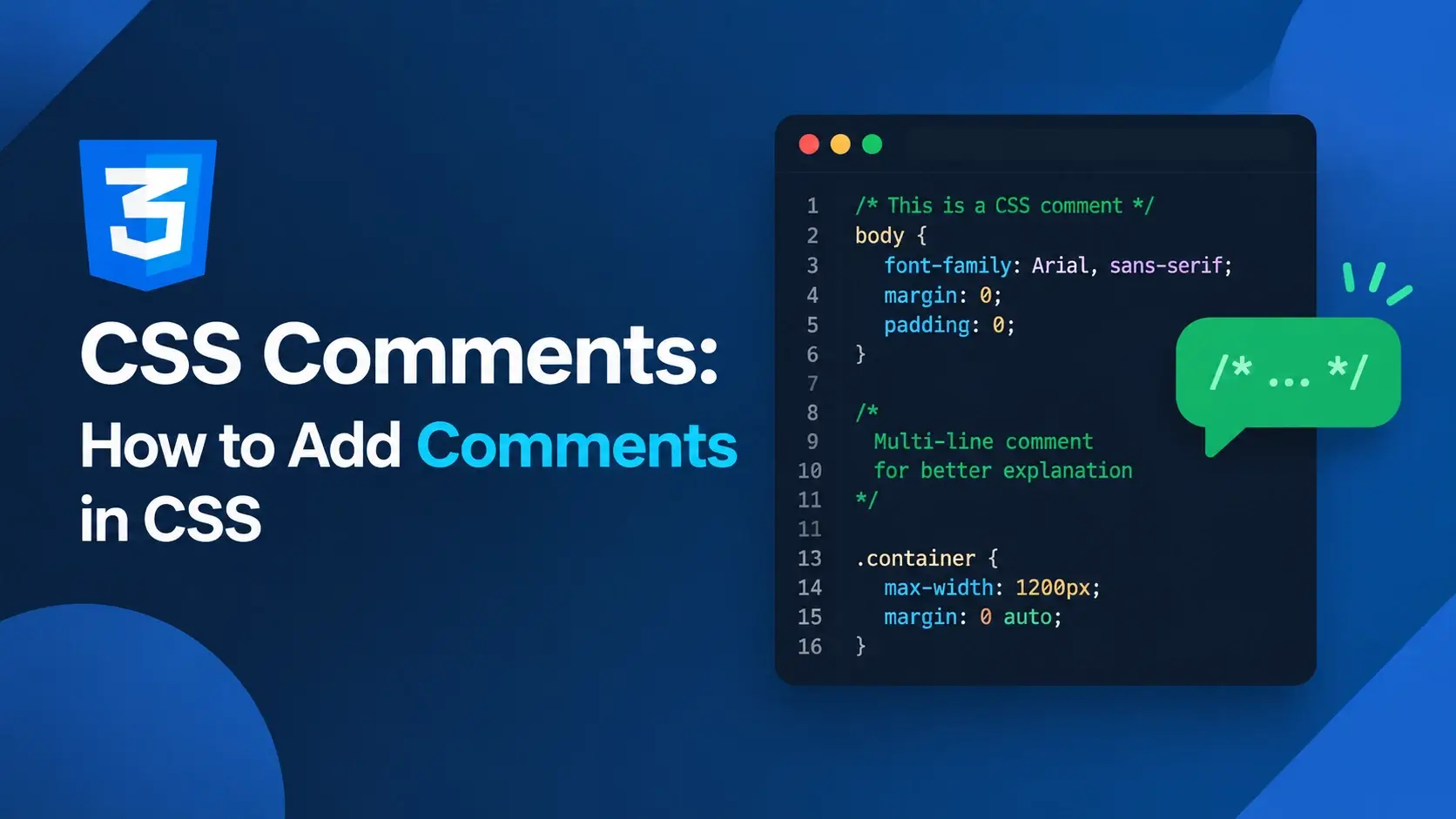
A CSS comment is invisible. It never appears on the page, never affects a single pixel of layout, and never wins or loses a cascade conflict. And yet a stylesheet without them becomes very hard to maintain after a few hundred lines.
The syntax is tiny — one opening delimiter, some text, one closing delimiter — but the
rules around it catch almost everyone. There is no // comment in CSS.
Comments cannot be nested. Forgetting a closing delimiter swallows the rest of the file.
This guide covers all of it: the only valid syntax, every place a comment can legally appear, the nesting trap in detail, the two genuinely valuable uses — documentation and debugging — and the mistakes that quietly break a stylesheet.
/* and ends with
*/, and everything between them is ignored completely by the browser — it
exists only for the people reading the stylesheet.
What Is a CSS Comment?
A CSS comment is a note written inside a stylesheet that the browser discards during parsing. It is not rendered, not applied, and not visible to anyone browsing the site — only to someone reading the source code.
That last point matters. Comments are not a way to hide anything from a visitor. Anyone can open DevTools or view the page source and read every comment you have written. Never put credentials, internal notes about customers, or anything private in a CSS comment.
What comments are for is communication between developers: explaining why a rule exists, marking the sections of a long stylesheet, temporarily disabling a declaration while debugging, or leaving a note for whoever edits the file next.
Anything you write in a CSS comment ships to every visitor’s browser. Treat comments in a stylesheet the same way you would treat comments in the HTML — as visible to anyone who looks.
The Only Syntax: /* */
CSS has exactly one comment syntax. It begins with a forward slash followed by an asterisk, and ends with an asterisk followed by a forward slash:
/* This is a CSS comment */

.card {
    padding: 24px;   /* an inline comment after a declaration */
    border-radius: 12px;
}

/* A comment can span
   as many lines
   as you need. */
There is no other form. No line comment, no special character for a one-line note, no
variation. Everything is /* ... */.
The anatomy of a comment
Single-line and multi-line are the same thing
Unlike many languages, CSS does not distinguish between a single-line comment and a block comment. There is one syntax, and its length is entirely up to you:
/* Short note */

/* ==========================================================================
   A long section header
   --------------------------------------------------------------------------
   This comment uses a row of equals signs to make it easy to spot when
   scrolling quickly through a large stylesheet.
   ========================================================================== */

/* A comment with
   a line break
   in the middle */
The second example — a row of characters forming a visible divider — is a widely used convention for marking sections in a long file. It is not required by the language, but it makes a stylesheet far easier to navigate.
Internally, the browser consumes a comment before it reads the next token, so a comment behaves like a space or a line break. That is why a comment can sit almost anywhere whitespace is allowed — and why putting one in the middle of a property name breaks it.
There Is No // Comment in CSS
This is the mistake nearly every beginner makes, and it is worth its own section because the failure is so confusing. Standard CSS has no line comment syntax.
Writing // does not create a comment. The browser reads the slashes as part of
the value of the previous declaration, which makes that declaration invalid — and an
invalid declaration is discarded silently, along with the next one in most cases.
.card {
    padding: 24px;
    // spacing between sections
    border-radius: 12px;
}.card {
padding: 24px;
/* spacing between sections */
border-radius: 12px;
}
In the broken version, the browser tries to read 24px; // spacing between
sections as a value. It cannot, so the padding declaration is
discarded. Depending on how the parser recovers, the border-radius line may
also be lost. Nothing is logged, and nothing appears broken in the browser — the card just
quietly looks wrong.
Where the confusion comes from
Sass and Less — the two most popular CSS preprocessors — both do support
// as a silent, single-line comment. It is a genuine feature of those
languages, and it is why developers who learned CSS through a preprocessor so often type
it in a plain .css file.
/* Valid in Sass and Less — NOT valid in plain CSS */
// This comment works in a preprocessor
// but breaks a normal stylesheet

/* Valid everywhere */
/* This comment works in both */
The difference is that a preprocessor strips // lines before producing CSS. A
browser has no such step, so the slashes reach the parser and become an error.
If the file ends in .css, use /* */. If the file ends in
.scss or .less, // is available — but
/* */ works there too, so it is never wrong.
Where Comments Can Go
Because a comment is consumed as whitespace, it can appear anywhere whitespace is permitted. In practice there are six places you will actually use.
/* 1. As a section header, above everything else */

/* ==========================================================================
   2. COMPONENTS
   ========================================================================== */

.card {
    /* 3. Inside a declaration block, between declarations */
    padding: 24px;

    border-radius: 12px;   /* 4. At the end of a line */
}

/* 5. Between rules, explaining what comes next */

.other {
    margin: 16px;
}

/* 6. Inside an at-rule block */
@media (min-width: 600px) {
    /* the card gets more breathing room on wider screens */
    .card {
        padding: 32px;
    }
}
Comments as value separators
Because a comment acts as whitespace, one can technically replace a space inside a value. This works, but it is a curiosity rather than a technique — there is no reason to write it:
/* These two declarations are identical to the browser */
margin: 10px 20px;
margin: 10px/* acts like a space */20px;
Where comments must not go
A comment cannot appear inside a token. Splitting a property name or a keyword in half creates two separate tokens, and the declaration becomes invalid:
/* Works — the comment sits between two complete values */
margin: 10px/* gap */20px;

/* Breaks — the property name is split into two tokens */
col/* oops */or: red;

/* Breaks — the value keyword is split */
dis/* oops */play: flex;| Location | Allowed? | Example |
|---|---|---|
| Before a rule | Yes | /* header */ .card { } |
| Inside a declaration block | Yes | { /* note */ padding: 24px; } |
| After a declaration | Yes | padding: 24px; /* note */ |
| Inside a selector | Yes, as whitespace | .card /* note */ .title { } |
| Between values | Yes, as whitespace | margin: 10px/* x */20px; |
| Inside a property name | No — splits the token | col/* x */or: red; |
| Inside a value keyword | No — splits the token | dis/* x */play: flex; |
In practice you only need three placements: a header above a rule, a note inside a declaration block, and a short trailing comment after a declaration. Everything else is legal but rarely useful.
The Nesting Trap
CSS comments cannot be nested. This is the single most damaging comment mistake, because it does not just break a declaration — it can turn an entire block of valid CSS into garbage.
A comment ends at the first closing delimiter it finds. It has no idea that it is inside another comment. So when you write a comment containing another comment, the inner close ends the outer comment early:
/* Outer comment begins
   /* Inner comment */
   This text is no longer commented out!
   It will be parsed as CSS. */
Here is what the browser actually sees. The comment runs from the opening
/* to the first */ — which is the one closing the “inner”
comment. Everything after that is live CSS:
*/ ends the comment here. The outer one never gets its own closing delimiter.
How this happens in real life
The classic scenario: you have a rule with a trailing comment inside it, and you decide to comment the whole rule out while debugging.
/*
.card {
    padding: 24px;   /* spacing */
    border-radius: 12px;
}
*/

/* The rest of the file
is now parsed as CSS *//*
.card {
padding: 24px;
border-radius: 12px;
}
*/
The broken version closes at /* spacing */, leaving the remaining lines —
border-radius: 12px; } */ and everything after it — as live CSS. The parser
tries to make sense of it, fails, and discards rules in ways that are very hard to predict.
Scan the block for any */ before wrapping it. If there is one, remove the
inner comment first, or comment out the block line by line. This single habit will save
you a very confusing debugging session.
Workarounds when you need a comment inside a comment
There is no way to nest, but there are two patterns that achieve the same thing. The first is to replace the inner delimiters with a visual marker that looks similar but does not close anything:
/* Outer comment begins
| Inner note — using a pipe instead of an asterisk
| so it does not close the outer comment
Outer comment ends here */The second is to split the note into two separate comments and place one above the other, so neither contains the other:
/* A note about the block that follows */
/* A second note, kept separate so neither nests */
If you are commenting out a block just to see what happens, the DevTools Styles panel
lets you toggle a declaration off with a checkbox — no editing, no risk of a stray
*/, and no chance of forgetting to undo it.
Do Comments Affect Anything?
Short answer: no. Comments are removed before the browser does anything with the stylesheet, so they have no effect on how the page looks or behaves.
| Aspect | Affected? | Why |
|---|---|---|
| Rendering | No | Comments are discarded during parsing, before the page is laid out |
| Specificity | No | Comments contribute nothing to the specificity calculation |
| The cascade | No | A commented-out declaration behaves exactly as if it were deleted |
| File size | Yes, in development | Comments are bytes in the file until a minifier strips them |
| Download time | Yes, slightly | Every byte is sent, though comments are highly compressible |
| SEO | No | Search engines do not treat CSS comments as content or as a ranking signal |
| Developer experience | Yes, a great deal | This is the entire point of a comment |
Watch it happen
The page below is full of comments — a header, section markers, inline notes, and a commented-out declaration. The rendered result is identical to what it would be with the comments deleted.
<!DOCTYPE html>
<html lang="en">
<head>
<meta charset="UTF-8">
<title>Comments Do Not Render</title>
<style>
/* ==================================================================
1. BASE
================================================================== */
body {
font-family: system-ui, sans-serif;
background: #f8fafc;
padding: 28px;
line-height: 1.7;
margin: 0;
}
/* ==================================================================
2. COMPONENTS
================================================================== */
.card {
background: #fff;
border: 1px solid #e2e8f0;
border-radius: 14px;
padding: 24px;
max-width: 380px;
/* box-shadow: 0 24px 48px -20px rgba(15, 23, 42, 0.3); */
box-shadow: 0 1px 2px rgba(15, 23, 42, 0.05),
0 16px 32px -24px rgba(15, 23, 42, 0.35);
/* NOTE: the second shadow is a soft ambient glow */
}
.card__title {
margin: 0 0 8px; /* no top margin, small gap below */
color: #0891b2; /* brand teal */
font-size: 1.15rem;
}
.card__text {
margin: 0;
color: #475569;
}
</style>
</head>
<body>
<div class="card">
<h2 class="card__title">Comments change nothing here</h2>
<p class="card__text">
Every comment in the style block above is discarded before
the browser lays out this page.
</p>
</div>
</body>
</html>The card renders with the two-shadow version, not the single commented-out one, and the trailing notes about brand teal and margins have no effect whatsoever. Delete every comment and the output would be pixel-for-pixel identical.
Open the Styles panel and inspect the card. You will see the declarations that were applied, but no trace of the comments that sat beside them. The browser’s CSS object model does not retain comments at all.
Using Comments for Documentation
This is where comments earn their place. A well-commented stylesheet is dramatically easier to return to after six months, and dramatically easier for someone else to work in.
Section headers
The highest-value comment in any large stylesheet is the section header. It turns a wall of rules into a navigable document:
/* ==========================================================================
1. RESET
========================================================================== */
*,
*::before,
*::after {
box-sizing: border-box;
}
/* ==========================================================================
2. TYPOGRAPHY
========================================================================== */
body {
font-family: 'Inter', system-ui, sans-serif;
line-height: 1.7;
color: #334155;
}
/* ==========================================================================
3. LAYOUT
========================================================================== */
.container {
max-width: 1100px;
margin: 0 auto;
padding: 0 24px;
}
/* ==========================================================================
4. COMPONENTS
========================================================================== */
.card {
background: #fff;
border-radius: 14px;
padding: 24px;
}The row of equals signs is a convention, not a requirement. Any consistent visual marker works — dashes, asterisks, or just a capitalized heading. What matters is that the headers are easy to spot when scrolling quickly.
A table of contents at the top
In a file with many sections, a comment at the very top listing them makes the structure obvious before anyone scrolls:
/* ==========================================================================
styles.css
--------------------------------------------------------------------------
Table of contents
1. Reset ...................... line 24
2. Design tokens .............. line 48
3. Typography ................. line 82
4. Layout ..................... line 120
5. Components ................. line 168
6. Utilities .................. line 260
========================================================================== */A table of contents with line numbers is genuinely useful, but it must be maintained. The moment someone adds twenty lines near the top, every number below is wrong. If the file changes often, list the sections without line numbers instead.
Explaining why, not what
The most useful comments explain reasoning that is not visible in the code itself. Compare these two:
/* Useless — restates what the code already says */
padding: 24px; /* sets the padding to 24px */
/* Useful — explains a decision that is not obvious */
/* 24px rather than 16px because the design system
uses a 8px scale and this is a third-step gap */
padding: 24px;The first comment adds nothing. The second one answers the question a future reader will actually have: “why this number?”
Noting workarounds
Browser quirks and workarounds are exactly the kind of thing that makes no sense six months later without an explanation. This is where comments are most valuable:
.sticky-header {
position: sticky;
top: 0;
/* Safari needs an explicit z-index here or the header
disappears behind the following section */
z-index: 10;
}
.modal {
/* translateZ(0) forces GPU compositing, which fixes
a flicker on scroll in older Chromium builds */
transform: translateZ(0);
}Marker conventions
Standardized keywords make notes searchable. A quick grep for TODO or
FIXME in a codebase surfaces every outstanding issue in seconds:
- Something to do later. A known gap that is not urgent enough to fix now. Searchable, so it does not get forgotten.
- Something that is broken. A known bug or a fragile piece of CSS that needs attention. More urgent than a TODO.
- An explanation for the next reader. Context that is not obvious from the code, such as why a specific value was chosen.
- A deliberate workaround. Something that looks wrong but is correct — and should be revisited when the underlying cause goes away.
/* TODO: replace these hard-coded colors with design tokens */
/* FIXME: this breaks in Safari 15 — remove after the next release */
/* NOTE: the 3px offset is a workaround for subpixel rounding */
/* HACK: overflow hidden is needed to clip the rotated child */Using Comments for Debugging
The second genuinely valuable use of comments is temporarily disabling code. Wrapping a
declaration or a rule in /* */ removes it from the stylesheet instantly, with
no deletion and no need to remember what it said.
Disabling a single declaration
.card {
padding: 24px;
border-radius: 12px;
/* box-shadow: 0 24px 48px -20px rgba(15, 23, 42, 0.3); */
background: #fff;
}Notice that the semicolon stays inside the comment. Leaving it outside would produce a stray semicolon, which is harmless but looks like a mistake to the next reader.
Disabling an entire rule
/*
.card {
    padding: 24px;
    border-radius: 12px;
}
*/
.card {
padding: 32px;
}
This is useful for comparing two versions of a rule, but it is exactly the situation where
the nesting trap bites. If the rule you are disabling contains any comment of its own, the
first inner */ will close your comment early.
Binary search through a stylesheet
When a page breaks and you do not know which rule is responsible, commenting out sections is a fast way to narrow it down:
- Comment out half the stylesheet and refresh.
- If the problem is gone, it was in that half. If not, it is in the other half.
- Repeat on the half that contains the problem.
- In a few passes you have isolated the rule.
This works because CSS is additive — removing rules only ever removes styling, never adds it. It is a crude technique, but it is reliable.
Before you start editing the file, try toggling the checkbox next to a rule in the DevTools Styles panel. It is instant, it does not touch your code, and there is no chance of leaving a stray comment behind. Use the file only when you need the change to persist.
The accumulation problem
The real danger of debug-by-commenting is that the comments stay. A stylesheet that has been edited over several months often accumulates large blocks of dead code, each one accompanied by a hopeful note like “might need this later.”
.btn {
    background: #0891b2;
    /* background: #7c3aed; */
    /* background: #0e7490; */
    /* background: linear-gradient(...); */
    /* TODO: ask design which one */
}.btn {
background: #0891b2;
}If you are using version control — and you should be — the old version is in the history. There is no reason to keep it in the file. When debugging is finished, delete the comment.
Commented-out code should live for minutes, not months. If you would be uncomfortable deleting it, that is a sign it needs a proper note explaining why it is disabled — or a fix rather than a comment.
Comments and Minification
In development, comments cost nothing but a few bytes. In production, they are usually removed entirely by a minifier — the same tool that shortens property names and strips whitespace.
The bang comment
Most minifiers are configured to preserve any comment that starts with an exclamation mark right after the opening delimiter. This is how license headers survive a build:
/*! normalize-ish styles v2.0 | MIT License | example.com/license */

/* This comment will be stripped by the minifier */

/*! This one will be kept */
The convention is sometimes called a bang comment or an important comment. It exists purely so that legally required notices are not removed by a build step.
| Comment form | Development | After minification |
|---|---|---|
/* normal comment */ |
Present in the file | Removed |
/*! license notice */ |
Present in the file | Preserved |
| Comment inside a value | Acts as whitespace | Becomes a single space or is removed |
Source maps
If you are debugging a minified stylesheet in the browser, a comment at the end of the file tells DevTools where to find the original source:
/*# sourceMappingURL=styles.css.map */This is a generated comment — you will not normally write it by hand. It is mentioned here because it is a real example of a comment that exists for tooling rather than for a developer reading the code.
There is no reason to hold back on comments for performance. Write as many as the stylesheet needs during development; the build step will remove them. The only cost is the bytes in your source file, which nobody downloads.
Common Comment Mistakes
Each of these produces CSS that silently does not work. None of them raises an error.
1. Using // instead of /* */
.card {
    padding: 24px;
    // note about spacing
    border-radius: 12px;
}.card {
padding: 24px;
/* note about spacing */
border-radius: 12px;
}2. Nesting comments
/* outer
   /* inner */
   still text that is now live CSS
*//* outer note */
/* inner note */3. Forgetting the closing delimiter
/* Section header

.card {
    padding: 24px;
}

.other {
    margin: 16px;
}/* Section header */
.card {
padding: 24px;
}
.other {
margin: 16px;
}Everything after an unclosed comment is discarded. This is the reason a stylesheet sometimes appears to break halfway down the file — everything above the mistake works, and everything below does nothing at all.
4. A comment inside a property name
.card {
    col/* brand color */or: #0891b2;
    dis/* layout */play: flex;
}.card {
/* brand color */
color: #0891b2;
/* layout */
display: flex;
}5. Leaving a stray delimiter
.card {
    padding: 24px;
}
*/

.other {
    margin: 16px;
}.card {
padding: 24px;
}
.other {
margin: 16px;
}
A stray */ is what remains after a half-finished edit — you commented
something out and then deleted the opening delimiter but not the closing one. The parser
hits an unexpected close and discards rules until it recovers.
6. Commenting out code that contains a comment
/*
.card {
    padding: 24px;   /* spacing */
    border-radius: 12px;
}
*//*
.card {
padding: 24px;
border-radius: 12px;
}
*/7. Writing a comment that restates the code
/* set the color to red */
color: red;

/* add padding */
padding: 24px;

/* make it flex */
display: flex;/* Error state — the red is from the
design system's danger token */
color: #e11d48;
/* 24px matches the card's internal
gutter at every breakpoint */
padding: 24px;8. Putting anything private in a comment
/* temporary staging credentials:
   user: admin / pass: hunter2 */
.login { background: #0891b2; }/* Login panel — matches the auth
screen in the design system */
.login { background: #0891b2; }The W3C CSS Validation Service will flag an unclosed comment, a stray delimiter, and the resulting parse errors. It is the fastest way to find the mistake when a stylesheet stops working partway down.
Best Practices
These habits keep comments useful rather than noise.
Explain why, not what
The code already says what it does. A comment should say why it does it that way.
Use section headers
A consistent divider before each group of rules makes a long file navigable.
Use standard markers
TODO, FIXME, NOTE, and HACK are searchable and understood everywhere.
Never use //
Plain CSS has no line comment. Use /* */ every time.
Never nest
Check for an inner */ before commenting out a block.
Delete dead code
Commented-out code belongs in version history, not in the stylesheet.
Keep them short
One or two lines is usually enough. Long essays go stale and get skipped.
Use /*! for licenses
The bang form survives minification, so legal notices are not stripped.
Assume comments are public
Never put credentials, private URLs, or internal notes in a stylesheet.
Use /* */, never nest, explain the reasoning rather than the code, and
delete debug comments when you are done.
Frequently Asked Questions
1. What is a CSS comment?
A CSS comment is a note inside a stylesheet that the browser ignores completely. It is never applied to any element and never affects the rendered page. Comments exist only for the people reading and maintaining the CSS.
2. How do you write a comment in CSS?
CSS has exactly one comment syntax: /* to open, the comment text, and
*/ to close. Everything between the opening and closing delimiters is
ignored by the browser.
3. Can I use // for comments in CSS?
No. Standard CSS has no line comment syntax. Writing // causes the browser
to treat the rest of that line as part of the previous declaration, which usually
breaks the declaration it follows. Preprocessors such as Sass and Less support
//, but plain CSS does not.
4. Can CSS comments be nested?
No. A CSS comment ends at the first closing delimiter it encounters. If you write a comment containing another comment, the inner close ends the outer comment early, and the remaining text is parsed as CSS, which usually produces invalid rules.
5. Where can I place a comment in CSS?
Anywhere whitespace is allowed: above a rule as a section header, between rules, inside a declaration block between declarations, at the end of a line after a semicolon, inside a value as a separator, and inside at-rule blocks such as media queries.
6. Do CSS comments affect the page?
No. Comments are removed during parsing, so they have no effect on rendering, layout, or appearance. They do not appear in the browser’s developer tools as applied styles and cannot be seen by visitors except by viewing the source.
7. Do CSS comments affect specificity or the cascade?
No. Comments contribute nothing to specificity and do not change which rule wins. They are discarded before the cascade is resolved, so a commented-out declaration behaves exactly as if it had been deleted.
8. Are CSS comments removed in production?
They are usually removed by minification tools, which strip comments to reduce file size. A comment that starts with an exclamation mark is preserved by most minifiers, which is why that form is used for license headers.
9. What is the /*! syntax in CSS?
A comment that begins with an exclamation mark after the opening delimiter is called a bang comment. Most CSS minifiers are configured to keep these comments, so they are used for copyright notices and license headers that must survive the build process.
10. Can I comment out a single declaration?
Yes. Wrap the declaration in a comment, including its semicolon, such as
/* padding: 24px; */. A common alternative is to keep the declaration and
mark it clearly with a note explaining why it is disabled.
11. Can I use comments in a style attribute?
Technically yes, because the style attribute is parsed as a declaration
list and comments are permitted there. In practice it is rarely useful, since the
attribute is not a place for documentation and the comment has to be written inside an
HTML attribute.
12. Do comments in CSS affect SEO?
No. Comments are not read by search engines as content and are not a ranking factor. Placing keywords in CSS comments has no effect and is not a substitute for real content in the HTML.
Key Takeaways
- CSS has exactly one comment syntax:
/* ... */. - There is no
//line comment in plain CSS — that is a preprocessor feature. - Comments cannot be nested; the first
*/closes the comment. - An unclosed comment discards everything after it in the file.
- A comment acts as whitespace, so it can go anywhere whitespace is allowed.
- Comments cannot go inside a property name or a value keyword — they split the token.
- Comments have no effect on rendering, specificity, or the cascade.
- Minifiers strip comments, except those written as
/*! ... */. - Section headers are the highest-value comment in a long stylesheet.
- Comment the why, not the what — the code already says what it does.
- Delete commented-out code when debugging is finished; version control remembers it.
- Comments ship to every visitor, so never put anything private in one.
What to Learn Next
Now that comments are clear, the next step is to make sure the CSS around them is correct. Start with CSS Syntax Explained and CSS Rules: Selectors, Properties and Values.
From there, explore CSS Selectors Explained and The CSS Box Model. When you are ready to build layouts, read CSS Flexbox Guide and CSS Grid Guide, then move on to Responsive Web Design and CSS Custom Properties.
If you are still connecting the pieces, read How to Add CSS to HTML, What Is CSS?, and HTML vs CSS for the surrounding context.
Practice Challenge
The fastest way to internalize the rules is to break them on purpose and watch what happens. This exercise takes about fifteen minutes.
- Create
index.htmlandstyles.css, and link them with<link rel="stylesheet" href="styles.css">. - In the HTML, add a heading, a paragraph, and a link. Give the link a class.
- In the stylesheet, add a section header comment using a row of equals signs above your rules.
- Add a trailing comment after one declaration, explaining why you chose that value.
- Add a
/* TODO: ... */marker above a rule you intend to revisit. - Refresh and confirm that none of the comments appear on the page.
- Now break it: replace one comment with a
//line and refresh. Note which declarations stop working. Put it back. - Break it again: delete a closing
*/and refresh. Note how every rule after it stops working. Put it back. - Try to nest a comment: put a
/* inner */inside another comment and add a rule after it. Watch the rule get swallowed. Fix it. - Comment out an entire rule that contains a trailing comment, and observe the same failure. Fix it by removing the inner comment first.
- Open DevTools, inspect the link, and confirm that the comments are completely invisible in the Styles panel.
- Finally, delete every comment that only restated the code, and keep only the ones that explain reasoning.
If you complete those steps, you have written all four comment placements, watched
// break a declaration, watched an unclosed comment swallow a file, and
triggered the nesting trap yourself. That last one is the mistake that costs people the
most time, and having seen it once, you will recognize it instantly the next time a
stylesheet stops working halfway down.

 Inar Learn