
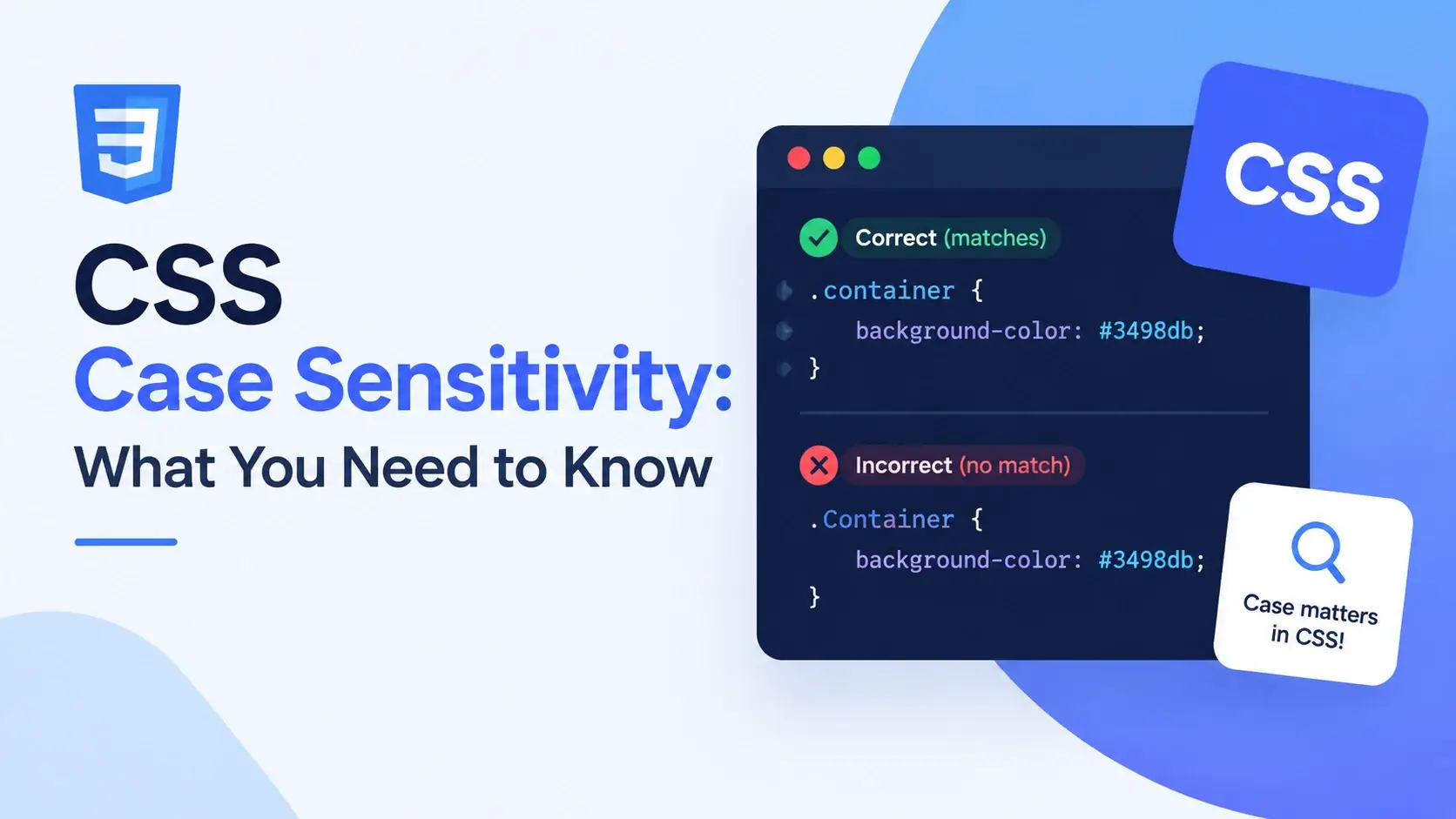
You rename a class from Card to card in the HTML, refresh, and
nothing happens. The styles are still there in the stylesheet, the element is still there
in the markup, and the browser reports no error at all. The styling simply does not apply.
That is CSS case sensitivity in action, and it is one of the most confusing things to debug because the failure is completely silent. Worse, the rule is not a simple “CSS is case-sensitive” or “CSS is case-insensitive” — the answer depends on which part of the CSS you are talking about.
Property names are case-insensitive. Class names are not. Element selectors are case-insensitive in HTML but not in XHTML. Custom properties are case-sensitive, and so are keyframe names. Quirks mode changes one of the rules entirely.
This guide sorts all of it out, with live examples so you can see each rule in action rather than take it on faith.
The Short Answer
The pattern behind every rule is simple once you see it. Case matters for names that come from your own code, and it does not matter for names defined by the CSS specification.
The specification does not care whether you type COLOR or color,
because there is only one property with that name and it is defined in the standard. But it
does care whether you type .Card or .card, because those are two
different names that you invented, and the browser has no way to know you meant the same
one.
| Thing | Case-sensitive? | Example |
|---|---|---|
| Property names | No | color = COLOR = Color |
| Keyword values | No | display: BLOCK = block |
| At-rule names | No | @MEDIA = @media |
| Pseudo-classes | No | :HOVER = :hover |
| Function names | No | RGB() = rgb() |
| Hex colors | No | #FFF = #fff |
The !important flag |
No | !IMPORTANT = !important |
| Element selectors (HTML) | HTML only | H1 = h1 in HTML |
| Attribute names (HTML) | HTML only | [TYPE] = [type] in HTML |
| Class names | Yes | .Card ≠ .card |
| ID names | Yes | #Header ≠ #header |
| Custom properties | Yes | --Brand ≠ --brand |
| @keyframes names | Yes | Fade ≠ fade |
| Attribute values | Yes | [data-state="open"] ≠ "Open" |
| URLs | Usually | Hero.jpg ≠ hero.jpg |
If the name is defined by the CSS specification, case does not matter. If the name was invented by you or by the HTML author, case matters. That single sentence covers almost every situation you will meet.
What Is Case-Insensitive in CSS
Everything the CSS specification itself defines is case-insensitive. The standard notes this explicitly: property names, keywords, and most identifiers in the language are matched without regard to case.
Property names
Property names are ASCII case-insensitive. All three of these declarations are identical to the browser:
<!DOCTYPE html>
<html lang="en">
<head>
    <meta charset="UTF-8">
    <title>Case-Insensitive Properties</title>
    <style>
        body { font-family: system-ui, sans-serif; padding: 28px; background: #f8fafc; }

        /* All three declarations do exactly the same thing */
        .a { COLOR: #0891b2; FONT-WEIGHT: 700; PADDING: 16px; }
        .b { Color: #0891b2; Font-Weight: 700; Padding: 16px; }
        .c { color: #0891b2; font-weight: 700; padding: 16px; }

        .a, .b, .c {
            border-radius: 10px;
            background: #fff;
            margin-bottom: 10px;
        }
    </style>
</head>
<body>
    <div class="a">Uppercase property names</div>
    <div class="b">Mixed case property names</div>
    <div class="c">Lowercase property names</div>
</body>
</html>
All three boxes render identically. The browser normalizes the property name to lowercase internally before matching it against its list of known properties.
It works, but it is not the convention. Every CSS style guide, the specification itself, and every code formatter uses lowercase property names. Uppercase property names in a stylesheet look like a mistake, and they make a file harder to scan for a team.
Keyword values
Most keyword values are also case-insensitive. This includes layout keywords, color names, and unit suffixes:
/* All identical to the browser */
display: BLOCK;
display: Block;
display: block;

position: ABSOLUTE;
position: absolute;

color: RED;
color: red;
color: ReD;

text-align: CENTER;
text-align: center;
The same applies to units. 16PX, 16Px, and 16px are
all sixteen pixels. And hex colors are case-insensitive, so #FFFFFF,
#ffffff, and #FfFfFf are the same color.
At-rule names and function names
/* At-rules — all identical */
@MEDIA (min-width: 600px) { }
@media (min-width: 600px) { }

@KEYFRAMES fade { }
@keyframes fade { }

/* Functions — all identical */
color: RGB(8 145 178);
color: rgb(8 145 178);

width: CALC(100% - 32px);
width: calc(100% - 32px);
Pseudo-classes and pseudo-elements
/* All identical */
a:HOVER { color: red; }
a:hover { color: red; }

li:FIRST-CHILD { font-weight: 700; }
li:first-child { font-weight: 700; }
The !important flag
/* All identical — but lowercase is the convention */
color: red !IMPORTANT;
color: red !Important;
color: red !important;Property names
color, COLOR, Color — all the same property.
Keyword values
block, BLOCK — the browser matches without regard to case.
Hex colors
#fff and #FFF are the same color.
Units
16px and 16PX are the same length.
Functions
rgb() and RGB() are the same function.
At-rules
@media and @MEDIA are the same rule.
The CSS specification normalizes these names to lowercase during parsing, so by the time the browser is matching a declaration to a property, the case is already gone. It is a deliberate choice for authoring convenience — the language is forgiving about things that have exactly one correct spelling anyway.
What IS Case-Sensitive in CSS
Everything you or the HTML author invented is case-sensitive. The browser has no way to
know that .Card and .card were meant to be the same class,
because they are simply two different strings.
Class names
This is the one that catches everyone. In standards mode, a class selector must match the class attribute exactly, character for character:
<!DOCTYPE html>
<html lang="en">
<head>
    <meta charset="UTF-8">
    <title>Class Case Sensitivity</title>
    <style>
        body { font-family: system-ui, sans-serif; padding: 28px; background: #f8fafc; }
        .card {
            background: #0891b2;
            color: #fff;
            padding: 16px;
            border-radius: 10px;
            margin-bottom: 10px;
            font-weight: 600;
        }
    </style>
</head>
<body>
    <!-- Matches: class is exactly "card" -->
    <div class="card">class="card" — styled</div>

    <!-- Does NOT match: "Card" is a different name -->
    <div class="Card">class="Card" — not styled</div>

    <!-- Does NOT match either -->
    <div class="CARD">class="CARD" — not styled</div>
</body>
</html>
Only the first box gets the teal background. The other two match nothing, and no error is reported anywhere.
ID names
IDs behave the same way. #Header does not match id="header":
<!DOCTYPE html>
<html lang="en">
<head>
    <meta charset="UTF-8">
    <title>ID Case Sensitivity</title>
    <style>
        body { font-family: system-ui, sans-serif; padding: 28px; background: #f8fafc; }
        #main-title {
            color: #7c3aed;
            border-left: 5px solid #7c3aed;
            padding-left: 12px;
        }
    </style>
</head>
<body>
    <h1 id="main-title">id="main-title" — styled</h1>
    <h1 id="Main-Title">id="Main-Title" — not styled</h1>
    <h1 id="MAIN-TITLE">id="MAIN-TITLE" — not styled</h1>
</body>
</html>
Custom properties
Custom properties — CSS variables — are case-sensitive, and this is one of the most dangerous cases because a typo produces no error. The variable simply resolves to nothing, and the declaration using it is discarded.
<!DOCTYPE html>
<html lang="en">
<head>
    <meta charset="UTF-8">
    <title>Custom Property Case</title>
    <style>
        :root {
            --brand: #0891b2;
            --Brand: #e11d48;   /* a different property entirely */
        }

        body { font-family: system-ui, sans-serif; padding: 28px; background: #f8fafc; }

        .one {
            background: var(--brand);   /* teal */
            color: #fff;
            padding: 16px;
            border-radius: 10px;
            margin-bottom: 10px;
            font-weight: 600;
        }

        .two {
            background: var(--Brand);   /* a completely different value */
            color: #fff;
            padding: 16px;
            border-radius: 10px;
            margin-bottom: 10px;
            font-weight: 600;
        }

        .three {
            /* --BRAND was never defined, so this declaration is dropped */
            background: var(--BRAND, #cbd5e1);
            color: #0f172a;
            padding: 16px;
            border-radius: 10px;
            font-weight: 600;
        }
    </style>
</head>
<body>
    <div class="one">var(--brand) — teal</div>
    <div class="two">var(--Brand) — red, a different property</div>
    <div class="three">var(--BRAND) — undefined, falls back to grey</div>
</body>
</html>
Two variables, one letter apart, producing two completely different colors — and a third reference that does not exist at all, quietly falling back to the default because the declaration had no value to use.
@keyframes names
Animation names are custom identifiers, which makes them case-sensitive. @keyframes
Fade does not define the animation referenced by animation-name: fade:
/* Defines an animation called "Fade" */
@keyframes Fade {
from { opacity: 1; }
to { opacity: 0; }
}
/* Correct — matches the name exactly */
.box-a {
animation: Fade 1s ease;
}
/* Broken — "fade" is a different name, so nothing animates */
.box-b {
animation: fade 1s ease;
}
The second rule is not flagged as an error. The browser simply cannot find an animation
called fade, so it does nothing at all.
Attribute values
Attribute selectors match the value exactly as written, including case. This is a common problem when the attribute value comes from JavaScript or a content management system:
/* Matches data-state="open" */
[data-state="open"] { display: block; }

/* Does NOT match data-state="Open" or data-state="OPEN" */
[data-state="Open"] { display: block; }
The exception is a small set of HTML attributes that are defined as case-insensitive at the
markup level, such as type on an input. For those, matching is normalized
before the selector runs.
Font family names
Font names are matched case-insensitively by most operating systems in practice, but the CSS specification treats them as case-sensitive identifiers. Because of that mismatch, a font declared in one case may or may not match a font installed under another — it depends on the platform and the font itself.
/* Write the name exactly as the font family is named */
font-family: "Space Grotesk", system-ui, sans-serif;

/* This usually works, but "usually" is the problem */
font-family: "space grotesk", system-ui, sans-serif;
The safest approach is to copy the font’s name from its own metadata or the provider’s documentation and use that spelling every time.
URLs
The path portion of a URL is case-sensitive on almost every web server, because Linux and macOS file systems are case-sensitive by default. The scheme and hostname are not.
/* Different files on a case-sensitive server */
background-image: url("images/Hero.jpg");
background-image: url("images/hero.jpg");

/* The scheme and host are case-insensitive */
background-image: url("HTTPS://EXAMPLE.COM/hero.jpg");
This is why an image that works on a Windows development machine can 404 in production —
Windows file systems are case-insensitive, so Hero.jpg and
hero.jpg resolve to the same file locally, but not on a Linux server.
Of all the case-sensitive items here, class names are the ones that cause the most debugging. A renamed class in the HTML does not throw an error, does not appear in the console, and does not show up as a broken rule in DevTools — the rule simply has nothing to match.
HTML vs CSS: Where the Rules Change
CSS is not always used with HTML. It styles XML documents, SVG, and XHTML as well, and the case rules for element and attribute selectors depend entirely on the document type the CSS is applied to.
Element selectors are case-insensitive
HTML tag names are case-insensitive at the markup level, so a selector written as H1 matches an element written as <h1>.
Attribute names behave the same way — [TYPE] matches type.
Element selectors are case-sensitive
XML is case-sensitive by definition, so H1 and h1 are two different elements and a selector must match exactly.
XHTML served as application/xhtml+xml follows the XML rules, not the HTML ones.
| Selector | In HTML | In XML / XHTML |
|---|---|---|
Element — h1 |
Insensitive | Sensitive |
Attribute name — [type] |
Insensitive | Sensitive |
Attribute value — [type="text"] |
Depends on attribute | Sensitive |
Class — .card |
Sensitive | Sensitive |
ID — #header |
Sensitive | Sensitive |
HTML itself is forgiving about its own tags
It is worth separating two things that are often confused. The HTML parser is
case-insensitive about tag and attribute names — <DIV> and
<div> produce the same element. But the values of class and ID
attributes are not normalized, which is exactly why they end up case-sensitive when CSS
matches against them.
<!DOCTYPE html>
<html lang="en">
<head>
    <meta charset="UTF-8">
    <title>HTML Parser vs CSS Matching</title>
    <style>
        body { font-family: system-ui, sans-serif; padding: 28px; background: #f8fafc; }

        /* Uppercase element selector — works in HTML */
        H2 {
            color: #0891b2;
            margin: 0 0 10px;
        }

        /* Lowercase class selector */
        .note {
            background: #fff;
            border-left: 4px solid #7c3aed;
            border-radius: 8px;
            padding: 14px 18px;
            color: #334155;
        }
    </style>
</head>
<body>
    <!-- Uppercase tag in the markup — still matched -->
    <H2>Uppercase tag, uppercase selector</H2>

    <!-- Lowercase tag, matched by the same uppercase selector -->
    <h2>Lowercase tag, same rule</h2>

    <!-- Class must match exactly -->
    <p class="note">class="note" — styled</p>
    <p class="Note">class="Note" — not styled</p>
</body>
</html>
Both headings are styled by the single uppercase H2 rule, because HTML
normalizes tag names. But only the first paragraph is styled, because the class value is
compared exactly as written.
Even though <DIV> works in HTML, writing tags in lowercase is the
convention and is required for XHTML compatibility. It also avoids the trap of moving a
template to an XML-based system and having every selector silently stop matching.
The Quirks Mode Exception
There is one situation where class and ID matching becomes case-insensitive in an HTML document: quirks mode. This is a legacy rendering mode the browser falls back to when a document has no valid DOCTYPE.
In quirks mode, the browser reproduces the behaviour of 1990s browsers, and one of those behaviours was matching class and ID selectors without regard to case.
| Document state | Class & ID matching | Example |
|---|---|---|
| Standards mode — valid DOCTYPE | Case-sensitive | .Card does not match class="card" |
| Quirks mode — no DOCTYPE | Case-insensitive in HTML | .Card matches class="card" |
This means the same stylesheet can behave differently on two pages that look otherwise identical — which is exactly the kind of bug that is nearly impossible to find without knowing the rule.
/*
   In quirks mode, this rule matches class="card",
   class="Card", and class="CARD" — all of them.

   In standards mode, it matches only class="card".
*/

.Card {
    padding: 24px;
}
Starting every file with <!DOCTYPE html> keeps the page in standards
mode, which means the case rules are consistent and predictable. This is one more reason
the DOCTYPE line matters — see
HTML DOCTYPE for the full picture.
You can confirm which mode a page is in from the console. In standards mode
document.compatMode returns "CSS1Compat"; in quirks mode it
returns "BackCompat".
/* Run this in the browser console */
document.compatMode
// "CSS1Compat"  → standards mode, class matching is case-sensitive
// "BackCompat"  → quirks mode, class matching is case-insensitive
Side-by-Side: Same Stylesheet, Different Case
The clearest way to see every rule at once is to write one stylesheet that uses a mix of cases and watch which parts apply. Each box below is labelled with what it demonstrates.
<!DOCTYPE html>
<html lang="en">
<head>
    <meta charset="UTF-8">
    <title>Case Sensitivity, Demonstrated</title>
    <style>
        /* Uppercase property names — work fine */
        body {
            FONT-FAMILY: system-ui, sans-serif;
            PADDING: 28px;
            BACKGROUND: #f8fafc;
        }

        /* Shared box styling */
        .box {
            padding: 14px 18px;
            border-radius: 10px;
            margin-bottom: 10px;
            font-weight: 600;
            font-size: 0.9rem;
        }

        /* 1. Lowercase property names — identical to uppercase above */
        .p-lower { color: #0891b2; background: #e0f7fa; }

        /* 2. Uppercase keyword values — work fine */
        .v-upper { DISPLAY: BLOCK; COLOR: WHITE; BACKGROUND: #0891b2; }

        /* 3. Class selector in lowercase */
        .exact { background: #7c3aed; color: #fff; }

        /* 4. Class selector in TitleCase — only matches TitleCase */
        .Exact { background: #16a34a; color: #fff; }

        /* 5. Custom property in lowercase */
        :root { --accent: #d97706; }
        .var-lower { background: var(--accent); color: #fff; }

        /* 6. Custom property in TitleCase — a different property */
        .var-upper { background: var(--Accent, #e11d48); color: #fff; }

        /* 7. Uppercase hex color — identical to lowercase */
        .hex-upper { background: #0891B2; color: #FFFFFF; }
    </style>
</head>
<body>

    <div class="box p-lower">
        Property names: uppercase and lowercase are the same
    </div>

    <div class="box v-upper">
        Keyword values: BLOCK and WHITE work as written
    </div>

    <div class="box exact">
        class="exact" matched by .exact — styled
    </div>

    <div class="box exact">
        .Exact does NOT match class="exact" — this box keeps .exact styling
    </div>

    <div class="box var-lower">
        var(--accent) resolved — orange
    </div>

    <div class="box var-upper">
        var(--Accent) undefined — falls back to red
    </div>

    <div class="box hex-upper">
        Hex #0891B2 and #FFFFFF are the same as lowercase
    </div>

</body>
</html>
Notice that the property names and keyword values behave exactly the same regardless of case, while the class and custom property rules do not. That is the whole distinction in one page.
Common Mistakes
Every one of these produces styling that silently does not apply. None of them raises an error, and none of them appears in the console.
1. Renaming a class in the HTML but not the CSS
<div class="Card">...</div>

.card {
    padding: 24px;
}<div class="card">...</div>
.card {
padding: 24px;
}2. A typo in a custom property name
:root {
    --brand: #0891b2;
}

.panel {
    background: var(--Brand);
    /* no value, declaration dropped */
}:root {
--brand: #0891b2;
}
.panel {
background: var(--brand);
}3. A keyframe name that does not match
@keyframes Fade {
    to { opacity: 0; }
}

.box {
    animation: fade 1s ease;
}@keyframes fade {
to { opacity: 0; }
}
.box {
animation: fade 1s ease;
}4. An attribute value matched with the wrong case
<div data-state="Open">...</div>

[data-state="open"] {
    display: block;
}<div data-state="open">...</div>
[data-state="open"] {
display: block;
}5. A file path with the wrong case
.hero {
    background-image: url("Images/Hero.jpg");
}.hero {
background-image: url("images/hero.jpg");
}6. Mixing class case between files
<!-- header.html -->
<div class="Card__Title">...</div>

<!-- card.html -->
<div class="card__title">...</div>

/* styles.css */
.card__title { color: #0891b2; }<!-- header.html -->
<div class="card__title">...</div>
<!-- card.html -->
<div class="card__title">...</div>
/* styles.css */
.card__title { color: #0891b2; }7. Relying on quirks mode without knowing it
<!-- page-a.html — no DOCTYPE -->
<!-- Quirks mode: .Card matches class="card" -->

<!-- page-b.html — valid DOCTYPE -->
<!-- Standards: .Card does not match --><!-- every page -->
<!DOCTYPE html>
<html lang="en">
<!-- Standards mode on every page -->
<!-- Class names match exactly, always -->8. Assuming an element selector is case-sensitive in HTML
/* Expecting these to be different rules */
H1 { color: red; }
h1 { color: blue; }

/* In HTML, both target the same elements.
The later rule wins, so headings are blue. *//* Element selectors are case-insensitive
in HTML, so write one rule */
h1 { color: blue; }When a rule is not applying, inspect the element in DevTools and look at the Styles panel. If the rule does not appear at all, the selector matched nothing — which in most cases means a name mismatch. If it appears with a strikethrough, the rule matched but something else won the cascade.
Best Practices
You can avoid every case-sensitivity problem by writing everything lowercase and never relying on the exceptions. It is a simple discipline that removes a whole category of bugs.
Write everything lowercase
Property names, values, selectors, class names, IDs, at-rules — all of it.
Match class names exactly
Copy and paste between HTML and CSS rather than retyping. It avoids silent mismatches.
Keep custom property names lowercase
--brand-color, not --BrandColor. Dashes, all lowercase, every time.
Keep keyframe names lowercase
@keyframes fade-in and animation: fade-in should always match character for character.
Lowercase every file name
hero.jpg, not Hero.JPG. It prevents the cross-platform path problem entirely.
Always include a DOCTYPE
It keeps the page in standards mode, so class matching is consistent everywhere.
Use a linter or formatter
A formatter will not fix a class mismatch, but it will normalize everything it can.
Inspect when a rule does not apply
If the rule is missing from the Styles panel entirely, the selector matched nothing.
Pick one naming convention
Whatever you choose — lowercase, kebab-case, BEM — apply it identically in HTML and CSS.
Write everything lowercase, treat every class, ID, custom property, and keyframe name as case-sensitive, and the question never comes up again.
Frequently Asked Questions
1. Is CSS case-sensitive?
Partly. CSS is case-insensitive for property names, most values, at-rule names, pseudo-classes, and element selectors in HTML documents. It is case-sensitive for class names, IDs, custom properties, keyframe names, and attribute values.
2. Are CSS property names case-sensitive?
No. Property names are ASCII case-insensitive. color,
COLOR, and Color all work identically. The same applies to
function names and at-rule names.
3. Are class names case-sensitive in CSS?
Yes, in standards mode. A class selector .Card does not match an element
with class="card". The only exception is quirks mode, where class matching
in HTML documents becomes case-insensitive.
4. Are CSS values case-sensitive?
Most keyword values are case-insensitive, so display: BLOCK and
display: block are equivalent. But custom identifiers such as keyframe
names, font family names, and custom property names are case-sensitive.
5. Are CSS custom properties case-sensitive?
Yes. Custom property names are case-sensitive, so --brand and
--Brand are two entirely different properties. This is one of the few
places in CSS where case genuinely matters, and a common source of silent bugs.
6. Are CSS selectors case-sensitive?
Class and ID selectors are case-sensitive in standards mode. Element selectors are case-insensitive in HTML documents but case-sensitive in XML and XHTML. Attribute values are generally case-sensitive.
7. Does quirks mode change case sensitivity?
Yes. In quirks mode, class and ID matching in HTML documents becomes case-insensitive. This is one more reason to always include a valid DOCTYPE, which keeps the page in standards mode.
8. Are hex colors case-sensitive?
No. Hex color values are case-insensitive, so #FFFFFF,
#ffffff, and #FfFfFf are all the same color. The same applies
to rgb(), hsl(), and named colors.
9. Are @keyframes names case-sensitive?
Yes. Keyframe animation names are custom identifiers and are case-sensitive, so
@keyframes Fade does not match animation-name: fade. This is
easy to miss because the declaration itself is not flagged as an error.
10. Is the !important flag case-sensitive?
No. The !important flag is case-insensitive, so !IMPORTANT,
!Important, and !important all work the same way. Lowercase
is the convention.
11. Are URLs in CSS case-sensitive?
The path portion of a URL is case-sensitive on most servers, because Linux and macOS
file systems are case-sensitive by default. The scheme and hostname are not. This means
url(Hero.jpg) and url(hero.jpg) can behave differently.
12. Should I write CSS in uppercase or lowercase?
Always lowercase for property names, values, selectors, at-rules, and the
!important flag. It is the universal convention, it matches the
specification’s own formatting, and it avoids the case-sensitivity traps entirely.
Key Takeaways
- CSS is partly case-sensitive — the answer depends on which part you mean.
- Property names are case-insensitive:
COLORandcolorare identical. - Keyword values, units, hex colors, functions, and at-rule names are also case-insensitive.
- Class names and ID names are case-sensitive in standards mode.
- Custom properties are case-sensitive —
--brandand--Brandare different. - Keyframe names are case-sensitive, which makes a mismatched
animationsilently do nothing. - Attribute values are matched exactly, including case.
- URL paths are case-sensitive on most servers, even though the hostname is not.
- Element selectors are case-insensitive in HTML but case-sensitive in XHTML.
- Quirks mode makes class and ID matching case-insensitive in HTML — another reason to include a DOCTYPE.
- The pattern is simple: case matters for names you invented, not for names the spec defines.
- Write everything lowercase and the problem never arises.
What to Learn Next
Now that the case rules are clear, the next step is to strengthen the foundations around them. Start with CSS Selectors Explained and CSS Syntax Explained.
From there, explore CSS Rules: Selectors, Properties and Values, CSS Comments, and CSS Custom Properties. When you are ready to build layouts, read CSS Flexbox Guide and CSS Grid Guide, then move on to Responsive Web Design.
If you are still connecting the pieces, read HTML DOCTYPE for the quirks mode background, and How to Add CSS to HTML for where the stylesheet goes in the first place.
Practice Challenge
The only way to trust these rules is to break them and watch what happens. This exercise takes about fifteen minutes.
- Create
index.htmlandstyles.css, and link them with<link rel="stylesheet" href="styles.css">. - In the HTML, add three paragraphs: one with
class="card", one withclass="Card", and one withclass="CARD". - In the CSS, write a rule for
.cardwith a background and padding. Refresh and confirm that only the first paragraph is styled. - Now write a second rule for
.Card. Confirm that the second paragraph is styled by it, and that the first is unaffected. - Add a rule using an uppercase property name, such as
BACKGROUND-COLOR. Confirm that it works exactly like the lowercase version. - Add a rule using an uppercase keyword value, such as
display: BLOCK. Confirm that it works. - Write an uppercase element selector, such as
P, and confirm it matches the lowercase<p>elements. - Define a custom property as
--brandand use it. Then usevar(--Brand)in another rule and confirm it falls back to nothing. - Define
@keyframes Fadeand reference it withanimation: fade 1s. Confirm nothing animates, then fix the name and confirm it does. - Add
[data-state="open"]in the CSS and setdata-state="Open"in the HTML. Confirm the rule does not apply. - Open DevTools, inspect the unstyled paragraph, and confirm the rule is entirely absent from the Styles panel — proving the selector matched nothing.
- Finally, normalize everything: lowercase property names, lowercase class names throughout, lowercase custom properties. Confirm the page looks the same and the ambiguity is gone.
If you complete those steps, you have tested every rule in this guide against a real browser rather than taking it on faith. More importantly, you have seen the failure mode firsthand — a rule that is present in your stylesheet, correct in its syntax, and completely invisible to the browser because one character was the wrong case. Once you have watched that happen, you will check the spelling before you check anything else.

 Inar Learn