
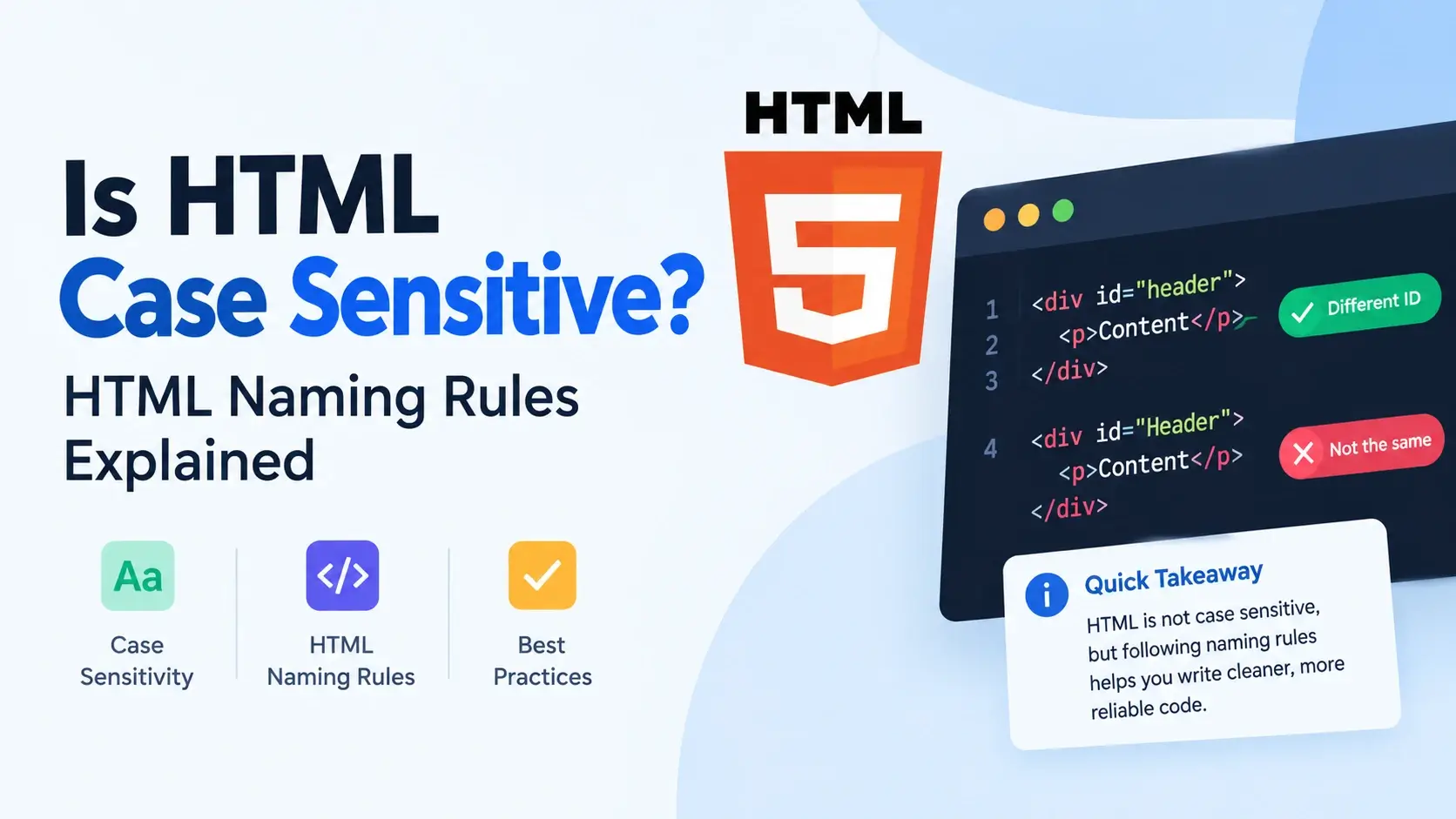
Type <DIV> in uppercase. Type <div> in lowercase.
Add a class called "Card" or "card". It all seems like it should
matter — but in HTML, some of it does and some of it does not. Getting this wrong can lead
to silent bugs that are surprisingly hard to find.
In this guide, you will learn exactly which parts of HTML are case-sensitive and which are not, plus the naming conventions that keep your code clean and predictable. Every concept comes with a real, runnable example.
<DIV> and <div> are the
same. But class names, ids, attribute values, CSS selectors, JavaScript identifiers, and
most file names on servers are case-sensitive.
Quick Answer at a Glance
Here is the fast reference. Each row tells you whether a specific part of HTML cares about letter case.
| Feature | Case-sensitive? | Example |
|---|---|---|
| Tag names | No — case-insensitive | <div> = <DIV> |
| Attribute names | No — case-insensitive | href = HREF |
| Attribute values | Yes — usually | class="card" ≠ class="Card" |
| Class names | Yes | .card ≠ .Card |
| IDs | Yes | #main ≠ #Main |
| CSS selectors | Yes | div.Card ≠ div.card |
| JavaScript identifiers | Yes | myVar ≠ myvar |
| DOMParser element names | No — normalized to lowercase | getElementsByTagName("DIV") works |
| File names on Linux servers | Yes | index.html ≠ Index.html |
| File names on Windows servers | Usually no | Both resolve to the same file |
| DOCTYPE | No | <!DOCTYPE html> = <!doctype html> |
| Entities | Yes — varies by entity | < ≠ < |
The rest of this guide explains each of these in detail, with examples and the reasoning behind them.
Tag and Attribute Names: Case-Insensitive
HTML tag names and attribute names are case-insensitive. The browser
treats <div>, <DIV>, and <Div>
exactly the same. Same for attribute names like href, HREF, and
Href.
<!DOCTYPE html>
<html lang="en">
<head>
    <meta charset="UTF-8">
    <title>Case Insensitive Tags</title>
</head>
<body>
    <H1>Uppercase heading</H1>
    <H1>Uppercase heading again</H1>
    <P CLASS="note">Uppercase tag and attribute names.</P>
    <p class="note">Lowercase tag and attribute names.</p>
</body>
</html>
All four elements render identically. The browser normalizes tag and attribute names to lowercase when it builds the DOM, so any capitalization is accepted.
But convention is lowercase
Even though uppercase works, the entire web development community has agreed on a single convention: write tag and attribute names in lowercase. There are several reasons.
- It is required in XHTML, so lowercase code is more portable.
- It matches the HTML5 specification’s own examples.
- It is what every code formatter and linter expects.
- It is easier to read — uppercase HTML looks like shouting.
If you ever inherit code that uses <DIV> and <TABLE>,
you are looking at HTML written before about 2010, when uppercase was common. Feel free
to lowercase it as you work on the file.
Attribute Values: Often Case-Sensitive
Attribute names are case-insensitive, but attribute values usually are not. This is the most common source of confusion.
Look at these two elements:
<!DOCTYPE html>
<html lang="en">
<head>
    <meta charset="UTF-8">
    <title>Case-Sensitive Values</title>
    <style>
        body { font-family: system-ui, sans-serif; padding: 20px; background: #f8fafc; }
        .card { padding: 12px 16px; border-radius: 8px; margin-bottom: 8px; }
        .Card { padding: 12px 16px; border-radius: 8px; margin-bottom: 8px; }
        .card { background: #e0f7fa; }
        .Card { background: #fff8ec; }
    </style>
</head>
<body>
    <p class="card">This has class="card"</p>
    <p class="Card">This has class="Card"</p>
</body>
</html>
Both paragraphs use the same class attribute name — class — but the values
are "card" and "Card". Because CSS class selectors are
case-sensitive, they match different rules and render with different colors.
When attribute values are case-sensitive
Class names
class="Card" and class="card" are different.
IDs
id="Main" and id="main" are different.
URLs and paths
The path portion of a URL is usually case-sensitive.
File references
src="Photo.jpg" may not match photo.jpg on Linux.
Data attribute values
data-state="Active" and "active" are different values.
Language codes
The lang attribute is usually written lowercase: lang="en-US".
If your CSS rule is .Card { color: red; } and your HTML has
class="card", the rule will not apply. This is one of the most common
case-sensitivity bugs beginners hit.
Class Names and IDs: Always Case-Sensitive
Class names and IDs are always case-sensitive across HTML, CSS, and JavaScript. This is one of the strictest rules in web development, and one of the easiest to get wrong.
<!DOCTYPE html>
<html lang="en">
<head>
    <meta charset="UTF-8">
    <title>Class Case Sensitivity</title>
    <style>
        body { font-family: system-ui, sans-serif; padding: 20px; background: #f8fafc; }
        #main { background: #e0f7fa; padding: 12px; border-radius: 8px; margin-bottom: 8px; }
        #Main { background: #fff8ec; padding: 12px; border-radius: 8px; margin-bottom: 8px; }
    </style>
</head>
<body>
    <div id="main">id="main" — matches #main</div>
    <div id="Main">id="Main" — matches #Main</div>
</body>
</html>
Even though both IDs look like the same word, they are different strings. In JavaScript,
document.getElementById("main") will only find the first element, not the
second.
The rules in detail
- In HTML —
class="Card"is different fromclass="card". - In CSS —
.Cardis different from.card. - In JavaScript —
document.querySelector(".Card")and".card"are different. - In URL fragments —
#section-1and#Section-1are different.
Tags and attribute names come from the HTML spec, which decides they should be normalized to lowercase. Class names and IDs are string values that the page author chooses — the spec has no reason to normalize them.
File Names and Extensions
Whether a file name is case-sensitive depends on the server’s operating system. This is a crucial point that causes very different bugs on different platforms.
| Platform | Case-sensitive? | Example |
|---|---|---|
| Linux servers | Yes | index.html ≠ Index.html |
| macOS servers (default) | Usually no | Both resolve to the same file |
| Windows servers | No | Both resolve to the same file |
| Amazon S3, Google Cloud Storage | Yes | Object keys are case-sensitive |
This is why it is critical to use consistent lowercase file names in your HTML. If you
reference Photo.jpg in your code but the file is actually named
photo.jpg, everything works on Windows and macOS but breaks the moment you
deploy to a Linux server.
<!-- Works on Windows, breaks on Linux -->
<img src="Photo.jpg" alt="Photo">

<!-- Always works -->
<img src="photo.jpg" alt="Photo">This is a classic deployment bug. Everything works locally because Windows is case-insensitive, then everything breaks in production because the Linux server is not. Always use lowercase file names and match them exactly in your HTML.
File extensions
File extensions follow the same rule. .html, .HTML, and
.Html are technically all valid extensions, but the .html
lowercase version is the convention and works everywhere.
Use lowercase for all file names and extensions: index.html,
styles.css, script.js, photo.jpg. This is
universally safe and matches every style guide.
DOCTYPE: Case-Insensitive
The DOCTYPE declaration is fully case-insensitive. All of these are valid and behave identically:
<!DOCTYPE html>
<!doctype html>
<!DocType HTML>
<!DOCTYPE HTML>
<!dOcTyPe HtMl>
The browser treats them all the same — it triggers standards mode and parses the page as HTML5. The uppercase version is a historical convention and appears in nearly every tutorial, so it is what you will most commonly see.
Even though case does not matter here, <!DOCTYPE html> in uppercase
is the universal convention. Use it — it matches every other HTML file on the web.
Character Entities: Case-Sensitive
Character entities are case-sensitive. The entity <
produces the less-than sign, while < is not a valid entity at all.
<!DOCTYPE html>
<html lang="en">
<head>
<meta charset="UTF-8">
<title>Entity Case Sensitivity</title>
</head>
<body>
<p>Lowercase: < > & © </p>
<p>Uppercase: < > & © &NBSP;</p>
</body>
</html>
Some entities work in both cases (© and © both
produce ©), but others do not. The safest rule is to always use the lowercase form.
Common entity case rules
<,>,&— lowercase only.©and©— both valid, both produce ©. and&NBSP;— both valid."and"— both valid.<is valid but<is not — this is the tricky one.
Always write entities in lowercase. It is the convention, matches every style guide, and you never have to worry about which ones are case-insensitive.
JavaScript and CSS: Fully Case-Sensitive
JavaScript and CSS are both fully case-sensitive languages. Every identifier, every property name, every keyword must be written in exactly the right case.
JavaScript case sensitivity
<script>
    // These are four different variables
    let myVar = 1;
    let myvar = 2;
    let MYVAR = 3;
    let MyVar = 4;

    // These are different objects
    document.title = "Hello";  // correct
    // Document.title = "Hello"; // ReferenceError

    // Array and Object methods are also case-sensitive
    var arr = [];
    arr.push("item");        // correct
    // arr.Push("item");     // TypeError
</script>
CSS case sensitivity
CSS property names are case-insensitive, but many property values, class names, IDs, and custom properties are case-sensitive.
<style>
    /* Property names — case-insensitive */
    color: red;
    COLOR: red;
    Color: red;
    /* all three are the same */

    /* Class and ID selectors — case-sensitive */
    .card { color: red; }
    .Card { color: blue; }
    /* These are two different rules */

    /* Font family names — case-sensitive */
    font-family: Helvetica;
    /* font-family: helvetica; usually works but not guaranteed */

    /* CSS custom properties — case-sensitive */
    --Main-Color: red;
    /* var(--main-color) will NOT resolve */
</style>
HTML has class="Card", CSS has .card { ... }, and the styles
do not apply. This is the single most common case-sensitivity bug in web development.
XHTML vs. HTML
XHTML required all element and attribute names to be lowercase. This is one of the main differences between XHTML and HTML5 — modern HTML is far more forgiving.
| Feature | XHTML | HTML5 |
|---|---|---|
| Tag names | Must be lowercase | Case-insensitive |
| Attribute names | Must be lowercase | Case-insensitive |
| DOCTYPE | Must be uppercase | Case-insensitive |
| Parsing errors | Prevent rendering | Silently corrected |
This is one more reason to prefer HTML5 for all new projects. It keeps XHTML’s preferred lowercase convention but does not enforce it, giving you a much more forgiving foundation.
Even though HTML5 is forgiving, writing in a consistent lowercase style is the standard. Mixed-case code from XHTML and HTML together looks messy and confuses readers.
HTML Naming Rules and Conventions
Even though HTML allows almost any characters in class names and IDs, the community has adopted a set of naming conventions that make code easier to read and maintain.
For class names — use kebab-case
Lowercase words separated by hyphens. This is the dominant convention for CSS class names.
<!-- Good kebab-case -->
<div class="card-header"></div>
<div class="nav-item"></div>
<div class="hero-section"></div>

<!-- Avoid -->
<div class="cardHeader"></div>
<div class="card_header"></div>
<div class="CardHeader"></div>
For IDs — use kebab-case too
IDs usually follow the same style as class names: lowercase, hyphen-separated.
<div id="main-content"></div>
<section id="about-us"></section>
<nav id="primary-navigation"></nav>
For file names — lowercase, no spaces
<!-- Good -->
index.html
about-us.html
styles.css
main-script.js

<!-- Avoid -->
Index.HTML
About Us.html
styles.CSS
MainScript.JS
For data attributes — lowercase with hyphens
Custom data attributes should start with data- followed by lowercase,
hyphen-separated words.
<button data-user-id="42" data-action="save">Save</button>

<!-- In JavaScript -->
<!-- element.dataset.userId → "42" -->
<!-- element.dataset.action → "save" -->
Kebab-case (card-header) is the most readable and most common convention
for HTML class names. It is what Bootstrap, Tailwind, and most design systems use.
Common Case-Related Mistakes
A handful of case-sensitivity bugs come up again and again. Here are the ones to watch for.
1. Class name case mismatch between HTML and CSS
<!-- HTML -->
<div class="Card"></div>

<!-- CSS -->
.card { color: red; }<!-- HTML -->
<div class="card"></div>
<!-- CSS -->
.card { color: red; }2. ID case mismatch in a fragment link
<a href="#Section-1">Jump</a>

<h2 id="section-1">...</h2><a href="#section-1">Jump</a>
<h2 id="section-1">...</h2>3. File name mismatch on a case-sensitive server
<img src="Photo.jpg" alt="Photo">

<!-- File on server: photo.jpg --><img src="photo.jpg" alt="Photo">
<!-- File on server: photo.jpg -->4. Using uppercase entities
<p>Use <div> for blocks</p><p>Use <div> for blocks</p>5. Case mismatch in JavaScript selectors
<div class="card"></div>

<script>
    // Wrong case — returns null
    document.querySelector(".Card");
</script><div class="card"></div>
<script>
// Correct case — finds the element
document.querySelector(".card");
</script>6. Case-sensitive CSS custom properties
:root {
    --Main-Color: red;
}
h1 {
    color: var(--main-color); /* undefined */
}:root {
--main-color: red;
}
h1 {
color: var(--main-color);
}7. Mixing case conventions across the project
<div class="card-header"></div>
<div class="Card-Body"></div>
<div class="card_footer"></div><div class="card-header"></div>
<div class="card-body"></div>
<div class="card-footer"></div>The W3C Markup Validation Service and linters like HTMLHint will flag some case issues, but not all of them. The best defense is a consistent convention — lowercase everything, match exactly, and use kebab-case for classes and IDs.
Best Practices for HTML Naming
A consistent set of naming rules makes your code predictable and prevents case-sensitivity bugs entirely.
Write tags and attributes lowercase
Always. Even though HTML allows uppercase, lowercase is the universal convention.
Use kebab-case for classes and IDs
card-header, nav-item, hero-section — never mixed case.
Write file names lowercase
index.html, styles.css, photo.jpg — no spaces, no uppercase.
Match HTML and CSS exactly
Whatever case you use in HTML must be the same in your CSS and JavaScript.
Use lowercase entities
Always <, >, © — never uppercase.
Be consistent across the project
Pick one convention and apply it everywhere. Consistency prevents 90% of case bugs.
Lowercase everything. Tags, attributes, class names, IDs, file names, entities — all lowercase. It is safe, universal, and matches every style guide.
Frequently Asked Questions
1. Is HTML case sensitive?
HTML tag names and attribute names are case-insensitive, so <DIV>
and <div> are treated the same by the browser. However, some things
are case-sensitive: attribute values, class names, ids, CSS selectors, JavaScript
identifiers, and file names on most servers.
2. Are HTML tags case-sensitive?
No. HTML tag names are case-insensitive. Browsers treat <div>,
<DIV>, and <Div> the same way. Writing lowercase
is the convention.
3. Are HTML attributes case-sensitive?
Attribute names are case-insensitive, so HREF and href are
the same. But attribute values are often case-sensitive — especially class names,
ids, and URLs.
4. Are class names in HTML case-sensitive?
Yes. Class names are case-sensitive in HTML, CSS, and JavaScript. A class named
card is different from one named Card.
5. Are HTML ids case-sensitive?
Yes. IDs are case-sensitive. An element with id="main" is different from
one with id="Main", and fragment links must match the case exactly.
6. Are HTML file names case-sensitive?
It depends on the server. Linux servers treat file names as case-sensitive, so
index.html and Index.html are different files. Windows and
macOS servers usually treat them as the same.
7. Does the DOCTYPE need to be uppercase?
No. <!DOCTYPE html> is case-insensitive, so
<!doctype html> and <!DocType HTML> also work.
The uppercase version is a convention.
8. Are HTML entities case-sensitive?
Yes. Character entities like & and & may or
may not refer to the same character depending on the entity. Most entities are
case-sensitive: © and © are both valid,
but < and < are different.
9. Is XHTML case-sensitive?
Yes. XHTML requires all element and attribute names to be lowercase. Mixing case is a validation error and can prevent the page from rendering if served as XML.
10. Are URL paths case-sensitive?
The domain name is case-insensitive, but the path is usually case-sensitive. So
example.com/About and example.com/about can point to
different pages on many servers.
11. Are JavaScript variable names case-sensitive?
Yes. JavaScript is fully case-sensitive. Variables like myVar and
myvar are different, and standard objects like document and
Document are also different.
12. Should I always use lowercase in HTML?
Yes. Lowercase tag and attribute names are the modern convention, required in XHTML, preferred by every style guide, and easier to read. Use lowercase for tags, attributes, and file names.
Key Takeaways
- HTML tag names and attribute names are case-insensitive —
<DIV>and<div>are the same. - Attribute values are usually case-sensitive, especially class names, ids, and URLs.
- Class names, ids, and CSS selectors are always case-sensitive across HTML, CSS, and JavaScript.
- File names are case-sensitive on Linux servers and case-insensitive on Windows/macOS — a common deployment trap.
- The DOCTYPE is case-insensitive, but uppercase is the universal convention.
- Character entities are case-sensitive — always use lowercase (
<, not<). - XHTML required lowercase; HTML5 is forgiving. Use lowercase everywhere for consistency.
- Use kebab-case for class names and ids:
card-header, notCardHeader. - Use lowercase for file names and extensions:
index.html,styles.css,photo.jpg. - The safest rule: write everything in lowercase — tags, attributes, classes, ids, file names, and entities.
What to Learn Next
Now that you understand case sensitivity in HTML, the next step is to strengthen your foundational skills. Start with HTML Syntax Explained and HTML Elements vs Tags for the underlying rules.
For deeper coverage, explore HTML Elements, HTML Attributes, and HTML Nesting Explained. To see how the browser normalizes case when it builds the DOM, read How Web Browsers Work and How Websites Work.
Practice Challenge
Build a small HTML page that demonstrates case sensitivity in action. Your page should include:
- A heading written in uppercase:
<H1>Title</H1> - A paragraph with a mixed-case attribute name:
<p CLASS="intro"> - Two elements with class names that differ only in case:
class="card"andclass="Card" - CSS rules that style them differently to prove the classes are distinct
- An id-based fragment link where the case matches exactly
- A file reference using lowercase, and a comment explaining what would happen with mixed case on Linux
Once your page renders, open it in a browser and inspect each element. Confirm that tags with uppercase names still render, but classes with different cases are treated as distinct. If you can explain why each element behaves the way it does, you have mastered HTML case sensitivity.

 Inar Learn