
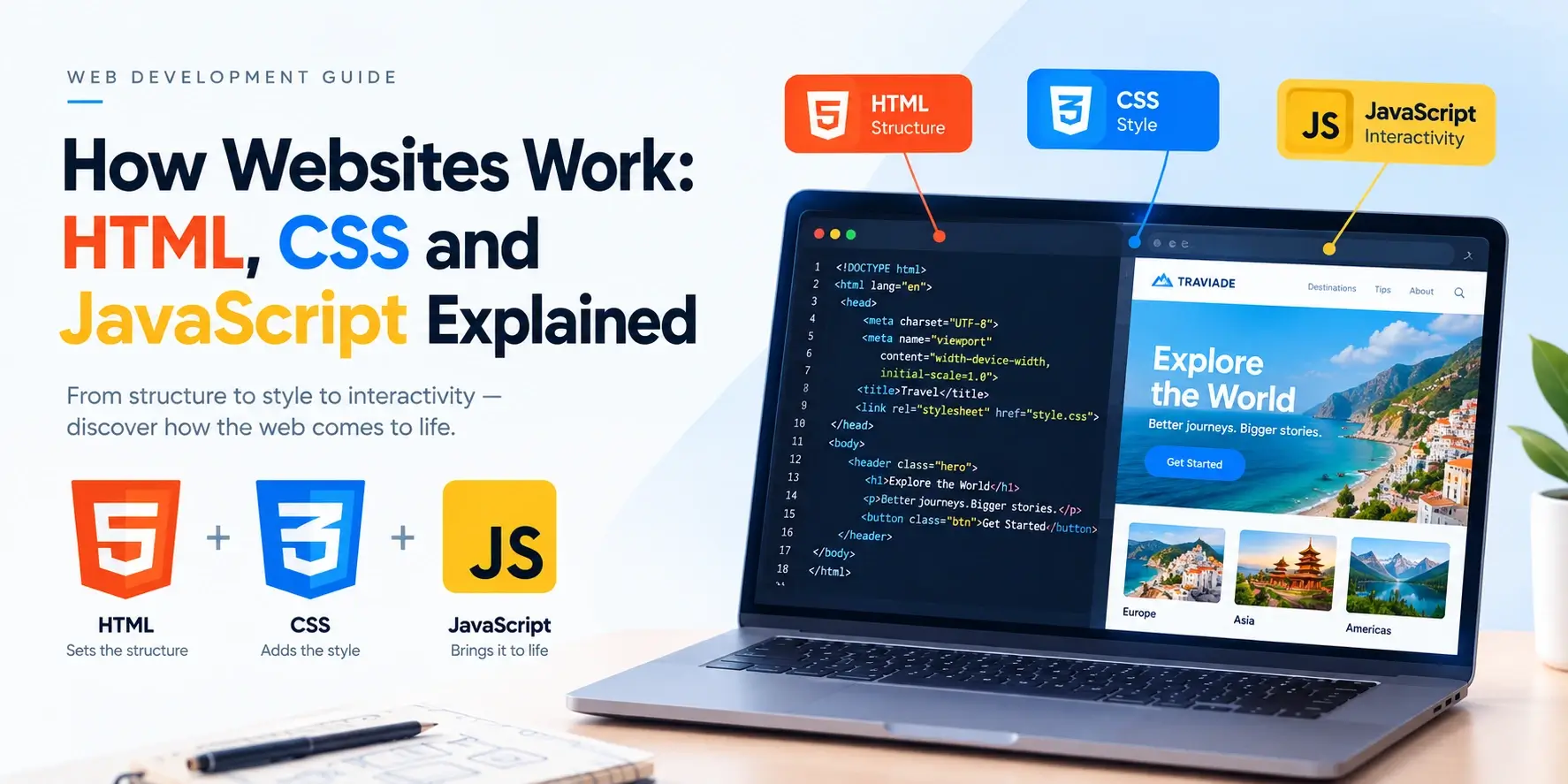
Every website you have ever visited — a news site, an online shop, a social network, or this page — is built from the same three core technologies: HTML, CSS, and JavaScript. Understanding how these three work together is the single most useful step you can take as a new web developer.
In this guide, you will learn what each technology does, how a browser turns them into the page you see, and how they combine to create everything from a simple blog to a modern web application. Each concept comes with a real code example and a live preview.
How Does a Website Actually Work?
When you type a web address into your browser, a sequence of events happens in the space of a few hundred milliseconds. Here is the simplified version.
- The browser finds the server that hosts the website, translating the domain name (such as
inarlearn.com) into an IP address through DNS. - The browser sends a request to that server, asking for a specific file — usually an HTML document like
index.html. - The server responds by sending that file back, plus any other files the page needs: stylesheets, scripts, images, and fonts.
- The browser reads the HTML and builds a document structure.
- It applies the CSS to style the page.
- It runs the JavaScript to make the page interactive.
- The finished page appears on your screen — and from that point, JavaScript can update the page without another server request.
The important thing to notice is that the browser is doing an enormous amount of work, but the files it receives are just text — plain text in three different formats. That is why anyone with a text editor can build a website.
You can view any website’s source code by right-clicking the page and choosing “View Page Source.” That is exactly the HTML, CSS, and JavaScript your browser received.
The Three Core Technologies of the Web
Every page on the web is built from three technologies, each with a distinct role. They are designed to work together, but each one handles a different job.
| Technology | Role | Simple Analogy |
|---|---|---|
| HTML | Structure and content | The skeleton |
| CSS | Design and appearance | The clothing and paint |
| JavaScript | Behavior and interactivity | The muscles and nerves |
You can think of a web page like a house. HTML provides the walls, doors, and rooms. CSS provides the paint, wallpaper, and furnishings. JavaScript provides the electricity, plumbing, and moving parts. Change one, and the experience of the house changes — but all three are always present in some form.
None of the three technologies replaces another. A site without HTML would have nothing to display. A site without CSS would look like a plain text file. A site without JavaScript would be static but still functional.
HTML — The Structure Layer
HTML (HyperText Markup Language) is the markup language that gives a web page its structure. It does not make things look pretty or move — it labels what each piece of content is. A heading is a heading, a paragraph is a paragraph, a list is a list.
Here is the simplest possible HTML page:
<!DOCTYPE html>
<html lang="en">
<head>
    <meta charset="UTF-8">
    <title>My Page</title>
</head>
<body>
    <h1>Hello, World!</h1>
    <p>This is my first web page.</p>
    <ul>
        <li>HTML for structure</li>
        <li>CSS for style</li>
        <li>JavaScript for behavior</li>
    </ul>
</body>
</html>
Notice how the page is entirely readable but entirely unstyled. That is what pure HTML looks like. It is the raw skeleton on which everything else is built.
What HTML handles
- Headings, paragraphs, and text structure
- Links between pages
- Images and other media
- Lists, tables, and forms
- Semantic landmarks such as
<header>,<nav>,<main>, and<footer>
What HTML does not handle
- Colors, fonts, spacing, or layout — that is CSS
- Interactivity or behavior — that is JavaScript
Copy the code above into a file called index.html and open it in your browser.
You will see a very plain page. Then continue to the next section to see what CSS does to it.
CSS — The Presentation Layer
CSS (Cascading Style Sheets) is the language that controls how HTML elements look. Where HTML says “this is a heading,” CSS says “and it should be large, dark blue, and centered.”
CSS is written in rules. Each rule has a selector (which elements to style) and one or more declarations (what to change):
<!DOCTYPE html>
<html lang="en">
<head>
    <meta charset="UTF-8">
    <title>My Page</title>
    <style>
        body {
            font-family: system-ui, sans-serif;
            max-width: 520px;
            margin: 40px auto;
            padding: 24px;
            background: #f8fafc;
            color: #0f172a;
            line-height: 1.7;
        }
        h1 {
            color: #0891b2;
            font-size: 2rem;
            margin: 0 0 12px;
        }
        p {
            color: #475569;
            margin: 0 0 16px;
        }
        ul {
            padding-left: 1.4rem;
            color: #475569;
        }
        li {
            margin-bottom: 6px;
        }
    </style>
</head>
<body>
    <h1>Hello, World!</h1>
    <p>This is my first web page.</p>
    <ul>
        <li>HTML for structure</li>
        <li>CSS for style</li>
        <li>JavaScript for behavior</li>
    </ul>
</body>
</html>
The HTML is identical to the previous example. The only thing that changed is the addition of
a <style> block. That is what CSS does — it transforms the appearance
without changing the content.
What CSS handles
- Colors, backgrounds, and gradients
- Typography: font family, size, weight, and spacing
- Layout: flexbox, grid, positioning
- Responsive design with media queries
- Transitions, animations, and visual effects
What CSS does not handle
- What content appears — that is HTML
- What happens when you click something — that is JavaScript
“Cascading” refers to how CSS rules flow down through a document. When multiple rules apply to the same element, the browser decides which one wins based on specificity, order, and importance. This cascade is one of CSS’s most powerful — and most confusing — features.
JavaScript — The Behavior Layer
JavaScript is a full programming language that makes pages interactive. It can respond to clicks, validate forms, load new content without reloading the page, animate elements, and much more.
Where HTML provides structure and CSS provides appearance, JavaScript provides behavior:
<!DOCTYPE html>
<html lang="en">
<head>
    <meta charset="UTF-8">
    <title>JavaScript Example</title>
    <style>
        body {
            font-family: system-ui, sans-serif;
            text-align: center;
            padding: 40px 20px;
            background: #f8fafc;
        }
        button {
            padding: 12px 24px;
            font-size: 16px;
            font-weight: 600;
            border: 0;
            border-radius: 10px;
            background: #0891b2;
            color: white;
            cursor: pointer;
        }
        button:hover {
            background: #0e7490;
        }
    </style>
</head>
<body>
    <h1>Click the button</h1>
    <button id="greetButton">Say Hello</button>

    <script>
        document.getElementById("greetButton").addEventListener("click", function () {
            alert("Hello from JavaScript!");
        });
    </script>
</body>
</html>
The HTML creates the button. The CSS styles it. The JavaScript listens for a click and shows an alert. Three languages, one small page, one clear division of responsibility.
What JavaScript handles
- Reacting to user actions — clicks, typing, scrolling
- Form validation
- Updating content without a page reload
- Fetching data from a server (AJAX and the Fetch API)
- Animations, timers, and dynamic behavior
- Building complete web applications with frameworks like React, Vue, or Svelte
What JavaScript does not handle
- Structuring content — that is HTML
- Styling elements — that is CSS
JavaScript is the only one of the three that is a true programming language. It has variables, functions, loops, conditions, and everything else you would expect from a language like Python or Ruby.
How the Three Work Together
The three technologies are designed to be separate but cooperative. In a well-built page, each one lives in its own place:
- HTML goes in the markup — the structural content of the page.
- CSS goes in a stylesheet — either inside a
<style>block or in a separate.cssfile. - JavaScript goes in a script — either inside a
<script>block or in a separate.jsfile.
Here is a small page that uses all three in a single document:
<!DOCTYPE html>
<html lang="en">
<head>
    <meta charset="UTF-8">
    <meta name="viewport" content="width=device-width, initial-scale=1.0">
    <title>All Three Together</title>
    <style>
        body {
            font-family: system-ui, sans-serif;
            text-align: center;
            padding: 48px 20px;
            background: #f1f5f9;
            color: #0f172a;
        }
        h1 {
            color: #0891b2;
            margin: 0 0 20px;
        }
        button {
            padding: 12px 24px;
            font-size: 16px;
            font-weight: 600;
            border: 0;
            border-radius: 10px;
            background: #0891b2;
            color: white;
            cursor: pointer;
        }
        button:hover {
            background: #0e7490;
        }
    </style>
</head>
<body>
    <h1 id="heading">Hello, World!</h1>
    <button id="changeBtn">Change the heading</button>

    <script>
        let count = 0;
        document.getElementById("changeBtn").addEventListener("click", function () {
            count++;
            document.getElementById("heading").textContent =
                "You clicked " + count + " time" + (count === 1 ? "" : "s");
        });
    </script>
</body>
</html>
The HTML creates the heading and button. The CSS styles them. The JavaScript reacts to the button and updates the heading. All three technologies are working side by side, each doing its own job without stepping on the others.
Professional developers usually keep these three technologies in separate files:
index.html, styles.css, and script.js. This makes
code easier to read, reuse, and maintain — and it is the pattern used by every large website.
What Happens When You Visit a Website?
Let’s trace the full path from typing a URL to seeing the finished page. Each step is fast, but each one matters.
- DNS resolution — The browser translates the domain name into an IP address.
- HTTP request — The browser sends a request to the server asking for the page.
- Server response — The server sends back the HTML file.
- HTML parsing — The browser reads the HTML from top to bottom and builds the DOM (Document Object Model) — a tree structure representing the page.
- CSS loading — When the browser finds a stylesheet link, it fetches and applies it to the DOM.
- JavaScript loading — When the browser finds a script, it fetches and runs it, often modifying the DOM.
- Rendering — The browser combines structure, style, and behavior into the page you see.
- Interactivity — From then on, JavaScript responds to your actions without needing another server round-trip.
The whole process usually completes in under a second. But it happens on every page, every time — and it is worth understanding because it explains why some pages feel fast and others feel slow.
What the DOM is
The DOM (Document Object Model) is the tree of objects the browser builds from your HTML. Each HTML element becomes a node in this tree. JavaScript can read the DOM, add to it, remove from it, and change its content.
When you write document.getElementById("heading") in JavaScript, you are asking
the DOM for the element with that ID. When you change its textContent, you are
updating the DOM — and the browser redraws the page automatically.
Open your browser’s DevTools (usually F12 or right-click → Inspect) and look at the “Elements” tab. That is the DOM as the browser sees it — often different from the raw HTML because JavaScript has already modified it.
A Complete Example: One Page, Three Technologies
Let’s look at a slightly more complete page that ties everything together — a small profile card that uses HTML for structure, CSS for design, and JavaScript for interactivity.
<!DOCTYPE html>
<html lang="en">
<head>
    <meta charset="UTF-8">
    <meta name="viewport" content="width=device-width, initial-scale=1.0">
    <title>Profile Card</title>
    <style>
        * { box-sizing: border-box; }
        body {
            font-family: system-ui, sans-serif;
            margin: 0;
            padding: 40px 20px;
            background: #f1f5f9;
            color: #0f172a;
        }
        .card {
            max-width: 420px;
            margin: 0 auto;
            background: #ffffff;
            border-radius: 18px;
            padding: 32px;
            text-align: center;
            box-shadow: 0 20px 50px -28px rgba(15,23,42,.35);
        }
        .avatar {
            width: 84px;
            height: 84px;
            border-radius: 50%;
            background: linear-gradient(135deg,#06b6d4,#7c3aed);
            color: #fff;
            display: inline-flex;
            align-items: center;
            justify-content: center;
            font-size: 28px;
            font-weight: 700;
            margin-bottom: 16px;
        }
        h1 {
            margin: 0 0 6px;
            font-size: 1.4rem;
            color: #0f172a;
        }
        .role {
            margin: 0 0 20px;
            color: #64748b;
            font-size: .95rem;
        }
        button {
            padding: 10px 22px;
            border: 0;
            border-radius: 10px;
            background: #0891b2;
            color: #fff;
            font-size: 15px;
            font-weight: 600;
            cursor: pointer;
            transition: background .2s ease;
        }
        button:hover { background: #0e7490; }
        .contact {
            margin-top: 16px;
            font-size: .9rem;
            color: #0e7490;
            font-weight: 600;
            display: none;
        }
        .contact.show { display: block; }
    </style>
</head>
<body>
    <div class="card">
        <div class="avatar">IL</div>
        <h1>Inar Learn</h1>
        <p class="role">Web Development Tutorials</p>
        <button id="toggleBtn">Show Contact</button>
        <p class="contact" id="contactInfo">hello@inarlearn.com</p>
    </div>

    <script>
        document.getElementById("toggleBtn").addEventListener("click", function () {
            var info = document.getElementById("contactInfo");
            info.classList.toggle("show");
            this.textContent = info.classList.contains("show") ? "Hide Contact" : "Show Contact";
        });
    </script>
</body>
</html>
Every one of the three technologies is doing something important here. HTML provides the structure of the card — avatar, name, role, button, and contact information. CSS gives it the gradient avatar, the shadowed card, and the styled button. JavaScript hides or shows the contact details when the button is clicked.
Nothing about this page requires a server after it loads. Once the file reaches your browser, every interaction is handled locally by JavaScript. That is one of the things that makes the web feel so responsive.
Client-Side vs. Server-Side
When people talk about how websites work, they usually mean one of two things. Client-side code runs in the browser. Server-side code runs on the server.
| Client-Side | Server-Side | |
|---|---|---|
| Runs on | The visitor’s browser | The web server |
| Languages | HTML, CSS, JavaScript | Python, Node.js, PHP, Ruby, Java, and others |
| Purpose | Rendering, styling, and interactivity | Processing requests, storing data, generating responses |
| Visible to visitors | Yes — anyone can view the source | No — only the output is visible |
A typical modern website uses both. The server sends HTML, CSS, and JavaScript. The browser runs them. When you submit a form, the browser sends data back to the server, the server processes it, and it responds with the updated page or data.
Client-side code is public — anyone can read it. Server-side code stays hidden on the server. Anything sensitive — passwords, API keys, database queries — belongs on the server.
Front-End vs. Back-End
Front-end and back-end are the two sides of any modern website.
- Front-end is everything the visitor sees and interacts with — the HTML, CSS, and JavaScript running in the browser.
- Back-end is everything that happens on the server — databases, authentication, business logic, and APIs.
Front-end developers focus on layout, styling, accessibility, and interactivity. Back-end developers focus on data, security, performance, and infrastructure. Many developers work across both, which is called full-stack.
| Front-End | Back-End |
|---|---|
| Runs in the browser | Runs on the server |
| HTML, CSS, JavaScript | Python, Node.js, PHP, Ruby, Java |
| What the user sees | What the user does not see |
| Layout, styling, interactions | Databases, authentication, APIs |
This guide is primarily about the front-end — the three technologies that run in the browser. If you are just getting started, this is the right place. Front-end skills are visual, immediate, and rewarding because you can see your work in a browser within seconds.
Common Misconceptions About How Websites Work
Let’s clear up a few assumptions beginners often make.
“HTML is a programming language.”
No. HTML is a markup language. It describes structure, not logic. JavaScript is the programming language here.
“You need to learn everything before you can build anything.”
Not true. You can build a complete, working website with just HTML and CSS — no JavaScript required. Start simple.
“CSS is optional.”
Technically yes, but a site without CSS looks like a plain text file. CSS is what makes a site feel designed and usable.
“JavaScript and Java are the same thing.”
They are not. They share a partial name and very little else. JavaScript has more in common with Python or Ruby than with Java.
“A website is stored on my computer.”
Unless you are opening a local file, the site is served from a server somewhere in the world. Your browser only receives the files.
“If a page loads slowly, it’s the browser’s fault.”
More often it is the server, the network, or a very large file that has not been optimized. The browser is usually the last thing to blame.
Many beginners try to learn HTML, CSS, and JavaScript all at once. This leads to confusion because each one plays a different role. Learn them one at a time — HTML first, then CSS, then JavaScript. Give each a week or two of practice before moving on.
How to Practice HTML, CSS, and JavaScript
The best way to learn how websites work is to build one. Here is a path that actually sticks, one step at a time.
Step 1: Start with HTML alone
Create an index.html file and add headings, paragraphs, a list, a link, and an
image. Open it in your browser. Get comfortable with the structure.
Step 2: Add CSS
Write your first styles in a <style> block inside the HTML. Change colors,
fonts, and spacing. Watch the same HTML transform.
Step 3: Move CSS to a separate file
Create styles.css and link it with
<link rel="stylesheet" href="styles.css">. This is how real sites organize
their code.
Step 4: Add a bit of JavaScript
Add a button and a script that changes text or shows an alert when clicked. Do not try to learn everything at once — just get one thing working.
Step 5: Move JavaScript to a separate file
Create script.js and include it with
<script src="script.js"></script>.
Step 6: Build a small project
A personal profile card, a to-do list, or a small landing page. The goal is not perfection — it is practice.
Build a “profile card” with an image, a name, a short bio, and a button that says “Show Contact.” When clicked, the button should reveal an email address. This uses all three technologies in a single, manageable page.
Frequently Asked Questions
1. How does a website work?
A browser sends a request to a web server, which responds with files such as HTML, CSS, and JavaScript. The browser then reads those files, builds the page structure from HTML, styles it with CSS, and adds interactivity with JavaScript.
2. What are the three main technologies used to build websites?
HTML, CSS, and JavaScript. HTML provides structure, CSS provides appearance, and JavaScript provides behavior and interactivity.
3. What is the difference between HTML, CSS, and JavaScript?
HTML defines what content is on the page. CSS defines how that content looks. JavaScript defines what happens when the user interacts with it. Each one has a distinct role, and they are designed to be used together.
4. Can a website work without CSS or JavaScript?
Yes. A website built with only HTML will display correctly, just with plain default styling. CSS and JavaScript add design and interactivity but are not strictly required for a page to load.
5. Is JavaScript required for a website to function?
No. Static sites can work entirely without JavaScript. However, most modern interactive websites rely on JavaScript for features like menus, forms, and dynamic content.
6. What is the difference between front-end and back-end?
Front-end is everything the user sees in the browser, built with HTML, CSS, and JavaScript. Back-end is everything that runs on the server — databases, authentication, business logic, and APIs.
7. What does a web browser do?
A browser sends requests to web servers, receives HTML, CSS, and JavaScript files, and turns them into the page you see. It also runs JavaScript, applies CSS, and handles user interactions.
8. What is the DOM?
The DOM (Document Object Model) is the tree structure a browser builds from an HTML document. JavaScript can read and modify the DOM to change what appears on the page.
9. What is a web server?
A web server is a computer that stores website files and sends them to browsers when requested. It responds to HTTP requests with HTML, CSS, JavaScript, images, and other assets.
10. Do I need to learn all three technologies?
To build modern websites, yes. HTML is the foundation, CSS is needed for design, and JavaScript is needed for interactivity. You can start with HTML and add the others as you go.
11. What should I learn first?
Start with HTML to learn how content is structured. Then add CSS to make it look good. Finally, learn JavaScript to add behavior. This order builds on itself naturally.
12. Are HTML, CSS, and JavaScript the only web technologies?
They are the three core front-end technologies. Servers use additional languages like Python, Node.js, PHP, Ruby, and Java, and databases store the data behind many sites.
Key Takeaways
- A website is built from three core technologies: HTML for structure, CSS for style, and JavaScript for behavior.
- HTML is a markup language, not a programming language — it describes content, not logic.
- CSS controls how HTML elements look: colors, typography, layout, and responsiveness.
- JavaScript is a full programming language that makes pages interactive and dynamic.
- A browser requests files from a server, builds the DOM from HTML, applies CSS, and runs JavaScript to produce the page you see.
- Client-side code runs in the browser; server-side code runs on the server — and both are used by most modern websites.
- Learn them one at a time: HTML first, then CSS, then JavaScript. Building small projects is the fastest way to learn.
What to Learn Next
Now that you understand how the three technologies work together, the next step is to dive into each one. Start with What Is HTML? to master the structure layer. Then move on to HTML Elements and HTML Document Structure to build a strong foundation.
If you would like to explore the styling side, see HTML Accessibility for practical guidance on making pages usable by everyone.
Practice Challenge
Build a small “About Me” page that uses all three technologies together. Your page should:
- Contain a heading with your name
- Have a short paragraph introducing yourself
- Include a button labeled “Show My Skills”
- Reveal a short list of skills when the button is clicked
- Be styled with its own CSS — custom colors, fonts, and spacing
Try to keep the HTML, CSS, and JavaScript in three separate files. This is how real projects are organized, and it will help you see how the three technologies cooperate.
If your page loads in the browser, looks styled, and the button toggles the skills list — you have built your first full-stack front-end project.

 Inar Learn