
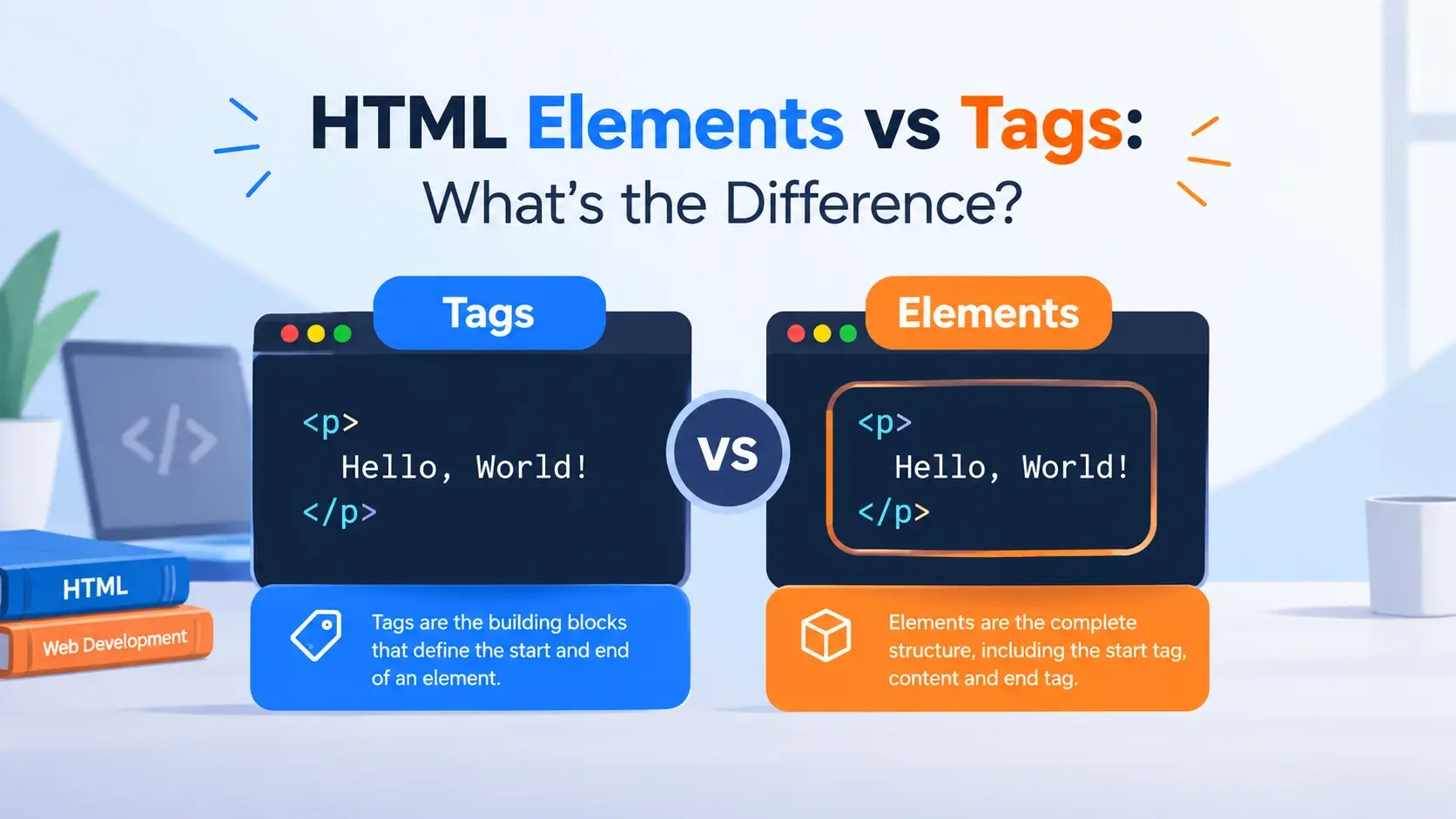
If you have spent any time learning HTML, you have probably heard the words tag and element used as if they mean the same thing. They are closely related — but they are not the same.
In this guide, you will learn the exact difference, see why it matters, and walk through real examples with live previews. By the end, you will never be confused about which word to use.
<p> or </p>. An element is the whole
unit: the opening tag, the content, and the closing tag working together.
Quick Answer at a Glance
Here is the difference in a single table. Everything after this is a deeper explanation with examples.
| Aspect | Tag | Element |
|---|---|---|
| What it is | A bracketed label | A complete unit |
| Example | <p> or </p> |
<p>Hello</p> |
| Has content? | No — just the label | Often yes, sometimes no |
| Has attributes? | Yes, on the opening tag | Yes, as part of the opening tag |
| Exists in the DOM? | No — tags are consumed during parsing | Yes — each element becomes a DOM node |
| Count per unit | One or two tags per element | One element per DOM node |
If you remember only one thing from this guide, remember this: tags are the parts, and the element is the whole.
What Is an HTML Tag?
A tag is the raw syntax you type — the bracketed instruction that starts or ends an element. It is made of angle brackets, a name, and sometimes attributes.
<p>That is a tag. It is just a label. On its own, it does nothing visible. It tells the browser “a paragraph element starts here.”
Tags come in three flavors:
Opening tag
Starts an element. Written as <p>, <div>, or <h1>.
Closing tag
Ends an element. Identical to the opening tag but with a forward slash: </p>.
Self-closing tag
A single tag that is complete on its own — like <br> or <img>.
The anatomy of a tag
A tag has a specific structure. Consider this opening tag with an attribute:
<a href="https://inarlearn.com">The tag name identifies what kind of element it is. The attribute (if any) provides extra information. The angle brackets tell the browser “this is HTML markup, not text.”
A tag is just an instruction. It has no content of its own. When you read the phrase “the
<p> tag,” you are talking about that specific label — not the whole
paragraph.
What Is an HTML Element?
An element is the complete, working unit that the browser builds from tags and content. It includes the opening tag, whatever is inside, and the closing tag.
<p>Hello, World!</p>That is an element. It is a complete paragraph with content. The browser creates a DOM node for this element and renders it on the page.
The anatomy of an element
Every element has the same three-part structure:
The opening tag and closing tag look identical except for the forward slash in the closing tag. The content between them is what the element represents on the page.
Content can be more than text
The “content” of an element is not limited to plain text. It can include other elements, images, lists, or anything else. Here is an element whose content is another element:
<p>
    This is a <strong>bold</strong> word.
</p>
The <p> element contains a <strong> element as part
of its content. Both are elements — one nested inside the other.
When the browser parses your HTML, it creates the DOM. Each element becomes a node in that tree. The tags themselves disappear — they are consumed during parsing and never appear in the DOM.
Tag and Element Side by Side
The clearest way to see the difference is to look at a single HTML snippet and identify which parts are tags and which part is the element.
<h1>Welcome to My Website</h1>Here is how the parts break down:
<h1>

</h1><h1>Welcome to My Website</h1>Two tags, one element. The tags are the labels; the element is the complete labeled unit.
More examples
Here are more snippets with the tags and elements clearly separated:
| Code | Tags | Element |
|---|---|---|
<p>Hello</p> |
<p> and </p> |
The whole paragraph |
<a href="#">Link</a> |
<a href="#"> and </a> |
The whole link |
<img src="a.jpg" alt="A"> |
Just <img ...> |
The whole image |
<br> |
Just <br> |
The line break element |
<div><p>Hi</p></div> |
Four tags total | Two nested elements |
Notice the last row: the same HTML has four tags but represents two elements — the
<div> element and the nested <p> element.
Tags and Elements as Concepts
A useful way to think about the two concepts is that a tag is a part and an element is a thing. Here is the analogy spelled out.
A label
A tag is like a sticker that says “this is a paragraph” or “a heading ends here.” It is a piece of syntax — an instruction to the browser. On its own, it is not a thing.
<p>A labeled object
An element is like a labeled box with something inside it. It is a complete object the browser can reason about — one node in the DOM.
<p>Hello</p>You can also think of it like grammar. A tag is like a word — “quote.” An element is like a full quoted sentence — “Hello, world.” The word alone is just a symbol; the sentence is a meaningful unit.
When you say “close the tag,” you are referring to the </p> symbol.
When you say “select the element,” you are referring to the whole paragraph in the DOM.
Precise language helps when reading documentation and discussing bugs with other
developers.
Void Elements: Where Tags and Elements Align
Void elements are a case where the tag and the element are almost the same thing — because there is only one tag and no content.
<br>
<hr>
<img src="photo.jpg" alt="Photo">
<input type="text" placeholder="Name">
For a void element:
- There is no separate closing tag
- There is no content between tags
- The single tag is the whole element
So when someone says “the <br> tag,” they mean both the tag and the
element — because they are the same object.
Common void elements
<br>
A line break in text.
<hr>
A thematic break — a horizontal rule.
<img>
An image, referenced by the src attribute.
<input>
A form control.
<meta>
Metadata about the document.
<link>
A link to an external resource.
Writing <br></br> or <img></img> is
invalid. Void elements have no closing tag — ever.
Empty Elements vs. Void Elements
The terms “empty element” and “void element” are often confused. They describe two different things.
| Term | Definition | Example |
|---|---|---|
| Void element | Defined by the HTML spec as having no content and no closing tag. | <img>, <br> |
| Empty element | A normal element that happens to have no content — but it still has an opening and closing tag. | <div></div>, <p></p> |
Both can look “empty” on the page, but only one lacks a closing tag. A <div>
with no content is not a void element — it is just empty.
<!-- Void: no closing tag exists -->
<br>
<img src="photo.jpg" alt="Photo">

<!-- Empty: opening and closing tag, no content -->
<div></div>
<p></p>A void element is void of both content and a closing tag. An empty element is only void of content.
Nested Elements
When an element contains another element, the inner element is “nested” inside the outer one. This is how the whole HTML tree is built.
<article>
    <h2>First Post</h2>
    <p>This is a <strong>nested</strong> element.</p>
</article>
This snippet has four elements:
- The outer
<article>element - The
<h2>element nested inside it - The
<p>element nested inside it - The
<strong>element nested inside the paragraph
And how many tags? Eight — an opening and closing tag for each of the four elements.
<article>
<h2>
</h2>
<p>
<strong>
</strong>
</p>
</article><article>...</article>
<h2>First Post</h2>
<p>This is a <strong>nested</strong> element.</p>
<strong>nested</strong>The DOM tree
Each nested element becomes a child node in the DOM. Here is the tree for the code above:
The <article> element is the parent. The <h2> and
<p> are its children. The <strong> is a child of the
paragraph.
When nesting, always close the inner element before closing the outer one. Overlapping
tags — like <p><strong></p></strong> — are invalid and
will be auto-corrected by the browser in ways you might not expect.
Attributes: Part of the Element
Attributes belong to the opening tag, and because the opening tag is part of the element, attributes are part of the element too. They are not separate from either concept.
<a href="https://inarlearn.com" target="_blank">Visit Inar Learn</a>In this example, the element has three parts:
- Opening tag
<a href="..." target="_blank">— including two attributes - Content: Visit Inar Learn
- Closing tag
</a>
The attributes are written inside the opening tag, so they are part of that tag — and by extension, part of the element.
<a href="https://inarlearn.com"
target="_blank"><a href="https://inarlearn.com"
target="_blank">Visit Inar Learn</a>When you talk about “the href attribute,” you are referring to a specific part of the element. When you talk about “the link element,” you are referring to the whole thing.
When the browser builds the DOM, it separates attributes from the element node. In
JavaScript, you can read them with element.getAttribute() or
element.attributes — but conceptually they belong to the element.
Why the Difference Matters
The distinction between tags and elements is small, but it appears everywhere in web development. Here is why the terminology is worth getting right.
1. Reading documentation accurately
The MDN Web Docs and the HTML specification are precise about this. They say “element” when referring to the whole unit and “tag” when referring to the syntax. Understanding the difference helps you read those resources without confusion.
2. Writing clearer bug reports
“The <div> tag doesn’t have a closing tag” is less precise than
“the <div> element is missing its closing tag.” The first sentence is
technically impossible; the second is a real, fixable bug.
3. Reasoning about the DOM
JavaScript selects elements, not tags. Methods like
document.querySelector() and element.children work on elements.
When you understand that the DOM contains elements (not tags), JavaScript behavior becomes
clearer.
4. Understanding tooling
Browser developer tools show you elements in the “Elements” panel — not “Tags.” Most importantly, DevTools shows the DOM as the browser parsed it, which may differ from the HTML source if the browser auto-corrected anything.
In casual conversation, the difference rarely matters. In documentation, code review, and debugging, being precise is worth the small effort.
Common Misconceptions
A few persistent myths confuse beginners learning the terminology.
“Tags and elements mean the same thing.”
They are close — but not identical. A tag is a piece of syntax; an element is the whole object.
“A tag can exist without an element.”
No. Every tag is part of an element. Even void elements are complete in a single tag.
“An element is just the content between tags.”
No. The element is the entire unit — opening tag, content, and closing tag. The content alone is just the content.
“<br> is a tag but not an element.”
It is both. <br> is a void element, and its single tag is the whole
element.
“The browser sees tags when it renders.”
No. Tags are consumed during HTML parsing. The browser builds a DOM of elements, and the tags themselves do not exist at render time.
“Empty and void mean the same thing.”
No. Void means the spec defines no content and no closing tag. Empty just means there happens to be no content inside a normal element.
The phrase “void tag” is sometimes used in documentation to mean the same as “void element.” This is a casual usage and generally understood, even if technically imprecise.
Frequently Asked Questions
1. What is the difference between an HTML element and an HTML tag?
A tag is the bracketed label such as <p> or </p>.
An element is the complete unit: the opening tag, the content, and the closing tag. In
other words, tags are the parts, and the element is the whole.
2. Can an element exist without a tag?
No. Every element is built from tags. Even void elements like img are
single tags that form a complete element with no content.
3. Is <p> a tag or an element?
On its own, <p> is a tag — specifically an opening tag. When you add
content and a closing tag, such as <p>Hello</p>, the whole
unit becomes an element.
4. What are the parts of an HTML element?
A typical HTML element has three parts: an opening tag, the content, and a closing tag. Some elements also include attributes inside the opening tag.
5. Do all elements have a closing tag?
No. Void elements such as img, br, hr,
input, meta, and link have no closing tag. They
are complete in a single tag and contain no content.
6. Is an empty element the same as a void element?
No. A void element is defined by the HTML spec as having no content and no closing tag.
An empty element is a normal element with an opening and closing tag but no content,
such as <div></div>.
7. Can an element contain other elements?
Yes. Elements can be nested inside each other. For example, a <p>
can contain a <strong>, and a <div> can contain
many block elements. Nesting must be done correctly — every child closes before its
parent.
8. What are attributes in relation to tags and elements?
Attributes are written inside the opening tag and provide extra information about the element. They are part of the element’s opening tag, not separate from it.
9. Is <img> a tag or an element?
Both. The bracketed instruction <img> is a tag. When combined with
its attributes — like <img src="photo.jpg" alt="Photo"> — it becomes
a complete void element.
10. Why do people use tag and element interchangeably?
Because in casual conversation the distinction rarely matters. However, understanding the difference helps when reading specifications, writing documentation, and reasoning about the DOM structure.
11. How does the browser turn elements into the DOM?
The browser parses the HTML and creates a DOM node for each element. Tags are consumed as part of parsing, and the resulting tree contains element nodes, text nodes, and attribute nodes — not tags.
12. Does the difference between tags and elements matter for SEO?
Not directly. What matters for SEO is that you use the correct elements — headings for
headings, paragraphs for paragraphs, and semantic elements like header and
main for landmarks. The terminology is mainly educational.
Key Takeaways
- A tag is the bracketed label — like
<p>or</p>. - An element is the complete unit: opening tag, content, and closing tag.
- Every element has at least one tag; most have two. Void elements have only one.
- Attributes belong to the opening tag, and therefore to the element.
- Elements can be nested inside each other — this is how the DOM tree is built.
- Void elements are complete in a single tag and have no closing tag.
- Empty elements have an opening and closing tag but no content — they are not void.
- The DOM contains elements, not tags. Tags are consumed during HTML parsing.
- In casual conversation, “tag” and “element” are often used interchangeably — but precision matters in documentation and debugging.
What to Learn Next
Now that you know the difference between tags and elements, the next step is to master both. Start with HTML Elements for a complete reference to the elements themselves, then explore HTML Attributes and HTML Syntax Explained.
For broader context, see What Is HTML?, How Websites Work, and HTML vs CSS vs JavaScript. To understand the environment that parses your elements, explore How Web Browsers Work.
Practice Challenge
Build a small HTML page and prove you understand the difference between tags and elements. Your page should:
- Include at least five elements — some nested, some not
- Include at least two void elements like
<br>or<img> - Include at least one element with two attributes
- Include at least one empty element with a closing tag (like
<div></div>)
Once your page renders, count the total number of tags and the total number of elements. They will not be the same number. Explain in a comment why.
If you can clearly describe the difference in a comment on your own page, you have mastered the concept.

 Inar Learn