
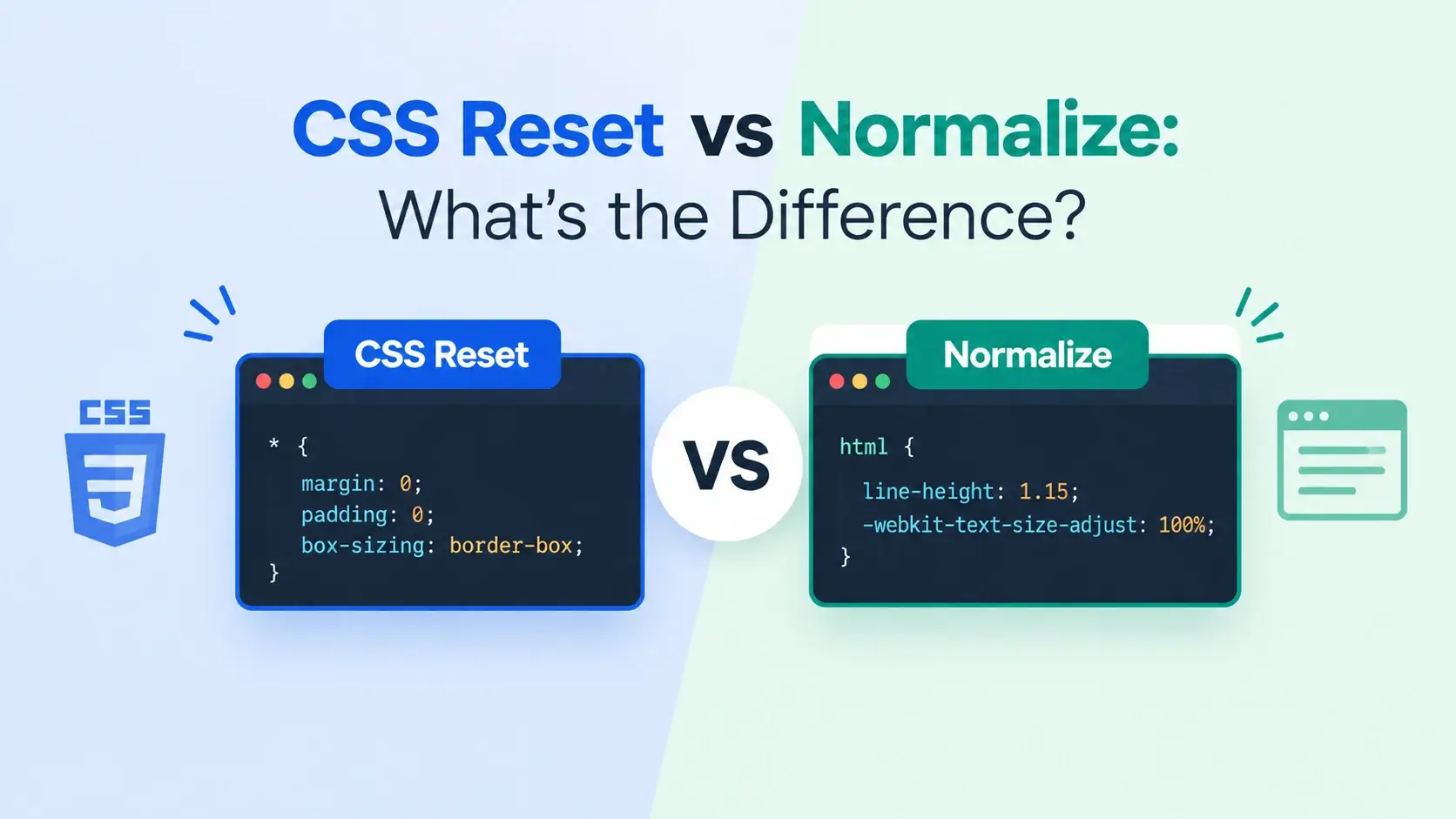
Before you write a single line of your own CSS, the browser has already styled your page. Headings are large and bold, paragraphs have margins, lists have bullets and indentation, links are blue and underlined. That built-in styling is called the user agent stylesheet, and every browser ships with one.
It is also the source of a very old problem. That default styling is not identical everywhere — different browsers apply slightly different margins, heading sizes, and form control styles. For two decades, front-end developers have started every project by neutralizing those differences in one of two ways: with a CSS reset or with Normalize.css.
They solve the same problem from opposite directions. One removes the defaults entirely. The other keeps them and just makes them consistent. This guide explains the difference, shows it in live browser previews, and helps you decide which one your project actually needs.
The Problem Both Approaches Solve
Every browser includes a built-in stylesheet. It gives headings their size, paragraphs their spacing, lists their bullets, and links their blue underline. Without it, an HTML document would be a single wall of unbroken text.
The problem is that no two browsers ship the same default stylesheet. Small differences accumulate into a page that looks subtly — or sometimes dramatically — different depending on which browser opens it.
/* Examples of what browsers disagree about by default */

/* Different default margins */
h1 { margin: 0.67em 0; }   /* Chrome, Safari */
h1 { margin: 0.67em 0; }   /* Firefox applies slightly different rounding */

/* Different heading sizes across versions */
h1 { font-size: 2em; }
h1 { font-size: 1.8em; }   /* older Firefox */

/* Form controls look completely different per browser and per OS */
input[type="text"] { /* platform-specific styling */ }
button { /* platform-specific styling */ }

/* Lists: padding, bullets, and marker position vary */
ul { padding-left: 40px; margin: 1em 0; }
A reset or Normalize addresses this by imposing one consistent starting point. The difference is what starting point it imposes.
CSS Reset
Strip everythingRemoves all default styling. Every element starts visually identical to plain text.
You then build every visual detail yourself, from a truly blank canvas.
Normalize.css
Fix the differencesKeeps the useful defaults. Fixes the inconsistencies, bugs, and quirks between browsers.
You start from a consistent baseline that still looks like HTML.
A reset says: “I do not trust the browser’s defaults, so I will remove them and define everything.” Normalize says: “The browser’s defaults are mostly good, I just want them to be the same everywhere.”
What a CSS Reset Does
A CSS reset is a stylesheet that removes the browser’s default styling from every element. The most famous is Eric Meyer’s Reset CSS, first published in 2000 and still used today.
The core idea is to zero out the things browsers disagree about — margins, padding, borders, heading sizes, list styles — so that everything starts from a known state. The classic implementation looks like this:
/* A small reset, in the style of Eric Meyer's */

html, body, div, span, h1, h2, h3, h4, h5, h6,
p, a, img, ul, ol, li, form, input, button, table {
    margin: 0;
    padding: 0;
    border: 0;
    font-size: 100%;
    font: inherit;
    vertical-align: baseline;
}

body {
    line-height: 1;
}

ol, ul {
    list-style: none;
}

table {
    border-collapse: collapse;
    border-spacing: 0;
}
After this applies, a heading looks exactly like a paragraph. A list has no bullets. A link is not blue and not underlined. The document is not broken — it is simply unstyled, and you are expected to build every visual detail yourself.
What a reset removes
h1 through
h6 all render at the same size as body text, with no bold.
<strong> and
<em> stop being visually distinct.
What a reset does not touch
A reset is deliberately surgical. It only removes the default styling the specification leaves up to the browser. It does not affect:
- Anything you have already styled explicitly.
- Inheritance —
colorandfont-familystill inherit. - The
displayvalue of elements.divis still block,spanis still inline. - Accessibility semantics. A
<button>is still keyboard-focusable after a reset.
Removing focus outlines, stripping <strong> and
<em> of their visual distinction, or hiding list markers entirely all
make a page harder to use. If you use a reset, add those visual signals back in
deliberately.
What Normalize.css Does
Normalize.css was created by Nicolas Gallagher and Jonathan Neal in 2011 as a direct response to the reset approach. Instead of removing browser defaults, it makes them consistent — fixing the differences between browsers while keeping the styling that makes HTML readable.
Its own description puts it clearly: it is a “modern, HTML5-ready alternative to CSS resets.” Where a reset deletes, Normalize corrects.
What Normalize.css changes
h1 through h6 render
at the same size across all browsers, but they stay visually distinct from body text.
<ul> and <ol>, so nested lists line up predictably.
button overflow in Firefox, svg overflow in IE, and
img borders inside links.
<section> and <article> behave consistently.
What Normalize.css deliberately leaves alone
Normalize only changes what actually differs between browsers. It does not touch:
- Heading font sizes relative to each other —
h1is still larger thanh2. - List bullets and numbering — a list still looks like a list.
- Link colors and underlines — links still look like links.
- Bold and italic on semantic elements —
<strong>is still bold. - Default margins on headings and paragraphs — they remain, just consistently.
The result is a page that looks like a normal HTML document but renders identically in every browser. That is the entire point.
The whole file is around 400 lines including comments, and much of it is fixes for
specific browser bugs. When you read through Normalize, most of what it does is
margin: 0 on body, font-family: inherit on form
controls, and a handful of targeted corrections.
Side-by-Side Comparison
Here is the same HTML rendered three ways: with no reset, with a full reset, and with Normalize. The markup is identical in all three — only the stylesheet differs.
The browser-default panel and the Normalize panel look almost identical. That is the point — Normalize barely changes the appearance of the page in a modern browser. What it changes is what happens in a different browser.
The reset panel looks completely different. Headings, lists, and links have all lost their visual character. The content is still there and still readable, but every visual cue that made the page scannable is gone.
| Element | Browser default | After reset | After normalize |
|---|---|---|---|
<h1> |
Large and bold, margins above and below | Same size as body text, no margins, no bold | Large and bold, consistent margins everywhere |
<p> |
Default margins, no indent | No margins — paragraphs sit flush | Default margins, consistent across browsers |
<ul> |
Bullets, indented by roughly 40px | No bullets, no indentation | Bullets, indentation set to a consistent value |
<a> |
Blue with underline | Inherits surrounding color, no underline | Blue with underline, consistent across browsers |
<strong> |
Bold | Regular weight (unless restored) | Bold |
<button> |
Platform-specific styling | Bare box with inherited font | Consistent styling and font inheritance |
<body> |
8px margin | No margin | No margin (same as reset here) |
Both a reset and Normalize typically set body { margin: 0; }. That 8px
default margin is one of the few browser defaults almost nobody wants, and it is why the
two approaches produce similar results at the very top of the page.
See the Difference: Live Examples
The best way to understand the two approaches is to compare the code that produces them. Below are minimal versions of each — not the full libraries, but enough to show the character of each approach.
Minimal CSS reset
Every rule here removes or neutralizes something. Nothing is added — the reset only takes away.
<!DOCTYPE html>
<html lang="en">
<head>
    <meta charset="UTF-8">
    <title>Minimal Reset</title>
    <style>
        /* === Mini reset === */
        *, *::before, *::after {
            margin: 0;
            padding: 0;
            box-sizing: border-box;
        }

        h1, h2, h3, h4, h5, h6 {
            font-size: 1rem;
            font-weight: normal;
        }

        ul, ol {
            list-style: none;
        }

        a {
            color: inherit;
            text-decoration: none;
        }

        strong, em {
            font-weight: normal;
            font-style: normal;
        }

        /* A tiny bit of page styling so it is readable */
        body {
            font-family: system-ui, sans-serif;
            padding: 20px;
            line-height: 1.5;
        }
    </style>
</head>
<body>
    <h1>A heading</h1>
    <p>A paragraph with <a href="#">a link</a> and some <strong>bold text</strong>.</p>
    <ul>
        <li>First item</li>
        <li>Second item</li>
        <li>Third item</li>
    </ul>
</body>
</html>
Look carefully at the preview. The heading is the same size as the paragraph. The list has no bullets. The link is not blue. Bold text is not bold. Everything sits flush against everything else. That is what “blank slate” means.
Minimal Normalize
Now the same HTML with a small Normalize-style stylesheet. Every rule here fixes something rather than removing it.
<!DOCTYPE html>
<html lang="en">
<head>
    <meta charset="UTF-8">
    <title>Minimal Normalize</title>
    <style>
        /* === Mini normalize === */

        /* Consistent box model and inherited fonts */
        *, *::before, *::after {
            box-sizing: border-box;
        }

        /* Consistent body defaults */
        body {
            margin: 0;
            font-family: system-ui, sans-serif;
            line-height: 1.5;
            padding: 20px;
        }

        /* Consistent heading margins across browsers */
        h1 {
            font-size: 2em;
            margin: 0.67em 0;
        }

        h2 {
            font-size: 1.5em;
            margin: 0.83em 0;
        }

        /* Consistent list indentation */
        ul, ol {
            padding-left: 2em;
        }

        /* Form controls inherit typography — a real bug fix */
        button, input, select, textarea {
            font-family: inherit;
            font-size: 100%;
            line-height: 1.15;
            margin: 0;
        }

        /* Images behave predictably */
        img {
            border-style: none;
            max-width: 100%;
        }

        /* Prevent iOS text inflation */
        html {
            -webkit-text-size-adjust: 100%;
        }
    </style>
</head>
<body>
    <h1>A heading</h1>
    <p>A paragraph with <a href="#">a link</a> and some <strong>bold text</strong>.</p>
    <ul>
        <li>First item</li>
        <li>Second item</li>
        <li>Third item</li>
    </ul>
    <button type="button">A button</button>
</body>
</html>
This preview looks very much like plain HTML — because that is exactly the point. The heading is large and bold, the list has bullets, the link is blue, and bold text is bold. What has changed is that all of those are now consistent across browsers, and form controls inherit the page typography instead of falling back to the platform default.
Both approaches include box-sizing: border-box. This is the one rule nearly
every modern project agrees on — it makes width include padding and border,
which removes an entire category of layout bugs.
What Each One Actually Touches
The clearest way to see the philosophical difference is to list what each approach does to the same set of properties.
| Default | CSS Reset | Normalize.css |
|---|---|---|
body margin |
Removed | Removed |
| Heading font sizes | Removed | Kept, consistent |
| Heading margins | Removed | Kept, consistent |
| List bullets | Removed | Kept |
| List indentation | Removed | Normalized |
| Link color and underline | Removed | Kept |
<strong> bold |
Removed | Kept |
| Form control fonts | Reset to inherit | Inherit, consistently |
| Button overflow in Firefox | Not addressed | Fixed |
<svg> overflow in IE |
Not addressed | Fixed |
| iOS text-size inflation | Not addressed | Fixed |
box-sizing |
Often included | Included |
Read the two columns as philosophies. The reset column says removed almost every time. The Normalize column says kept, normalized, or fixed. One deletes, the other corrects.
The line count difference
A short, blunt file
Eric Meyer’s reset is around 60 lines. It uses long selector lists and applies a few properties to every element in one go.
Simple, predictable, but it removes far more than it needs to.
A longer, targeted file
Normalize.css is around 400 lines including comments. Most rules target one specific element and one specific browser issue.
Longer, but every rule has a stated reason for existing.
If you apply a reset and then write almost no CSS, the page will look broken — headings the same size as body text, lists with no bullets, links that are not recognizable. A reset only makes sense when you are committing to defining the visual language yourself.
Modern Alternatives
Both approaches date from a time when browsers disagreed far more than they do today. In 2025, the situation has changed, and several options have grown up around them.
modern-normalize
The most popular modern option. A smaller version of Normalize that targets only current browsers, dropping fixes for old IE and Edge. Fewer lines, same idea.
sanitize.css
Similar philosophy to Normalize but more opinionated. Includes sensible defaults for typography, reduced-motion support, and system UI fonts out of the box.
Bootstrap Reboot
A reset that bakes in Bootstrap’s design decisions. Useful if you are already using Bootstrap, but it comes with its own opinions about spacing and typography.
A hand-written base
Increasingly common. Ten or twenty lines that handle the small number of defaults modern browsers still disagree on, plus a few universal preferences.
A modern base stylesheet in 15 lines
Many projects today skip both libraries and write their own small base layer. It is not a reset and not Normalize — it is just the handful of rules that modern browsers actually need.
<!DOCTYPE html>
<html lang="en">
<head>
    <meta charset="UTF-8">
    <title>Modern Base</title>
    <style>
        /* === A modern base layer === */

        *, *::before, *::after {
            box-sizing: border-box;
        }

        * {
            margin: 0;
        }

        body {
            line-height: 1.5;
            -webkit-font-smoothing: antialiased;
            padding: 20px;
            font-family: system-ui, sans-serif;
        }

        img, picture, video, canvas, svg {
            display: block;
            max-width: 100%;
        }

        input, button, textarea, select {
            font: inherit;
        }

        p, h1, h2, h3, h4, h5, h6 {
            overflow-wrap: break-word;
        }
    </style>
</head>
<body>
    <h1>A modern base</h1>
    <p>This is a small, hand-written base layer. It is neither a reset nor Normalize — just the
    rules modern browsers actually need.</p>
    <ul>
        <li>Box-sizing on every element</li>
        <li>Margins removed by default</li>
        <li>Form controls inherit typography</li>
        <li>Images never overflow their container</li>
    </ul>
    <button type="button">A button</button>
</body>
</html>
Notice how much is not here. No heading size resets, no list style removal, no link color overrides. The modern base keeps almost everything and only touches the things that genuinely need a consistent answer.
| Option | Best for | Trade-off |
|---|---|---|
| Full reset | Custom design systems where every visual detail is defined by you | You must restyle everything — a reset alone leaves a page unstyled |
| Normalize.css | Content-heavy sites, blogs, docs, or anything that benefits from readable defaults | Slightly larger file, and you may still override defaults you do not want |
| modern-normalize | New projects that do not need old-browser support | Does not fix anything for legacy browsers |
| sanitize.css | Projects that want more built-in defaults such as reduced-motion support | More opinionated — includes rules you may not want |
| Hand-written base | Modern browsers only, small projects, or teams that want full control | You are responsible for keeping it correct yourself |
Since about 2020, Chrome, Firefox, and Safari have converged significantly on default styling. Many of the differences that made Normalize necessary in 2011 — heading sizes, list padding, form control fonts — are now consistent. The modern base reflects that.
How to Choose
There is no single right answer, but the decision is simpler than it looks. Ask what kind of project you are building and how much control you want over the visual language.
Choose a reset when…
- You are building a fully custom design system where every element is styled by you.
- Your designs use extremely tight spacing and the browser’s default margins get in the way.
- You are working with a designer who has specified every typographic value explicitly.
- You want the same blank starting point regardless of what the browser provides.
Choose Normalize when…
- You are building a content site, blog, documentation site, or marketing page.
- You want sensible defaults that you only override where the design requires it.
- You are working with a legacy codebase that already assumes browser defaults exist.
- You want a stylesheet that fixes browser bugs you would otherwise have to discover yourself.
Choose a modern base when…
- You are starting a new project and only need to support current browsers.
- You do not want a third-party dependency in your CSS pipeline.
- You know exactly which handful of defaults you want to normalize and which to leave alone.
- Your build already handles minification and you want to keep the source small.
Three rules appear in nearly every modern stylesheet, whether or not a reset or Normalize
is used: * { box-sizing: border-box; }, body { margin: 0; }, and
img { max-width: 100%; }. Those are the load-bearing defaults.
Common Mistakes
These are the patterns that turn a sensible choice of reset or Normalize into a bug that takes hours to find.
1. Using both a reset and Normalize
<link rel="stylesheet" href="normalize.css">
<link rel="stylesheet" href="reset.css">

/* Normalize carefully fixes defaults.
   The reset then removes them all.
You paid for Normalize and got a reset. */<link rel="stylesheet" href="normalize.css">
<link rel="stylesheet" href="styles.css">
/* One baseline, then your own CSS on top. */2. Loading a reset after your own styles
<link rel="stylesheet" href="styles.css">
<link rel="stylesheet" href="reset.css">

/* Every rule in styles.css gets
overridden by the reset. */<link rel="stylesheet" href="reset.css">
<link rel="stylesheet" href="styles.css">
/* Your rules build on the reset. */3. Applying a reset and then not restyling
/* reset.css */
h1 { font-size: 1rem; font-weight: normal; }
ul { list-style: none; }
a  { color: inherit; text-decoration: none; }

/* styles.css */
/* …nothing yet… */

/* Headings, lists, and links have
lost every visual cue. *//* reset.css */
/* …same reset… */
/* styles.css — base typography right away */
h1 { font-size: 2rem; font-weight: 700; }
ul { list-style: disc; padding-left: 1.5em; }
a { color: #0891b2; text-decoration: underline; }4. Removing focus outlines
*:focus {
    outline: none;
}

/* Keyboard users can no longer
see where they are. */:focus-visible {
outline: 2px solid #0891b2;
outline-offset: 3px;
}
/* A custom ring, visible and clear. */5. Using the universal selector to reset everything
* {
    margin: 0;
    padding: 0;
    border: 0;
    font-size: 100%;
    font: inherit;
}

/* Form controls lose their
default borders entirely. */*,
*::before,
*::after {
box-sizing: border-box;
}
/* Form controls keep
usable default styling. */6. Editing a library file directly
/* normalize.css — edited in place */

h1 {
    font-size: 2em;
    margin: 0.67em 0;
    color: #0891b2;   /* added by us */
}

/* The next update overwrites
the entire file. *//* 02-base.css */
h1 {
color: #0891b2;
}
/* The library stays exactly
as published. */7. Forgetting to rebuild the stylesheet after adding a reset
<link rel="stylesheet" href="main.css">

/* You added normalize to the source,
   but did not rebuild main.css.
The page looks unchanged. */<link rel="stylesheet" href="main.css">
/* Rebuild the bundle.
Hard-refresh: Cmd+Shift+R / Ctrl+F5.
The new baseline applies. */8. Expecting a reset to fix layout bugs
/* "My columns are overlapping.
     Adding a reset should help." */

/* A reset removes margins and
   padding. It does not touch
display, position, or flex. */.columns {
display: grid;
grid-template-columns: repeat(2, 1fr);
gap: 24px;
}
/* The reset is unrelated to the
actual bug. */It is common to reach for a reset when a layout is misbehaving. It rarely helps. A reset changes margins, padding, and borders — it does not change how elements flow, stack, or size themselves. If a layout is broken, the problem is in the layout rules.
Best Practices
Whichever approach you choose, these habits keep it working well as a project grows.
Pick one and commit
Reset, Normalize, or a hand-written base. Mixing them wastes the benefit of both.
Load it first
The baseline must come before any of your own CSS. In a numbered structure it sits at the base layer.
Always include box-sizing
* { box-sizing: border-box; } — the one rule nearly every project agrees on.
Never remove focus outlines
Replace them with a visible custom style instead. Keyboard users depend on them.
Restyle immediately after a reset
A reset only works if you are committed to defining every visual detail yourself.
Never edit library files
Override in your own layer. Library updates will overwrite your changes.
Document why each rule exists
Normalize is a good model — every rule there has a stated reason. Keep that habit.
Hard-refresh after adding a reset
Browsers cache stylesheets aggressively. Cmd+Shift+R (Ctrl+F5) to see the new baseline.
Keep the baseline small
Resist the urge to add “just one more fix.” Every rule in the base is a rule you cannot override later without effort.
Use a reset when you are defining every visual detail yourself, Normalize when you want sensible defaults, and a small hand-written base when you only need to fix the handful of things modern browsers still disagree on.
Frequently Asked Questions
1. What is the difference between a CSS reset and normalize?
A CSS reset removes browser default styles entirely, giving you a blank slate with zero margins, padding, and heading sizes. Normalize preserves useful defaults while fixing inconsistencies and bugs across browsers, so the page still looks like HTML but behaves the same everywhere.
2. Which is better, reset or normalize?
Neither is universally better. Normalize is the safer default for most projects because it keeps sensible browser defaults. A reset is better when you are building a fully custom design system and plan to define every visual detail yourself.
3. What does a CSS reset actually remove?
A typical reset removes margins and padding from all elements, strips heading font sizes back to normal text, removes list bullets and numbering, removes link underlines and colors, and often removes bold and italic. The result is an unstyled document.
4. What does Normalize.css actually do?
Normalize.css makes heading sizes, list padding, and form controls behave consistently
across browsers, sets line-height and text-size-adjust
sensibly, fixes rendering bugs in older browsers, and corrects known issues with
buttons, inputs, and images. It changes as little as possible.
5. Can I use both a reset and normalize together?
Yes, but it is usually counterproductive. Normalize fixes inconsistencies while keeping defaults, and a reset then removes those defaults entirely. Using both means you lose the value of normalize. Pick one and build on it.
6. Do I even need a CSS reset in modern browsers?
Modern browsers are far more consistent than they were in the 2000s, so a full reset
is often unnecessary. Most projects today benefit from a small set of base rules
instead: box-sizing: border-box, body { margin: 0; },
img { max-width: 100%; }, and sensible inherited typography.
7. What is modern-normalize?
modern-normalize is a smaller version of Normalize.css that targets only current browsers, dropping fixes for legacy versions of Internet Explorer and older Edge. It produces less CSS and is a good fit for projects that do not need old-browser support.
8. Does a CSS reset affect performance?
Only slightly. A full reset adds a few hundred bytes to the stylesheet and applies a small number of universal rules. The performance impact is negligible compared to the maintainability gain of starting from a consistent baseline.
9. What is the universal selector reset?
A rule that applies box-sizing, margin: 0, and
padding: 0 to every element using the * selector. It is the
simplest possible reset and is widely used, though it also strips browser defaults from
form controls and other elements, which is not always desirable.
10. Should I use box-sizing border-box in a reset?
Yes. Applying box-sizing: border-box to every element makes width and
height include padding and border, which is almost always what you want. It is the one
reset rule that nearly every modern project includes.
11. What is Bootstrap Reboot?
Reboot is Bootstrap’s take on a modern reset. It combines Normalize-style fixes with opinionated defaults for typography, spacing, and form controls that match Bootstrap’s design system. It is a good starting point if you are already using Bootstrap.
12. Where should the reset or normalize file go in my CSS order?
First, before any other layer. The reset establishes the baseline that everything else
builds on, so it must load before base element styles, layout rules, and components. In
a numbered layer structure it typically lives at 02-base.css or just above
it.
Key Takeaways
- A CSS reset removes browser defaults; Normalize fixes them.
- Every browser ships a user agent stylesheet, and they differ in small ways.
- A reset gives you a blank slate, but you must restyle everything yourself.
- Normalize keeps readable defaults and only corrects what actually differs between browsers.
- Using both a reset and Normalize defeats the purpose of both.
- The baseline must load before any of your own CSS.
* { box-sizing: border-box; }belongs in almost every project, either way.- Never remove focus outlines — replace them with a visible custom style.
- A reset is not a layout fix — it does not touch display, position, or flex.
- Modern browsers are far more consistent, so a small hand-written base is often enough.
- modern-normalize, sanitize.css, and Bootstrap Reboot are the current alternatives.
- Never edit a library file directly — override it in your own layer instead.
What to Learn Next
Now that the baseline is settled, the next step is deciding how to organize what sits on top of it. Start with CSS File Structure and How to Organize CSS Code.
From there, explore CSS Custom Properties for the tokens that make up your design system, and CSS Naming Conventions for the classes those tokens feed into. When you are ready to build layouts, read CSS Flexbox Guide and CSS Grid Guide, then move on to Responsive Web Design.
If you are still connecting the pieces, read What Is CSS?, How to Add CSS to HTML, and CSS Syntax Explained for the surrounding context.
Practice Challenge
The fastest way to understand the difference between a reset and Normalize is to build the same page three times. This exercise takes about twenty minutes.
- Create
default.html,reset.html, andnormalize.htmlin the same folder. - In each file, write the same HTML: an
h1, anh2, a paragraph with a link and some<strong>text, an unordered list with three items, and a<button>. - Open
default.html. This is the browser’s user agent stylesheet at work — note the heading sizes, the list bullets, the link color, and the button styling. - In
reset.html, add a<style>block with a small reset:* { margin: 0; padding: 0; box-sizing: border-box; }, then reset heading sizes to1remandfont-weight: normal, removelist-stylefrom lists, and reset links tocolor: inherit; text-decoration: none;. - Refresh
reset.html. Note how every visual cue has disappeared. The page is now a wall of plain text. - In
normalize.html, add a small Normalize-style block:box-sizing: border-box,body { margin: 0; },button, input { font: inherit; },img { max-width: 100%; }, and consistent heading margins. - Refresh
normalize.html. Note that it still looks like HTML, but with consistent form control typography. - Now add a button and an input to each of the three pages, side by side, and compare them. The default version will use the platform’s button font; the reset version will look bare; the normalize version will inherit the page font.
- In
reset.html, add back a few visual signals:h1 { font-size: 2rem; },ul { list-style: disc; padding-left: 1.5em; }, anda { color: #0891b2; text-decoration: underline; }. Refresh. Note how much work it is to restore what the reset removed. - Finally, in
normalize.html, open DevTools and inspect the heading. Confirm that the default heading size is still applied and that only the differences between browsers have been corrected.
If you complete those steps, you have seen the user agent stylesheet at work, watched a reset strip a page down to plain text, watched Normalize keep the page readable while making it consistent, and experienced firsthand how much restyling a reset requires. That last part is the answer to the whole question: a reset is the right tool when you were going to define every detail yourself anyway, and the wrong tool when you were not.

 Inar Learn