
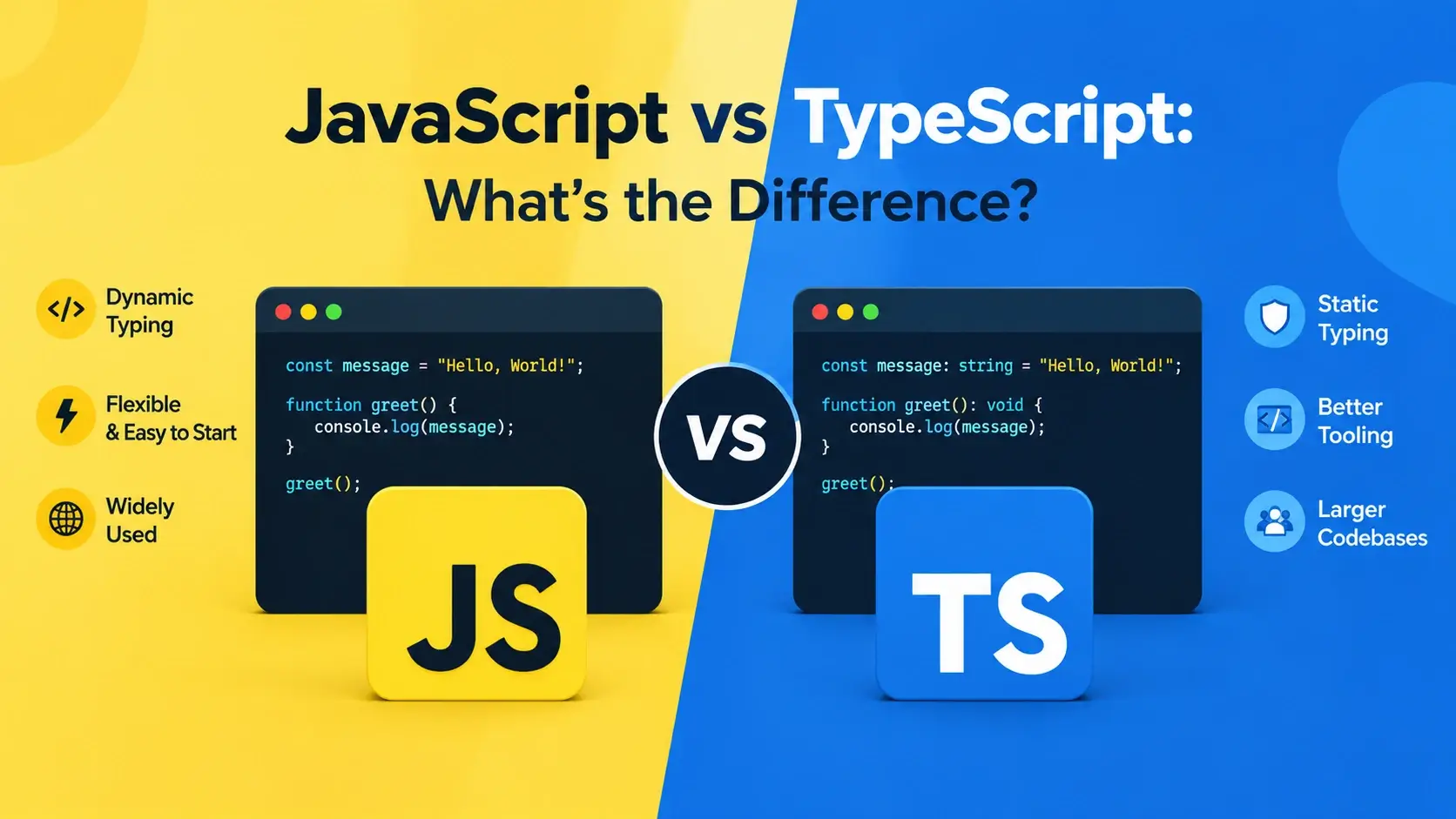
JavaScript has one famous weakness. It will let you call a function with the wrong kind of value, and it will not complain until that value causes a problem at runtime — often in production, often three screens away from where the mistake was made.
TypeScript exists to fix exactly that. It adds a type system on top of JavaScript that checks your code while you write it, catching whole categories of bugs before the program ever runs. Then it erases those types and produces plain JavaScript, so what ships to the browser is unchanged.
This guide covers what each language is, how the type system works, what TypeScript actually catches, when it is worth the setup cost, and how to move a JavaScript project to TypeScript without a rewrite.
The Short Answer
The relationship between the two languages is not “old versus new” or “one replaces the other.” It is a superset relationship, and that single fact explains almost everything else.
JavaScript
The runtime languageRuns directly in browsers and in Node.js. No build step required.
Types are checked at runtime, if at all — and usually they are not.
TypeScript
JavaScript plus typesNever runs directly. Compiled to JavaScript first, then executed.
Types are checked at compile time, before the code ever runs.
The practical consequence: every valid JavaScript file is already a valid TypeScript
file. If you rename app.js to app.ts, it compiles and
runs identically. TypeScript does not reject JavaScript — it accepts all of it, and gives
you the option to add types on top.
TypeScript is maintained by Microsoft and released as an open-source compiler. It is not a fork of JavaScript or a competing language — it is a type checker layered over the language you already know.
JavaScript in One Paragraph
JavaScript is the programming language that runs in the browser. It is dynamically typed,
which means a variable can hold a number now and a string later, and the language will not
object. Types exist at runtime — the value 42 knows it is a number — but
nothing checks that you are using it correctly before the program runs.
// JavaScript — no type annotations, no compile-time checking

function add(a, b) {
    return a + b;
}

add(2, 3);        // 5      — what you intended
add('2', 3);      // '23'   — no error, just wrong
add(2);           // NaN    — no error, just wrong
All three calls run without complaint. The second one returns the string
"23" because JavaScript converts the number to a string when one operand is a
string. The third returns NaN because 2 + undefined is not a
number. Neither throws. Neither warns. The bug travels silently until it reaches something
that breaks.
The same flexibility that makes JavaScript pleasant for small scripts makes it fragile for large applications. A typo in a property name, a wrong argument order, a missing null check — all of them pass silently.
TypeScript in One Paragraph
TypeScript adds a static type system to JavaScript. You annotate what kinds of values your functions accept and return, and the compiler checks those annotations before the code runs. If you call a function with the wrong type, you get an error in your editor immediately — not a bug report next week.
// TypeScript — the same function, with types

function add(a: number, b: number): number {
    return a + b;
}

add(2, 3);        // 5      — fine
add('2', 3);      // ❌ Error: Argument of type 'string'
                  //    is not assignable to parameter
                  //    of type 'number'.
add(2);           // ❌ Error: Expected 2 arguments,
                  //    but got 1.
Both of the broken calls are caught in the editor, before anything runs. That is the entire value proposition, and it applies everywhere: function arguments, object shapes, array contents, return values, and null checks.
What the compiler produces
Once the types have been checked, the compiler strips them out. The JavaScript that actually runs is identical to what you would have written by hand.
app.ts — JavaScript with type annotations, interfaces, and other TypeScript-only syntax.
app.js — the same logic, with every : number, interface, and type deleted. This is what the browser runs.
Nothing from the type system survives into the JavaScript output. Not the annotations, not the interfaces, not the type aliases. There is zero runtime cost in production.
The Same Function in Both Languages
Here is a small, complete example — a function that formats a user’s name — written first in JavaScript, then in TypeScript. The logic is identical. The difference is what each version tells the compiler, and what the compiler can then catch.
JavaScript version
function formatUser(user) {
    return {
        name: user.firstName + ' ' + user.lastName,
        email: user.email.toLowerCase(),
        isAdmin: user.role === 'admin'
    };
}

// Nothing here is checked.
// If user has no email, this throws at runtime.
// If user.firstName is a number, this silently produces garbage.
formatUser({ firstName: 'Ada', lastName: 'Lovelace', email: 'ADA@X.COM', role: 'admin' });
TypeScript version
interface User {
    firstName: string;
    lastName: string;
    email: string;
    role: 'admin' | 'editor' | 'viewer';
}

interface FormattedUser {
    name: string;
    email: string;
    isAdmin: boolean;
}

function formatUser(user: User): FormattedUser {
    return {
        name: user.firstName + ' ' + user.lastName,
        email: user.email.toLowerCase(),
        isAdmin: user.role === 'admin'
    };
}
The TypeScript version is nine lines longer, and in exchange it checks four things before the code ever runs:
- Every property exists.
user.firstNameis valid —user.firstnameis an error. - Every property has the right type. Passing a number as
firstNameis an error. - The role is one of three values.
'admin','editor', or'viewer'— nothing else compiles. - The return value matches. If you forget to return
isAdmin, the compiler objects.
The User interface is also the clearest possible documentation of what a
user is. A new developer opening that file knows the exact shape of the data without
reading the implementation or digging through a database schema.
What TypeScript Catches
The most convincing argument for TypeScript is the class of bugs it eliminates. Here is the same buggy code in both languages, side by side.
function getDiscount(price, rate) {
    return price * (1 - rate);
}

getDiscount('99.99', 0.2);

// "79.992" — a string!
// No error. This value flows
// through the rest of the program
// until something breaks,
// usually much later.function getDiscount(price: number, rate: number): number {
return price * (1 - rate);
}
getDiscount('99.99', 0.2);
// ❌ Error: Argument of type 'string'
// is not assignable to parameter
// of type 'number'.The categories of bugs TypeScript eliminates
Typos in property names
Accessing user.emial instead of user.email is an error, not undefined.
Wrong argument types
Passing a string where a number is expected is caught before the code runs.
Missing arguments
Calling a function with too few arguments is an error, not a silent undefined.
Null and undefined access
With strictNullChecks, reading a property off a possibly-null value is caught.
Wrong return types
A function declared to return a number cannot accidentally return a string.
Impossible states
Union types make 'pending' | 'done' exhaustive — no other value can slip through.
Unhandled cases
Adding a new variant to a union causes a compile error everywhere you forgot to handle it.
Bad refactors
Renaming a property is checked across the whole codebase — no forgotten call sites.
It catches type errors, not logic errors. A function that adds when it should subtract compiles perfectly in both languages. TypeScript reduces the surface area of bugs — it does not eliminate them.
The Type System in Practice
TypeScript’s type system goes well beyond “this is a string.” These are the features you will use most.
Primitive types
const name: string  = 'Ada';
const age: number   = 36;
const active: boolean = true;

// Arrays
const scores: number[] = [90, 85, 72];
const names: string[] = ['Ada', 'Grace'];    // or Array<string>

// Tuples — fixed length, fixed types
const point: [number, number] = [10, 20];
Interfaces and type aliases
Both describe the shape of an object. interface is preferred for object shapes
because it can be extended; type is more flexible and can also describe unions
and primitives.
interface Product {
    id: number;
    name: string;
    price: number;
    tags?: string[];      // optional — the ? makes it optional
}

// Extending an interface
interface DiscountedProduct extends Product {
    discountPercent: number;
}

// A type alias for a union
type Status = 'pending' | 'shipped' | 'delivered';

// A type alias for an object
type Point = { x: number; y: number };
Union types — the most useful feature
A union says a value can be one of several things. Combined with a narrowed check, it makes impossible states genuinely impossible.
type Status = 'pending' | 'shipped' | 'delivered';

function describe(status: Status): string {
    switch (status) {
        case 'pending':   return 'Waiting to ship';
        case 'shipped':   return 'On the way';
        case 'delivered': return 'Arrived';
    }
}

describe('shipped');    // fine
describe('canceled');   // ❌ Error: not one of the allowed values

// Add a new status to the union and TypeScript will flag
// every switch statement that does not handle it.
Generics — types that take types
A generic lets a function or type work with many different types while keeping the relationship between them.
// Without generics, you would need `any` and lose all checking
function first<T>(items: T[]): T | undefined {
    return items[0];
}

first([1, 2, 3]);           // type: number | undefined
first(['a', 'b']);          // type: string | undefined

// The type is inferred from what you pass in,
// and the return type follows it exactly.<T>, that lets a
function or type work with many types while preserving the relationship between them.
You do not need to annotate everything. TypeScript infers types from the values you
assign, so const name = 'Ada' is already known to be a string. Annotate
function parameters and return types; let everything else be inferred.
Beyond Types: What Else TypeScript Adds
The type system is the headline feature, but it unlocks a set of tooling improvements that matter just as much on a real project.
Autocomplete that knows your code
Type a dot after an object and your editor lists every valid property — with their types.
Errors as you type
Mistakes appear underlined in the editor, before you save, before you run, before you commit.
Safe refactoring
Rename a property and the editor updates every usage — or tells you which ones it cannot.
Jump to definition
Click a function and go straight to where it is defined, even across files and packages.
Inline documentation
Hover over anything to see its type signature and any doc comments attached to it.
Self-documenting APIs
A typed function signature tells the next developer exactly what it accepts and returns.
Safer collaboration
A shared type is a contract. Change it and the compiler tells every consumer.
Gradual adoption
You can add TypeScript to one file at a time, without rewriting the project.
Ask experienced TypeScript developers why they use it and most will mention autocomplete and refactoring before they mention bug prevention. The type checker is what makes the editor smart.
How TypeScript Runs
Browsers and Node.js do not understand TypeScript. Every .ts file has to be
converted to .js before anything can execute it.
Setting up a project
TypeScript installs as an npm package. The tsconfig.json file controls how it
behaves.
// Install TypeScript in a project
// npm install --save-dev typescript

// Create a tsconfig.json with sensible defaults
// npx tsc --initA minimal tsconfig.json
{
    "compilerOptions": {
        "target": "ES2022",
        "module": "ESNext",
        "strict": true,
        "outDir": "./dist",
        "rootDir": "./src",
        "sourceMap": true
    },
    "include": ["src/**/*"]
}
The strict flag is the one that matters most. It turns on several checks at
once, including strictNullChecks — which is what makes
null and undefined explicit rather than silently allowed.
Modern build tools
The tsc compiler is the official tool, but most projects use a bundler that
handles TypeScript alongside everything else.
| Tool | What it does | Typical use |
|---|---|---|
tsc |
The official TypeScript compiler | Type checking, and compiling for Node.js projects |
Vite |
Dev server and bundler with built-in TS support | Modern front-end projects, React, Vue |
esbuild |
Extremely fast transpiler | Bundling and transpiling, often behind Vite |
SWC |
Fast Rust-based transpiler | Next.js and other frameworks |
ts-node / tsx |
Run TypeScript directly in Node.js | Scripts, CLI tools, quick experiments |
Tools like esbuild and SWC strip types extremely fast, but they do not check them. That
is why most projects run tsc --noEmit separately as part of CI — the fast
tool builds, and the type checker verifies.
JavaScript Still Runs Everything
It is worth being very clear about this, because it confuses a lot of beginners: the JavaScript you write in TypeScript is still JavaScript. The types are not a runtime feature.
Here is a live example. This is plain JavaScript running in a browser, doing exactly what it would do if it had been written in TypeScript and compiled.
<!DOCTYPE html>
<html lang="en">
<head>
    <meta charset="UTF-8">
    <title>What TypeScript Compiles To</title>
    <style>
        body {
            font-family: system-ui, sans-serif;
            padding: 28px;
            background: #f8fafc;
            margin: 0;
            color: #0f172a;
        }
        h2 { font-size: 14px; text-transform: uppercase; letter-spacing: 0.08em; color: #64748b; margin: 0 0 12px; }
        .row {
            background: #fff;
            border: 1px solid #e2e8f0;
            border-radius: 10px;
            padding: 12px 16px;
            margin-bottom: 8px;
            font-family: ui-monospace, monospace;
            font-size: 13px;
            display: flex;
            justify-content: space-between;
            gap: 12px;
        }
        .label { color: #64748b; }
        .value { color: #0891b2; font-weight: 700; }
    </style>
</head>
<body>

    <h2>The compiled output</h2>
    <div id="output"></div>

    <script>
        // This is the JavaScript that a TypeScript compiler
        // produces from a typed function. Notice:
        // — no type annotations remain
        // — no interface exists at runtime
        // — the logic is exactly what you wrote

        function add(a, b) {
            return a + b;
        }

        function formatUser(user) {
            return {
                name: user.firstName + ' ' + user.lastName,
                email: user.email.toLowerCase(),
                isAdmin: user.role === 'admin'
            };
        }

        const user = {
            firstName: 'Ada',
            lastName: 'Lovelace',
            email: 'ADA@EXAMPLE.COM',
            role: 'admin'
        };

        const formatted = formatUser(user);

        const rows = [
            { label: 'add(2, 3)',        value: add(2, 3) },
            { label: 'add("2", 3)',      value: add('2', 3) + '  ← string concat!' },
            { label: 'formatted.name',   value: formatted.name },
            { label: 'formatted.email',  value: formatted.email },
            { label: 'formatted.isAdmin', value: formatted.isAdmin },
            { label: 'typeof add',       value: typeof add }
        ];

        const out = document.getElementById('output');
        rows.forEach(function (row) {
            const div = document.createElement('div');
            div.className = 'row';
            div.innerHTML =
                '<span class="label">' + row.label + '</span>' +
                '<span class="value">' + row.value + '</span>';
            out.appendChild(div);
        });
    </script>

</body>
</html>
Note the second row: add('2', 3) returns "23". That is the bug
TypeScript would have caught. But at runtime — after compilation — the JavaScript engine
has no idea the types were ever annotated. It sees the same function it always would have.
Think of TypeScript as a linter that understands your data. It checks your work while you write, then gets out of the way. It is not a runtime, not a framework, and not a different language at execution time.
Full Comparison
Here is every meaningful difference in one table.
| Aspect | JavaScript | TypeScript |
|---|---|---|
| What it is | The runtime language of the web | JavaScript plus a static type system |
| File extension | .js |
.ts (.tsx for React) |
| Runs in the browser? | Yes, directly | No — must be compiled to JavaScript first |
| Build step required? | No | Yes — a compiler or bundler |
| Typing | Dynamic — checked at runtime, if at all | Static — checked at compile time |
| When errors appear | At runtime, in front of users | In the editor, before running |
| Type annotations | None possible | Written inline; erased at compile time |
| Runtime performance | Baseline | Identical — types are erased |
| Bundle size impact | Baseline | Zero — nothing from the type system ships |
| Editor autocomplete | Limited — guesses from usage | Precise — knows every property and type |
| Refactoring safety | Manual — easy to miss a call site | The compiler finds every usage |
| Learning curve | Smaller — one language to learn | Larger — JavaScript plus the type system |
| Setup cost | None | Install, configure, build step |
| Error reporting | Runtime exceptions, console errors | Compile errors with file, line, and reason |
| Best for | Scripts, prototypes, small sites, learning | Applications, teams, long-lived codebases |
| Maintained by | TC39 / ECMAScript standard | Microsoft, as an open-source project |
Look at “When errors appear” and “Refactoring safety”. Everything else is a trade-off you can live with either way — those two are the reason large teams adopt TypeScript.
When to Use Which
TypeScript is not automatically better. It has a real setup cost, and that cost is only worth paying when the project justifies it.
Reach for JS when…
The script is small — under a few hundred lines.
You are prototyping or experimenting and want zero setup.
It is a one-off script, a bookmarklet, or a quick demo.
You are learning to program and want to focus on fundamentals.
The project will not be maintained after it ships.
Reach for TS when…
The codebase will outlive the people who wrote it.
More than one developer works on it.
It has a public API that others consume.
Refactoring is frequent — the compiler catches every broken call site.
You are already using a framework that expects it — React, Next.js, Angular, Vue.
A practical rule of thumb
- Under 500 lines, one developer, one use: plain JavaScript.
- Over a few thousand lines, or a team: TypeScript.
- A library or package others will import: TypeScript, and ship the type definitions.
- A framework that ships with TS support: use TypeScript — you are already paying the setup cost.
- A quick script to move some files around: plain JavaScript, obviously.
A badly typed codebase is worse than a plain JavaScript one, because it gives the
illusion of safety. Annotating everything as any gives you all the
verbosity of TypeScript and none of the protection. Typing well takes practice.
Migrating from JavaScript to TypeScript
TypeScript was designed for gradual adoption. You do not rewrite the project — you convert it one file at a time while it keeps working.
The incremental path
tsconfig.json. Start with allowJs and checkJs turned on, and strict off.
.js file to .ts. It will compile immediately — the types are all inferred. Fix any errors, then commit and move on.
strict: true and fix the errors that appear. This is the step that catches the null and undefined bugs.
What the migration looks like
// utils.ts — renamed from utils.js
// Compiles immediately. Types
// are inferred from usage.

export function formatPrice(value) {
    return '$' + value.toFixed(2);
}

export function applyDiscount(price, rate) {
    return price * (1 - rate);
}// utils.ts — parameters and returns typed
export function formatPrice(value: number): string {
return '$' + value.toFixed(2);
}
export function applyDiscount(
price: number,
rate: number
): number {
return price * (1 - rate);
}Configuring for gradual adoption
{
    "compilerOptions": {
        "target": "ES2022",
        "module": "ESNext",

        // Allow .js files in the project
        "allowJs": true,

        // Report errors in .js files too (optional, stricter)
        "checkJs": false,

        // Do not fail the build on errors during migration
        "noEmitOnError": false,

        // Start loose, tighten later
        "strict": false,

        "outDir": "./dist",
        "rootDir": "./src"
    },
    "include": ["src/**/*"]
}Start with files that nothing else imports — utility functions, constants, small helpers. Once those are typed, the files that import them get better type inference automatically, and the migration accelerates.
A project with some .ts files and some .js files is a perfectly
valid state, and many projects stay that way forever. TypeScript does not demand
completion.
Common Misconceptions
These come up constantly, and each one leads people to the wrong decision about TypeScript.
- “TypeScript is a different language.” It is a superset. Every JavaScript program is a TypeScript program. You are not learning a new language — you are learning a type system on top of the one you already know.
- “TypeScript replaces JavaScript.” It compiles to JavaScript. The browser runs the JavaScript. Nothing about the runtime changes.
- “TypeScript is slower at runtime.” All the types are erased at compile time. The JavaScript that ships is byte-for-byte equivalent to what you would have written by hand.
- “I need to rewrite my whole project.” You can rename one file at a time. TypeScript was explicitly designed for incremental adoption, and mixed projects are supported natively.
- “Types catch all bugs.” They catch type errors. A function that adds when it should subtract compiles fine. Logic bugs are still logic bugs.
- “Types slow down development.” Early on, writing types is extra work. After a few weeks, most developers report the opposite — autocomplete and refactoring save more time than the annotations cost.
-
“any is a fine escape hatch.” Occasional use is reasonable. Widespread
anyremoves all the benefit while keeping all the syntax — you get JavaScript with extra steps. - “TypeScript is only for big companies.” A solo developer on a project that will exist for a year benefits just as much. The threshold is project lifetime and change frequency, not team size.
TypeScript costs you a build step and some annotation effort. In exchange you get fewer bugs in production, better tooling, and safer refactoring. Whether that trade is worth it depends entirely on the project.
Best Practices
If you are using TypeScript, these habits get the most out of it. If you are not, they are good reasons to consider it.
Turn on strict mode
strict: true in tsconfig. It catches the most bugs, especially around null and undefined.
Annotate function boundaries
Parameters and return types on exported functions. Everything inside can be inferred.
Avoid any
Use unknown when you truly do not know. any turns off checking entirely.
Prefer unions to enums
type Status = 'on' | 'off' produces simpler JavaScript than an enum and works everywhere.
Name types clearly
User, Product, OrderStatus — not IUser or T1.
Keep types close to the code
Define a type next to the function that uses it, unless it is shared across the project.
Run tsc in CI
Fast transpilers skip type checking. Run tsc --noEmit separately to catch what they miss.
Let inference work
const name = 'Ada' is already a string. Do not annotate what the compiler already knows.
Migrate one file at a time
There is no need to convert everything at once. The project keeps working throughout.
Write plain JavaScript for small projects and learning. Add TypeScript when the codebase will live long enough for the type checking to pay for its setup cost.
Frequently Asked Questions
1. What is the main difference between JavaScript and TypeScript?
TypeScript is JavaScript with a static type system layered on top. The types are checked while you write the code, then stripped out before it runs. Every valid JavaScript file is also valid TypeScript — TypeScript is a strict superset of JavaScript.
2. Does TypeScript replace JavaScript?
No. Browsers and Node.js run JavaScript, not TypeScript. A TypeScript compiler converts
your .ts files into plain .js files, and those are what
actually execute. TypeScript is a development-time tool, not a runtime.
3. Is TypeScript a different programming language?
It is best understood as a typed superset of JavaScript rather than an entirely separate language. Every JavaScript program is a TypeScript program. TypeScript adds syntax for types, and the compiler removes that syntax to produce JavaScript.
4. Do I need to learn JavaScript before TypeScript?
Yes. TypeScript is JavaScript plus types, so you need the JavaScript fundamentals first — variables, functions, arrays, objects, the DOM, and events. Trying to learn TypeScript without JavaScript is like learning to write in a formal style before you can write sentences.
5. Can I use TypeScript in the browser directly?
No, not directly. Browsers do not understand TypeScript. You either compile it to
JavaScript ahead of time with the tsc compiler or a bundler, or in some
development setups a tool such as esbuild transpiles it on the fly.
6. Does TypeScript make a program faster?
No. Types are erased at compile time, so the JavaScript that runs has the same performance as if you had written it by hand. TypeScript speeds up development — fewer bugs, better autocomplete, safer refactors — not execution.
7. What does any mean in TypeScript?
any disables type checking for that value. It lets you assign it to
anything and call anything on it without errors. It is useful as an escape hatch during
migration, but overusing it defeats the purpose of TypeScript — you end up with
JavaScript plus extra syntax.
8. What is the difference between interface and type in TypeScript?
Both describe the shape of an object and are largely interchangeable.
interface is preferred for object shapes because it can be extended and
merged across declarations. type is more flexible — it can also describe
unions, intersections, tuples, and primitive aliases.
9. Should I use TypeScript for every project?
No. Small scripts, quick prototypes, and one-off pages are often simpler in plain JavaScript. TypeScript earns its setup cost on projects with multiple developers, longer lifetimes, larger codebases, or shared APIs — anywhere a wrong type could cost real debugging time.
10. How do I migrate an existing JavaScript project to TypeScript?
Incrementally. Rename one file at a time to .ts, turn on
allowJs and checkJs, start with strict set to
false, and tighten the compiler options as the codebase gets typed. There
is no need to rewrite everything at once — TypeScript is designed for gradual adoption.
11. What is strict mode in TypeScript?
strict is a compiler flag that turns on several stricter type checks at
once, including noImplicitAny, strictNullChecks, and
strictFunctionTypes. It catches more bugs, but requires more annotation.
New projects should start with strict enabled.
12. Does TypeScript have a runtime cost?
None at all in production. Type annotations, interfaces, and type aliases are all erased by the compiler and never appear in the JavaScript that ships to the browser. The only cost is the compile step during development.
Key Takeaways
- TypeScript is JavaScript plus a static type system — a strict superset, not a replacement.
- Types are checked while you write, then erased before the code runs.
- Browsers and Node.js run JavaScript. TypeScript must be compiled first.
- Type annotations leave no trace in the output, so there is zero runtime cost.
- TypeScript catches typos, wrong argument types, missing arguments, null access, and wrong return types.
- It does not catch logic errors — a function that adds instead of subtracting compiles fine.
- The biggest practical benefit is editor autocomplete and safe refactoring.
- Use plain JavaScript for scripts, prototypes, and learning.
- Use TypeScript for applications, teams, libraries, and long-lived codebases.
- Migration is incremental — rename one file at a time, keep the project working.
- Turn on
strictmode and avoidany. - Transpilers like esbuild skip type checking — run
tsc --noEmitin CI.
What to Learn Next
If you are new to JavaScript entirely, start there. Read What Is JavaScript? for the fundamentals — variables, functions, arrays, objects, the DOM, and events.
Once the basics are solid, the natural next steps are JavaScript Array Methods, JavaScript Functions Explained, and Working with the DOM. From there, move on to Async and Await and Fetching Data with the Fetch API.
If you are ready for TypeScript, look for guides on the type system itself — interfaces,
unions, generics, and tsconfig.json. And if you are still connecting the
pieces, read
HTML vs CSS and
How Web Browsers Work for the
surrounding context.
Practice Challenge
The best way to understand the difference is to write the same code twice and see what each language catches. This exercise takes about twenty minutes.
- Create
app.jsandapp.tsin the same folder. - In both files, write a function
calculateTotal(price, quantity)that returnsprice * quantity, with no type annotations in either file. - Add a line that calls
calculateTotal('10', 3)and logs the result. Run the JavaScript version and note the output — it will be the string"101010". - Now install TypeScript with
npm install --save-dev typescriptand runnpx tsc --initto create atsconfig.json. Setstricttotrue. - Compile the TypeScript file with
npx tsc app.ts. Read the error — it will point at the string argument. - Fix the call to pass
10instead of'10'. Compile again — it succeeds. - Open the compiled
app.jsand compare it to your original. Confirm that the output contains no type annotations at all. - Now add types to the function:
function calculateTotal(price: number, quantity: number): number. - Try calling it with a missing argument. Note the error message — it names the exact problem and the line.
- Create an
interface Product { name: string; price: number; }and write a function that takes aProduct. Try accessing a property that does not exist — note the error. - Add a union type:
type Status = 'in-stock' | 'out-of-stock', and write a function that accepts it. Try passing a string that is not one of the two values. - Finally, compare the compiled output of your fully typed
app.tsagainst the originalapp.js. Confirm they are functionally identical.
If you complete those steps, you have seen the same bug happen silently in JavaScript and get caught immediately in TypeScript, watched the compiler strip every annotation from the output, and confirmed that the runtime behavior is unchanged. That is the whole trade: TypeScript does not change what your program does — it changes when you find out that it does the wrong thing.

 Inar Learn