
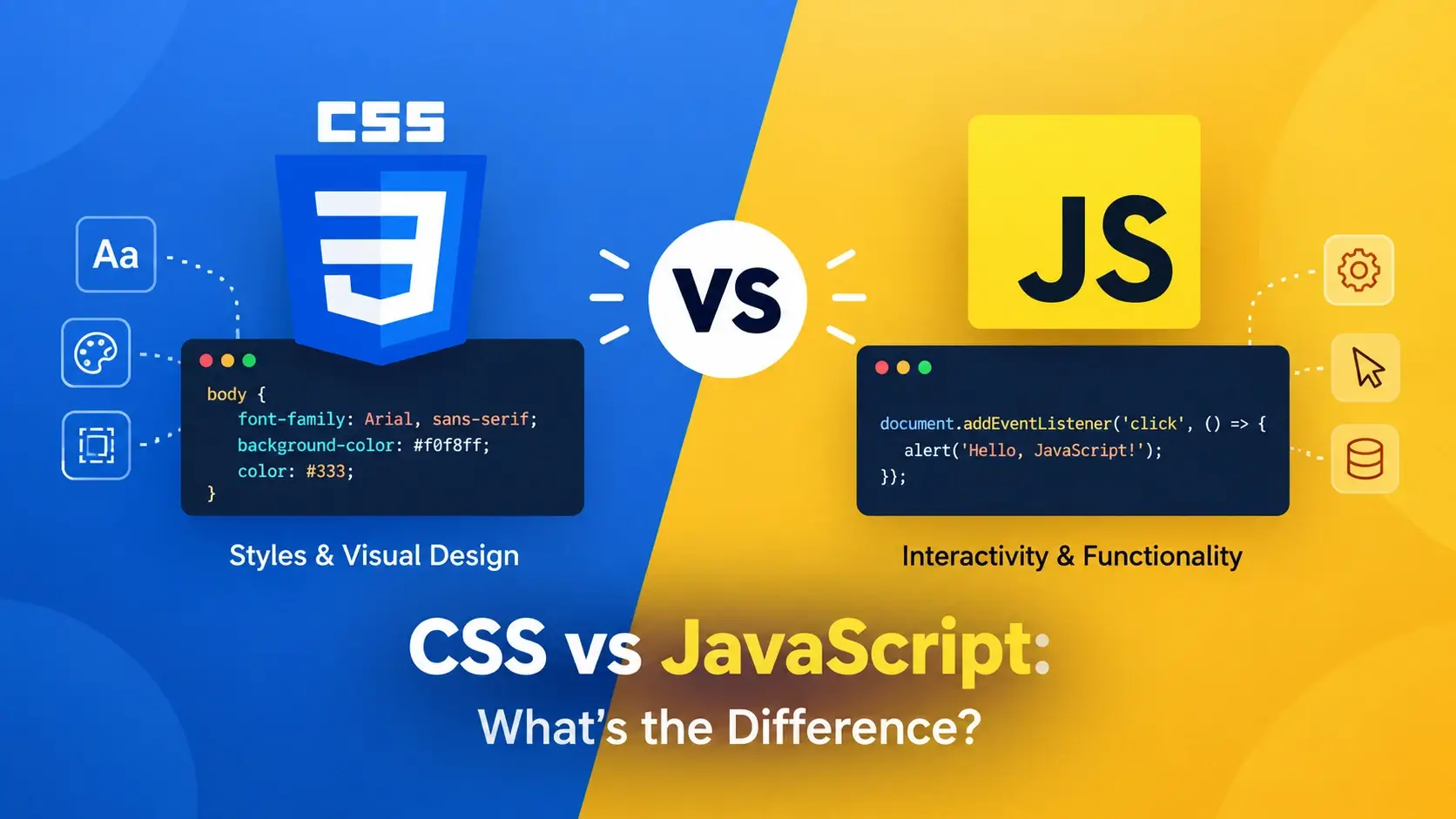
If you have ever inspected a webpage, you have seen them living side by side: CSS rules full of curly braces and semicolons, and JavaScript statements full of variables, functions, and event listeners. They appear in the same project, they are learned together, and beginners often blur the line between them.
They are not the same. CSS and JavaScript are two entirely different kinds of language with two entirely different jobs — one describes how things look, the other describes how things behave. Understanding the split between them is the single most clarifying idea in front-end development.
The Short Answer
Here is the distinction in its simplest form. CSS answers “what should it look like?” JavaScript answers “what should it do?”
CSS
Presentation & LayoutDescribes how content should be displayed.
“Headings are dark blue and 2rem. Links are teal and underlined on hover.”
JavaScript
Behavior & InteractivityControls how the page behaves and responds.
“When this button is clicked, fetch new data and update the page.”
The classic analogy is a theatre production. CSS is the set design, lighting, and costumes — everything the audience sees. JavaScript is the script, the actors, and the director — everything that makes the performance happen, respond, and change.
A second analogy works well for developers: CSS is the view layer, JavaScript is the controller. One describes how things are rendered; the other describes what happens when things change.
Ask yourself: “does this involve logic, decisions, or responses to events?” If yes, it belongs in JavaScript. If it only describes how something should look or be laid out, it belongs in CSS.
CSS: The Presentation Layer
CSS stands for Cascading Style Sheets. It is a style sheet language — a declarative language that describes the result you want. It has no variables in the traditional programming sense, no loops, and no conditionals.
A CSS rule has a selector followed by a block of declarations:
.card {
    background: #ffffff;
    border-radius: 12px;
    padding: 24px;
    box-shadow: 0 4px 16px rgba(0, 0, 0, 0.1);
}
Read it as: “for every element with class card, give it a white background,
rounded corners, internal padding, and a soft shadow.”
What CSS decides
- Typography — font family, size, weight, line height, alignment.
- Color — text, backgrounds, borders, gradients, transparency.
- Layout — where boxes sit, using Flexbox, Grid, or positioning.
- Spacing — padding inside elements, margins between them.
- Effects — shadows, rounded corners, filters, blur.
- Motion — transitions, animations, and transforms.
- Responsiveness — how everything adapts across screen sizes.
- State — how an element looks on hover, focus, or when disabled.
Just as importantly, CSS says nothing about behavior. A rule that colors a button teal does not make it do anything when clicked. Styling is entirely separate from logic.
CSS is a declarative data format. It is intentionally not Turing complete and has no logic, branching, or loops. That is not a criticism — it is by design. CSS was built to describe presentation, not to perform computation.
JavaScript: The Behavior Layer
JavaScript is a full programming language. Unlike CSS, it has variables, functions, loops, conditionals, objects, and application state. It is the language that makes web pages interactive and dynamic.
A simple JavaScript statement might look like this:
const button = document.querySelector(".btn");

button.addEventListener("click", () => {
    button.textContent = "Clicked!";
    button.style.backgroundColor = "#7c3aed";
});
Read it as: “find the element with class btn. When it is clicked, change its
text and background color.”
What JavaScript decides
- Interactivity — responding to clicks, key presses, and other events.
- Dynamic content — fetching data from servers and updating the page.
- Form validation — checking user input before submission.
- State management — tracking what has happened and what should happen next.
- Storage — saving data in the browser with localStorage or cookies.
- Animation control — starting, stopping, and orchestrating complex sequences.
- API communication — sending and receiving data from external services.
JavaScript can also manipulate styles directly, but it is not a replacement for CSS. When JavaScript changes styles, it is usually to reflect a change in state — a dropdown opening, a theme toggling, a validation error appearing.
JavaScript has variables, functions, loops, conditionals, objects, and application state. It runs in the browser and on servers via Node.js. It is a fully featured programming language, not a declarative format like CSS.
Side-by-Side Comparison
Here is the full comparison in one table.
| Aspect | CSS | JavaScript |
|---|---|---|
| Full name | Cascading Style Sheets | JavaScript |
| Purpose | Presentation and layout of content | Behavior and interactivity |
| Type of language | Style sheet language (declarative) | Programming language (imperative) |
| File extension | .css |
.js |
| Syntax | Selectors and declaration blocks in curly braces | Variables, functions, statements, and expressions |
| Example | .btn { color: teal; } |
btn.style.color = "teal"; |
| Has logic? | No — no loops, conditionals, or variables | Yes — full programming constructs |
| Has state? | No — styles are static rules | Yes — it can track and change state |
| Affects SEO | Indirectly — through layout stability and responsiveness | Indirectly — through performance and content rendering |
| Required? | No — a page works without it, just unstyled | No — a page works without it, just static |
| Relative difficulty | Easier — smaller vocabulary, no logic | Harder — full programming concepts |
| Learn it | Second (after HTML) | Third (after HTML and CSS) |
If you remember only one line from that table, make it this: CSS is declarative, JavaScript is imperative. CSS describes what you want. JavaScript describes the steps to make it happen.
The Same Effect, Two Approaches
The clearest way to feel the difference is to see the same result achieved two ways.
Version 1 — CSS approach (declarative)
This stylesheet describes how the button should look on hover:
.btn {
    background: #0891b2;
    color: #ffffff;
    transition: background 0.2s ease;
}

.btn:hover {
    background: #7c3aed;
}
You declare the desired result and the browser handles the rest. No logic, no event listeners, no state.
Version 2 — JavaScript approach (imperative)
This script describes the steps to achieve a similar effect:
const btn = document.querySelector(".btn");

btn.addEventListener("mouseenter", () => {
    btn.style.background = "#7c3aed";
});

btn.addEventListener("mouseleave", () => {
    btn.style.background = "#0891b2";
});
You describe the exact steps to take when events occur. More code, more control, and the ability to add logic — but far more verbose for a simple hover effect.
For simple visual states like hover, focus, and transitions, CSS is almost always the better choice. Use JavaScript when the behavior depends on logic, data, or events that CSS cannot detect.
How CSS and JavaScript Connect
CSS and JavaScript are independent languages, but they interact in several important ways.
1. JavaScript manipulating styles
JavaScript can change an element’s style directly through the DOM:
element.style.color = "#7c3aed";
element.style.fontSize = "1.2rem";
element.style.display = "none";
Notice the naming difference: CSS uses font-size (kebab-case), while
JavaScript uses fontSize (camelCase).
2. Toggling CSS classes
A cleaner approach is to let JavaScript add or remove CSS classes, leaving the visual definitions in CSS:
element.classList.add("is-active");
element.classList.remove("is-active");
element.classList.toggle("is-active");
This keeps presentation in CSS and behavior in JavaScript — the separation of concerns in practice.
3. Responding to CSS transitions
JavaScript can listen for CSS animation events:
element.addEventListener("transitionend", () => {
    console.log("Transition finished!");
});
The cleanest pattern is: CSS defines what a state looks like, JavaScript decides when
that state is active. Class names like .is-open or
.is-loading are the shared vocabulary between the two languages.
Why the Separation Matters
Keeping presentation in CSS and behavior in JavaScript is not a stylistic preference. It has concrete consequences for how a project scales.
One place to change
When a brand color changes, you edit one CSS variable — not every JavaScript file that ever set a color.
Reskin without rewriting
The same JavaScript behavior works with any visual design. Swap the CSS and the logic still works.
Let the browser do the work
CSS animations and transitions are handled by the browser’s rendering engine, which is faster and more efficient than JavaScript-driven style changes.
There is also a debugging argument. When styles are defined in CSS and behaviors in JavaScript, a visual bug is almost certainly a CSS issue, and a logic bug is almost certainly a JavaScript issue. When the two are mixed — inline styles set by scripts everywhere — every bug becomes harder to trace.
An example: theme switching done right
The clean pattern is: CSS defines the themes, JavaScript toggles a class.
:root {
    --bg: #ffffff;
    --text: #0f172a;
}

.dark-theme {
    --bg: #0b1020;
    --text: #e2e8f0;
}

body {
    background: var(--bg);
    color: var(--text);
}
const toggle = document.querySelector(".theme-toggle");
toggle.addEventListener("click", () => {
document.body.classList.toggle("dark-theme");
});CSS defines what “dark theme” looks like. JavaScript simply decides when it is active. Neither language is doing the other’s job.
It breaks when JavaScript sets styles directly instead of toggling classes, or when
CSS tries to handle complex interactive logic with things like :checked
hacks. Use each language for what it was designed to do.
What Each Language Can and Cannot Do
Another way to see the difference is to look at the edges of each language.
Can do
Control every visual aspect of an element: type, color, size, spacing, and position.
Build complex responsive layouts with Flexbox and Grid.
Handle hover, focus, and active states without any scripting.
Animate and transform elements using keyframes and transitions.
Cannot do
Perform logic, make decisions, or respond to arbitrary events.
Fetch data from servers or store application state.
Validate forms or process user input.
Create content or change what an element means.
Can do
Respond to any user event: clicks, key presses, scrolling, and more.
Fetch data, validate forms, and store information in the browser.
Create dynamic content and update the page without reloading.
Manage application state and coordinate complex interactions.
Cannot do
Style elements as cleanly or efficiently as CSS can.
Handle responsive design as elegantly as CSS media queries.
Replace the need for HTML structure or CSS presentation.
The boundary is clean: CSS owns appearance, JavaScript owns behavior, and HTML owns content and meaning. Anything you find yourself trying to do that crosses those lines is usually a sign you are using the wrong tool.
Common Confusions and Myths
A handful of misunderstandings cause beginners to blur the two languages together. Here are the ones that come up most.
- “CSS and JavaScript do the same thing.” They can both change how a page looks, but they do it in fundamentally different ways. CSS declares the result; JavaScript executes steps. CSS is a style sheet language; JavaScript is a programming language.
- “You can replace CSS with JavaScript.” Technically you can set styles with JavaScript, but it is far more verbose, harder to maintain, and slower. CSS exists precisely so you do not have to style everything with scripts.
- “CSS is a programming language.” No. CSS is a declarative style sheet language. It has no loops, no conditionals, no variables in the traditional sense, and no application state. It is intentionally not Turing complete.
- “JavaScript is just for animations.” JavaScript does far more than animate. It handles data fetching, form validation, state management, routing, and entire applications. Animation is just one small use case.
- “You only need one of them.” You need CSS to make a page presentable and usable. You need JavaScript to make it interactive and dynamic. Real projects use both.
- “CSS is easy, JavaScript is hard.” CSS is easier to start with because there is no logic involved. But CSS has its own complexities — the cascade, specificity, and layout systems take time to master. Neither language is trivial.
If a change describes how something should look, it belongs in CSS. If it describes what should happen — a decision, a response, a calculation — it belongs in JavaScript.
Which Should You Learn First?
If you are starting from zero, the order is straightforward: learn CSS first.
The reason is structural rather than arbitrary. CSS is declarative and visual. You write a rule, you see the result immediately. There is no logic to reason about, no state to track, no functions to call. This makes it the gentler introduction to front-end development.
JavaScript becomes much easier once you already understand how to select and style HTML
elements. When you write element.classList.add("active"), you need to know
what active looks like — and that is CSS.
A practical learning order
In practice, most beginners cover the essentials of CSS in a few weeks and then spend the next several months getting comfortable with JavaScript. The two overlap constantly, so you will keep using CSS as you learn JavaScript.
What to learn in each
CSS essentials
Selectors, the box model, color, typography, the cascade, Flexbox, Grid, and media queries.
JavaScript essentials
Variables, functions, conditionals, loops, arrays, objects, the DOM, and event handling.
As soon as you can style a page with CSS, start adding small JavaScript interactions. Toggle a class, show a message, validate a field. Each small interaction teaches you where the boundary between presentation and behavior lies.
The Same Button, Two Languages
The clearest illustration is a single element viewed from both sides. Below is one button, styled with CSS, then made interactive with JavaScript.
The CSS — how it looks
.btn {
    background: #0891b2;
    color: #ffffff;
    font-family: inherit;
    font-size: 0.95rem;
    font-weight: 600;
    padding: 12px 24px;
    border: 0;
    border-radius: 10px;
    cursor: pointer;
    transition: background 0.2s ease, transform 0.2s ease;
}

.btn:hover {
    background: #7c3aed;
    transform: translateY(-2px);
}

.btn:focus-visible {
    outline: 2px solid #7c3aed;
    outline-offset: 3px;
}
That CSS says nothing about what the button does. It only describes how it should look in different states.
The JavaScript — what it does
const saveBtn = document.querySelector(".save-btn");

saveBtn.addEventListener("click", async () => {
    saveBtn.textContent = "Saving...";
    saveBtn.disabled = true;

    try {
        await saveData();
        saveBtn.textContent = "Saved!";
    } catch (error) {
        saveBtn.textContent = "Error — try again";
    } finally {
        saveBtn.disabled = false;
    }
});
That JavaScript says nothing about how the button looks. It only describes what happens when it is clicked — including disabled states, error handling, and asynchronous logic.
Together
<!DOCTYPE html>
<html lang="en">
<head>
    <meta charset="UTF-8">
    <title>CSS + JS</title>
    <style>
        body {
            font-family: system-ui, sans-serif;
            background: #f8fafc;
            padding: 40px;
            text-align: center;
        }
        .btn {
            background: #0891b2;
            color: #fff;
            font: inherit;
            font-weight: 600;
            padding: 12px 24px;
            border: 0;
            border-radius: 10px;
            cursor: pointer;
            transition: background 0.2s ease, transform 0.2s ease;
        }
        .btn:hover {
            background: #7c3aed;
            transform: translateY(-2px);
        }
        .btn:disabled {
            opacity: 0.6;
            cursor: not-allowed;
        }
        .btn.is-done {
            background: #16a34a;
        }
    </style>
</head>
<body>
    <button class="btn" type="button">Save changes</button>
    <script>
        const btn = document.querySelector(".btn");
        let clicked = false;

        btn.addEventListener("click", () => {
            if (clicked) return;
            clicked = true;
            btn.textContent = "Saving...";
            btn.disabled = true;

            setTimeout(() => {
                btn.textContent = "Saved!";
                btn.classList.add("is-done");
                btn.disabled = false;
            }, 800);
        });
    </script>
</body>
</html>
The CSS made the button look right in every state — default, hover, disabled, and done. The JavaScript made it behave correctly — preventing double clicks, showing progress, and updating after a delay. Neither could have done the other’s work.
Common Mistakes When Learning the Difference
These are the habits that blur the line between presentation and behavior. Catching them early saves a lot of rework later.
1. Styling everything with JavaScript
element.style.background = "#0891b2";
element.style.color = "#fff";
element.style.padding = "12px 24px";
element.style.borderRadius = "10px";/* CSS */
.btn {
background: #0891b2;
color: #fff;
padding: 12px 24px;
border-radius: 10px;
}
/* JS — toggle the class */
element.classList.add("btn");2. Using CSS for complex interactive logic
/* Trying to build a multi-step
   form wizard with only CSS */
.step:checked ~ .step-2 { display: block; }
.step:checked ~ .step-3 { display: none; }
/* ... and so on for every step *//* CSS defines what each step looks like */
.step { display: none; }
.step.is-active { display: block; }
/* JS decides which step is active */
nextBtn.addEventListener("click", () => {
currentStep++;
updateSteps();
});3. Using CSS property names in JavaScript
element.style.background-color = "red";
element.style.font-size = "1.2rem";element.style.backgroundColor = "red";
element.style.fontSize = "1.2rem";4. Putting all JavaScript in the head
<head>
    <script>
        const btn = document.querySelector(".btn");
        // btn is null — element doesn't exist yet
    </script>
</head><body>
<button class="btn">Click</button>
<script>
const btn = document.querySelector(".btn");
// btn exists — it's above the script
</script>
</body>5. Not handling errors in JavaScript
fetch("/api/data")
    .then(res => res.json())
    .then(data => {
        render(data);
});fetch("/api/data")
.then(res => {
if (!res.ok) throw new Error("Failed");
return res.json();
})
.then(data => render(data))
.catch(err => showError(err));6. Using inline event handlers
<button onclick="doSomething()">
    Click
</button><button class="btn">Click</button>
<script>
document.querySelector(".btn")
.addEventListener("click", doSomething);
</script>The W3C CSS Validation Service checks CSS, and tools like ESLint catch JavaScript errors before they reach the browser. Running both catches mistakes that browsers silently ignore.
Best Practices
These habits keep the boundary between the two languages clean as a project grows.
Keep CSS in its own file
Link one external stylesheet instead of scattering styles across scripts.
Toggle classes, not styles
Let JavaScript add and remove classes; let CSS define what those classes look like.
Use semantic class names
.is-active and .is-loading describe state, not appearance.
Avoid inline event handlers
Use addEventListener in a script file instead of onclick attributes.
Handle async properly
Use async/await with try-catch for data fetching and other asynchronous work.
Keep JavaScript modular
Break behavior into small functions with clear responsibilities.
Prefer CSS animations
Let CSS handle visual transitions. Use JavaScript only to toggle state.
Never trade accessibility for looks
Use the right HTML element and style it — not the wrong element with scripts.
Validate both languages
CSS and JavaScript both fail silently. A validator and a linter are the fastest way to catch mistakes.
Put meaning in HTML, appearance in CSS, and behavior in JavaScript — and never let one do another’s job.
Frequently Asked Questions
1. What is the main difference between CSS and JavaScript?
CSS defines the presentation and layout of a page — its colors, fonts, spacing, and responsiveness. JavaScript defines the behavior and interactivity — how the page responds to user actions, fetches data, and changes over time. CSS is the look; JavaScript is the logic.
2. Is CSS a programming language?
No. CSS is a style sheet language, also called a declarative language. It describes the result you want but has no logic, variables (in the traditional sense), loops, or conditionals.
3. Is JavaScript a programming language?
Yes. JavaScript is a full programming language with variables, functions, loops, conditionals, objects, and application state. It runs in the browser and on servers via Node.js.
4. Can I use CSS without JavaScript?
Yes. A page with HTML and CSS works perfectly without JavaScript. It will be static and non-interactive, but it will display correctly and be accessible.
5. Can I use JavaScript without CSS?
Yes, but pages will look unstyled. JavaScript can manipulate styles directly, but it is not a replacement for CSS. In practice, all three languages (HTML, CSS, JavaScript) are used together.
6. Which one should I learn first, CSS or JavaScript?
Learn CSS first. It is simpler, requires no logic, and gives immediate visual feedback. Once you are comfortable styling pages, JavaScript becomes much easier because you already understand the HTML elements you are manipulating.
7. Is JavaScript harder than CSS?
Yes, generally. CSS has a smaller set of concepts and is declarative. JavaScript introduces programming fundamentals — variables, functions, logic, and state — which take longer to master.
8. Can CSS and JavaScript do the same things?
No, but they overlap. CSS can handle simple animations, hover effects, and responsive layouts. JavaScript can manipulate styles directly and create complex, stateful interactions that CSS cannot.
9. What can CSS do that JavaScript cannot?
CSS handles responsive design through media queries, creates complex layouts with Flexbox and Grid, applies hover and focus states, and manages the visual presentation of pseudo-elements — all without scripting.
10. What can JavaScript do that CSS cannot?
JavaScript can fetch data from servers, validate forms, store data in the browser, respond to complex user events, create dynamic content, and manage application state — none of which CSS can do.
11. Do CSS and JavaScript use the same syntax?
No. CSS uses selectors and declaration blocks with property-value pairs. JavaScript
uses variables, functions, and statements. Even when both refer to the same property,
the naming convention differs — CSS uses kebab-case (background-color)
while JavaScript uses camelCase (backgroundColor).
12. Can I learn CSS and JavaScript at the same time?
You can, but most learners benefit from a solid CSS foundation first. JavaScript becomes much clearer once you understand how to select and style HTML elements, which is what CSS teaches.
Key Takeaways
- CSS defines appearance and layout; JavaScript defines behavior and interactivity.
- CSS is declarative and not Turing complete; JavaScript is a full programming language.
- They are separate languages with separate syntax, files, and purposes.
- A page works without CSS (unstyled) and without JavaScript (static).
- CSS handles hover, focus, and responsive design; JavaScript handles logic and data.
- The cleanest pattern is: CSS defines states, JavaScript toggles classes.
- CSS property names use kebab-case; JavaScript uses camelCase.
- Use CSS for animations when possible; use JavaScript for complex control.
- Learn CSS first, then JavaScript, then DOM manipulation.
- Avoid setting styles directly in JavaScript and avoid inline event handlers.
What to Learn Next
Now that the distinction is clear, the natural next step is to go deeper on each language separately. Start with What Is CSS? A Beginner’s Guide and What Is JavaScript? A Beginner’s Guide.
From there, explore CSS Selectors Explained, The CSS Box Model, and JavaScript and the DOM. When you are ready to build interactive pages, read CSS Flexbox Guide and CSS Grid Guide, then move on to JavaScript Event Handling.
If you want the bigger picture of how these pieces fit together, read How Web Browsers Work.
Practice Challenge
The fastest way to internalize the CSS/JavaScript split is to build the same feature two ways. This exercise takes about twenty minutes.
- Create
index.html,styles.css, andscript.jsin the same folder. - Write the HTML for a simple card: a heading, a paragraph, and a “Toggle details” button.
- In CSS, style the card with a border, padding, and a background color.
- Add a class like
.is-expandedthat changes the card’s appearance — for example, a different background and a border color change. - In CSS, define a hover state for the button using
:hover. - In JavaScript, add a click listener to the button that toggles the
.is-expandedclass on the card. - Notice that the hover effect requires zero JavaScript — it is pure CSS.
- Now add a JavaScript-driven effect: when the card is expanded, change the button text from “Show details” to “Hide details.”
- Finally, inspect the page in DevTools. Confirm that CSS is handling all the visual changes and JavaScript is only handling the logic.
- As a bonus, add a CSS transition to the card so the expansion animates smoothly — without any JavaScript animation code.
When you finish, you will have a feature where appearance lives entirely in CSS and behavior lives entirely in JavaScript — which is exactly the answer to the question this guide set out to answer. Once you have felt that separation in your own code, it stops being a definition you memorized and becomes a habit you build with.

 Inar Learn